
Preferred Fields Calculation
In fetch results, the same device is often reported by multiple adapters, and they don't always agree on all attributes. For example, the Last Seen date of a device may vary between adapters. A device's preferred field selects one value to show, and that is the value that Axonius thinks best reflects reality.
Axonius uses two methods to determine the preferred value of a field: adapter ranking and predefined, per-field rules.
Adapter Ranking
Axonius ranks adapters by trust levels and checks the most trustworthy sources first to determine a field's value.
While hierarchy may vary between specific field types, and some fields can have specific exceptions for the calculation, the general ranking is:
Cloud providers (e.g. AWS, Azure, GCP) → Agents (e.g. CrowdStrike, SentinelOne) → Active Directory → CMDBs and ITSM tools → Other source types
For every field:
- Empty, Unknown and placeholder values are skipped.
- Duplicates are removed from lists such as IPs and MACs.
Per-Field Rules
The following Device preferred fields are calculated by a closed set of rules managed by Axonius. Axonius calculates the preferred values of these fields for every correlated device in the system, with no option to modify the calculation logic by custom queries or settings.
| Field Name | Definition | Possible Values |
|---|---|---|
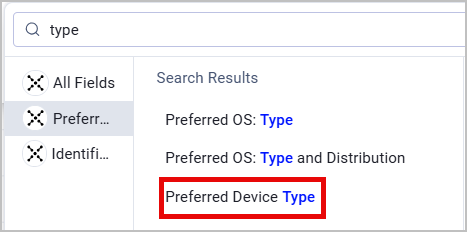
| Preferred Device Type | The general category or function of the device | Workstation, Laptop, Server, Mobile Device, Network Device, IOT Device |
| Preferred OS Family | The operating system family the device belongs to | Windows NT, Darwin, Linux, BSD, Unix, RTOS, Proprietary |
| Preferred Deployment Type | The execution or hosting environment in which the device runs | Cloud, Virtual Machine Physical |
It is recommended to use these fields in device queries to get the most accurate results.
Other fields use extra logic (in addition to adapter ranking), such as a majority vote, the earliest date, or "take ServiceNow first". You can also customize those field by navigating to System Settings > Data > Data Aggregation. See Configuring Data Aggregation Settings for an explanation of each configuration.
Updated 2 minutes ago