
Recommended Actions
Recommended Actions turns complex Security Findings and scattered vulnerabilities into a prioritized to-do list of solutions.
The Recommended Actions page translates fragmented Security Findings into prioritized, executable actions. Based on advanced, AI-powered research, for each defined group of Security Findings, Axonius provides recommendations for either:
- Remediations - Actions taken to eliminate vulnerabilities that were identified in your environment before attackers can exploit them. Examples: patches, version upgrades
- Mitigations - Actions taken to reduce the likelihood or impact of a vulnerability being exploited, without fully eliminating the vulnerability itself. Example: Applying stricter access controls.
This allows security teams to move from discovery and prioritization to mobilization.
Required Permissions
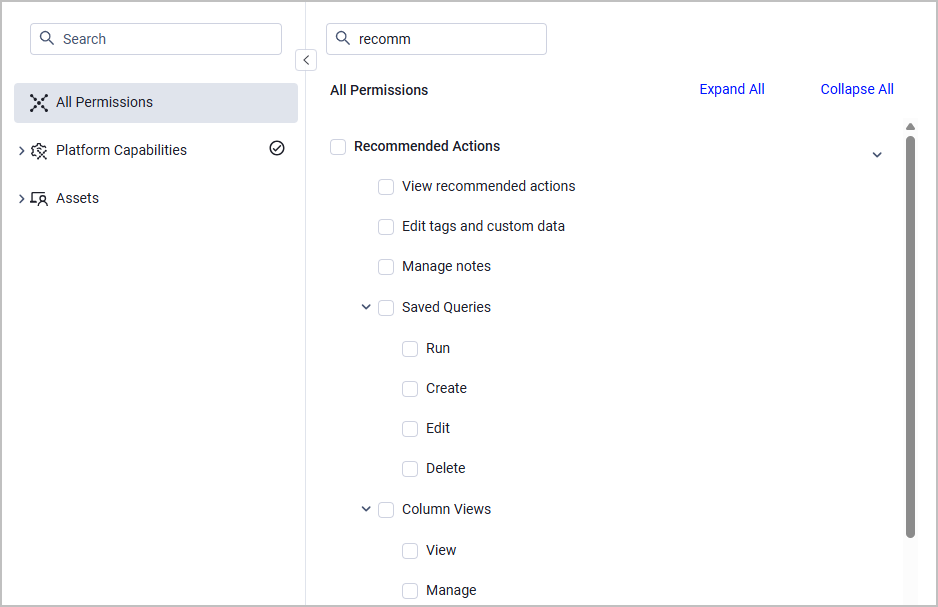
The permissions required for this feature are listed in the Permissions section of Axonius under the Recommended Actions category. Check the Recommended Actions box to assign all permissions, otherwise, check specific boxes.
See Managing Roles to learn how to assign roles and permissions in Axonius.
Recommended Actions Page
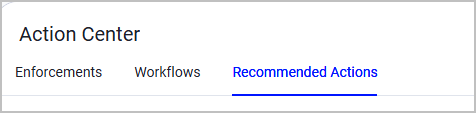
To access the Recommended Actions page, from the left navigation menu, select Action Center and then select the Recommended Actions tab.
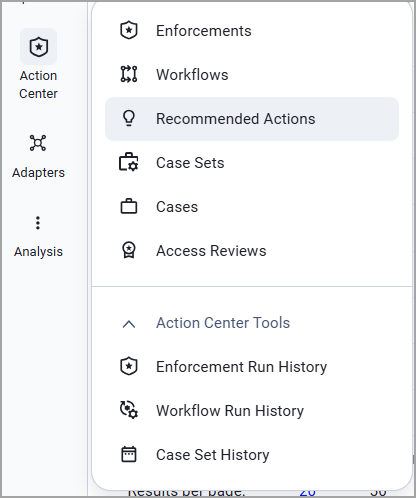
In Axonius New Navigation Experience:
- Select Action Center from the left navigation menu.
- Select Recommended Actions.
At the top of the page, two dynamic charts display the following data:
- The number of actions each remediation owner is responsible for
- The distribution of action sub types
In the Recommended Actions table, for each recommended action, the following details are displayed:
- Action Type - Remediation or Mitigation.
- Action Sub Type - The specific action to perform: upgrading a software, applying a specific policy, etc.
- Software Name - The specific software affected by this action.
- Affected Assets - The total number of assets affected by this action.
- Lists of specific Security Findings (aggregated or not) affected by this action, including how many critical Security Findings are affected.
- Remediation Owners - Each recommended action is associated with a group of Security Findings that can be under the responsibility of different remediation owners, based on its specific attributes. See Remediation Ownership for more details.
Action Drawer
Click on a recommended action row in the table to view its details in a separate drawer. Learn more about this action, the assets it affects, and how executing it helps improve your overall security posture.
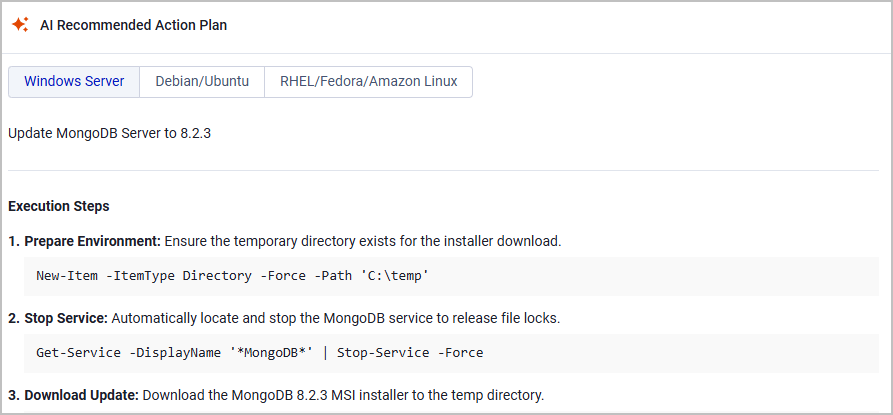
The Action Drawer includes an Overview with basic details and an AI Recommended Action Plan, composed by AI-powered research performed by Axonius. This plan lists detailed Execution Steps and Verification Steps you need to follow to apply this fix. If a different action is required for different environments or operating systems - each option is listed in separate tabs as in the following example:
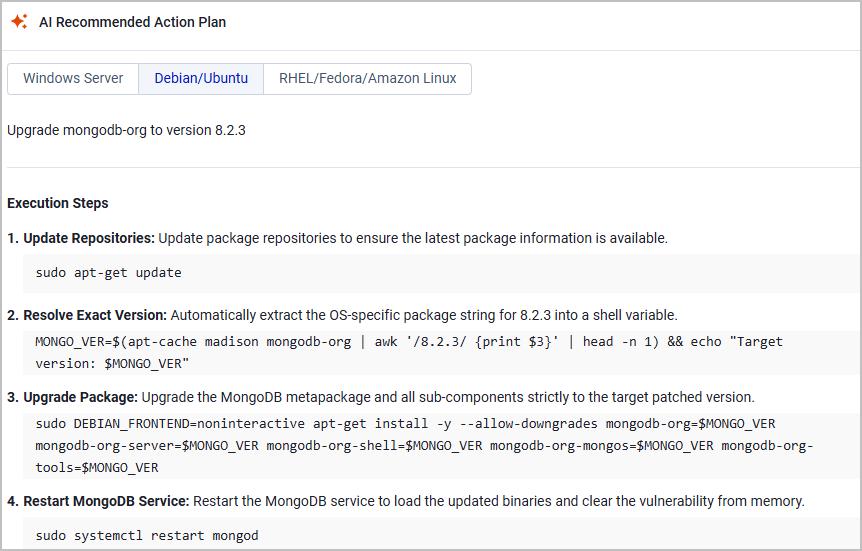
In addition to the Overview tab, the Action Drawer also includes the following tabs:
- Security Findings - A list of all Security Findings affected by this action.
- Affected Devices - A list of all Devices affected by this action.
You can open each of these lists in their corresponding Assets page.
Creating a Ticket
See Creating Tickets from Recommended Actions for details.
Exporting a CSV File
To include the full AI action plan in your generated CSV reports:
-
Add the field AI Recommended Action Plans to the Recommended Actions table. (Learn how to edit the column display here).
-
Select one or more actions from the table.
-
Click Export CSV above the table. (Learn more about the Export capability here.)
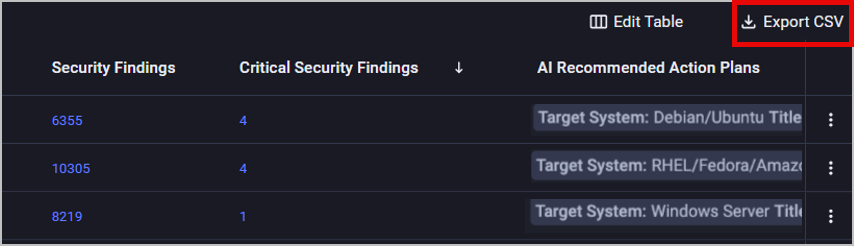
If you are exporting a single record, you can also click the Actions (3-dot) button at the right side of the table and select Export CSV from the menu.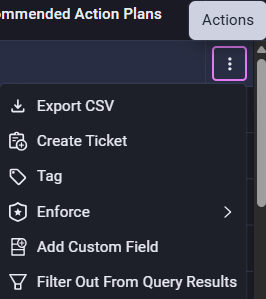
Viewing a Security Finding's Available Actions
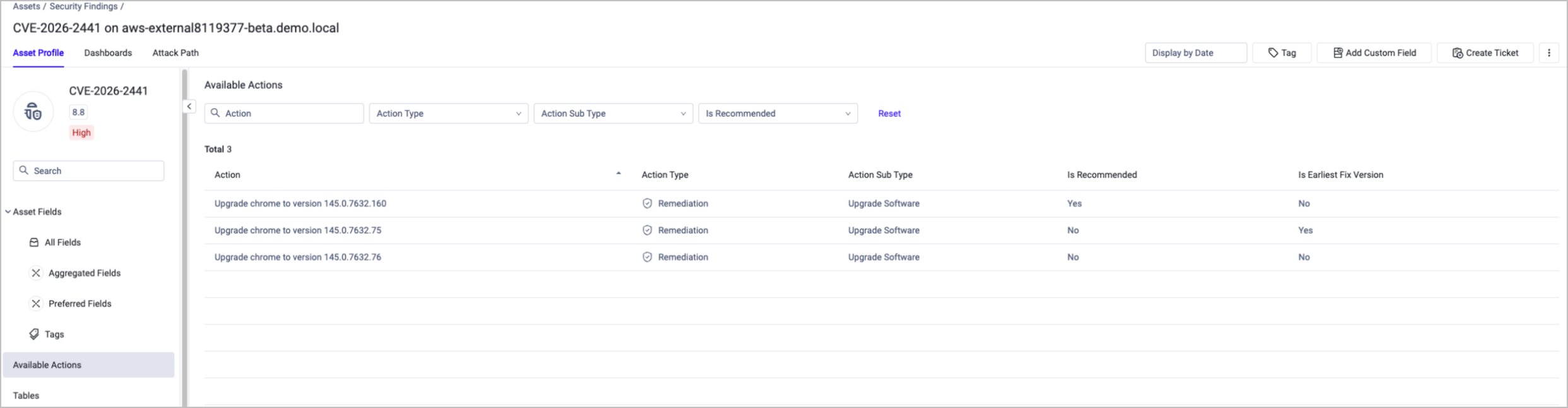
Go to a specific Security Finding profile page to view the actions available to remediate or mitigate it. Select Available Actions from the left navigation menu of the profile page to see the action details:
- Action type and sub type
- Is Recommended - The Available Actions table can contain more than one action, however, to balance between your stability and security needs, only one of them is marked by Axonius as "recommended" (Is Recommended = Yes).
- Is Earliest Fix Version - To ensure maximum stability, Axonius indicates whether a software upgrade version is the earliest that remediates the Security Finding.
Note
Each recommended action is assigned to a software associated with the Security Finding. Since Security Findings can be associated with multiple software, they might show multiple recommended actions.
Note
Since the recommendations are generated using AI (based on publicly available sources), we strongly advise to review the references independently before execution.
In some cases, not all vulnerable software affected by a certain vulnerability is accurately reported. When that happens, Axonius displays available actions for all the products affected by this vulnerability, and you can select the one used on this specific device.
In other cases, the correct vulnerable software is reported, but not the specific version affected. When this happens, Axonius displays the latest minor versions (out of multiple major versions) that offer vulnerability remediation.
Why Some Security Findings Don't Have a Recommended ActionAxonius matches each Security Findings to a specific, vetted remediation (a software upgrade or patch) whenever the underlying data supports a confident match. However, there are some cases where a Security Finding doesn't show any recommended action:
The Security Finding isn't CVE-based. Findings sourced from custom rules, compliance checks, or non-CVE detections aren't currently in scope for Recommended Actions.
The asset doesn't have enough data for a confident match. Matching a fix requires knowing the vendor and product, and ideally the exact version, of the affected software. When that data is missing or unreliable on the asset, we don't make a guess, as a low-confidence or overly broad "fix" usually creates more noise than it resolves.
The remediation research for this finding hasn't caught up yet. Axonius fix catalog is built continuously from vendor advisories and CVE data and is updated daily. However, coverage isn't instant or complete - newly disclosed CVEs or less common software may not have a mapped fix yet.
Recommended Actions apply only to Security Findings whose Axonius Status is Open or Reopen. Therefore:
- Security Findings whose Axonius Status is Open - Risk Accepted or Reopen - Risk Accepted don't show a recommended action. However, they do show actions under Available Actions on the asset's Profile page.
- Closed Security Findings are not in scope for Recommended Actions.
Axonius Status Show Recommended Actions? Show Actions under Available Actions? Open Yes Yes Reopen Yes Yes Open - Risk Accepted No Yes Reopen - Risk Accepted No Yes Closed No No
Updated about 1 month ago