
Guidewire InsuranceSuite
Guidewire InsuranceSuite is a core system that provides policy administration, billing, underwriting, and claims management across the full P&C insurance lifecycle.
The Guidewire InsuranceSuite adapter provides Axonius with visibility into your publicly accessible assets, including user, permission, and application settings data.
Asset Types Fetched
- Users
- Permissions
Data Retrieved through the Adapter
The adapter retrieves information to provide visibility into your publicly accessible assets. The retrieved data for each asset type may include:
- Users - Data such as user identity, account status, and associated metadata.
- Permissions - Data regarding assigned API roles and field-level permissions.
Before You Begin
Required Ports
- TCP Port 443
Authentication Methods
- OAuth 2.0 Client Credentials
Required Permissions
The adapter connection requires that the user account used to connect has the following permissions within the Guidewire Cloud Platform:
- OAuth 2.0 Client Credentials Flow - Configured to use this flow for authentication.
- API Role Assignment - Assigned an API Role that allows read access to the specific Admin API endpoints, such as users and roles.
- Correct OAuth Scopes - Contains the correct OAuth scopes for Administration resources in the JWT Access Token.
APIs
Axonius uses the Guidewire InsuranceSuite Admin API to retrieve asset data.
Generating Guidewire Cloud Credentials
- Log in to Guidewire Home.
- Navigate to the Guidewire Hub (the identity federation service and trusted authorization server).
- Create a new application registration or submit a request via the Guidewire Community portal to register a new InsuranceSuite REST API application.
- Select the OAuth 2.0 Client Credentials flow during registration.
- Assign the appropriate API Roles that allow read access to the specific Admin API endpoints, such as users and roles.
- Record the generated Client ID, Client Secret, and the platform-level Token URL.
Supported from Version
This adapter is supported from Axonius version 8.0.10.
Connection Parameters
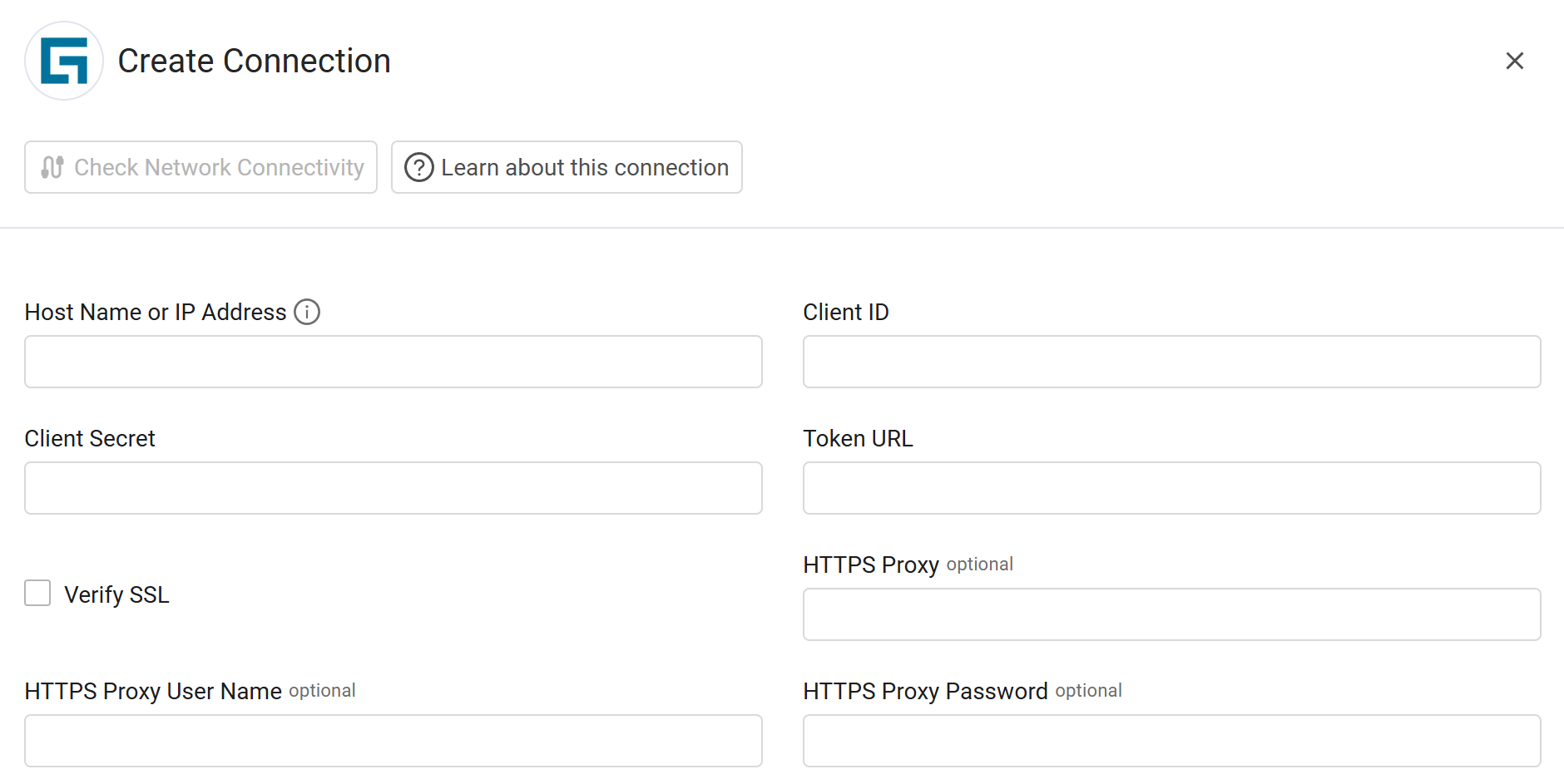
To connect the adapter in Axonius, provide the following parameters.
Required Parameters
- Host Name or IP Address - Enter the base URL for the specific InsuranceSuite product, such as PolicyCenter, ClaimCenter, or BillingCenter.
- Client ID - Enter the Client ID associated with the OAuth 2.0 Client Credentials.
- Client Secret - Enter the Client Secret associated with the Client ID.
- Token URL - Enter the URL of the platform-level OAuth 2.0 Authorization Server that issues the JWT Access Token.
Optional Parameters
-
Verify SSL - Select whether to verify the SSL certificate of the server against the CA database inside of Axonius. For more details, see SSL Trust & CA Settings.
-
HTTPS Proxy - Enter an HTTPS proxy address to connect the adapter to a proxy instead of directly connecting it to the domain.
-
HTTPS Proxy User Name - Enter the user name to use when connecting to the value supplied in Host Name or IP Address via the value supplied in HTTPS Proxy.
-
HTTPS Proxy Password - Enter the password to use when connecting to the server using the HTTPS Proxy.
To learn about additional optional/common adapter connection parameters, see Adding a New Adapter Connection.
Updated 9 months ago