
Push Security
Push Security is a cybersecurity platform that helps organizations secure their SaaS environments by monitoring user behavior, detecting misconfigurations, and guiding employees to fix security issues directly through browser-based prompts.
Asset Types Fetched
- Users
- SaaS Applications
- Alerts/Incidents
Before You Begin
Ports
- TCP port 80/443
Authentication Method
- Use an API key in the
x-api-keyheader. API keys are managed in the Push admin console under Settings → Create API Key.
APIs
Axonius uses the Push Security REST API.
Permissions
The value supplied in API Key must have read-only permissions in order to fetch assets.
Supported From Version
Supported from Axonius version 7.0.7
Connecting the Adapter in Axonius
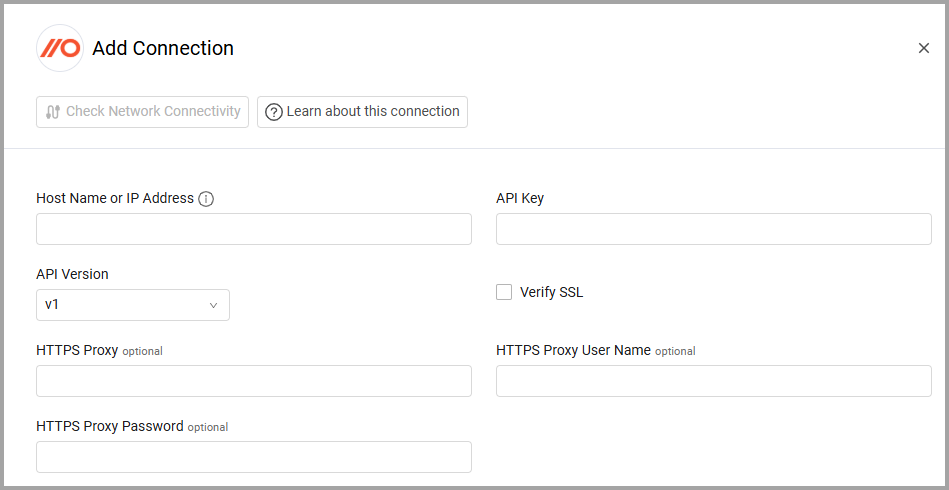
To connect the adapter in Axonius, provide the following parameters:
Required Parameters
- Host Name or IP Address - The hostname or IP address of the Push Security server.
- API Key - An API Key associated with a user account that has the Required Permissions to fetch assets.
- API Version (default: v1) - Select the API Version you want to use to connect.
Optional Parameters
-
Verify SSL - Select whether to verify the SSL certificate of the server against the CA database inside of Axonius. For more details, see SSL Trust & CA Settings.
-
HTTPS Proxy - Connect the adapter to a proxy instead of directly connecting it to the domain.
-
HTTPS Proxy User Name - The user name to use when connecting to the value supplied in Host Name or IP Address via the value supplied in HTTPS Proxy.
-
HTTPS Proxy Password - The password to use when connecting to the server using the HTTPS Proxy.
To learn more about common adapter connection parameters and buttons, see Adding a New Adapter Connection.
Related Enforcement Actions
Updated about 1 year ago