
Oligo
Oligo is a runtime application security platform that provides protection against vulnerabilities in open-source code.
Asset Types Fetched
- Vulnerabilities
- SaaS Applications
- Compute Images
Before You Begin
Ports
- TCP port 80/443
Authentication Method
- JWT Token
- API Key
APIs
Axonius uses the Oligo API.
Permissions
-
Compute Images: Requires
bearertoken or API key access withGETpermission for/api/v1/image. -
Vulnerabilities: Requires bearer token or API key access with
GETpermission for/api/v2/vulnerabilities. -
API key or client credentials provided upon Oligo installation must have read access to runtime compute images and vulnerabilities.
Supported From Version
Supported from Axonius version 7.0.11
Connecting the Adapter in Axonius
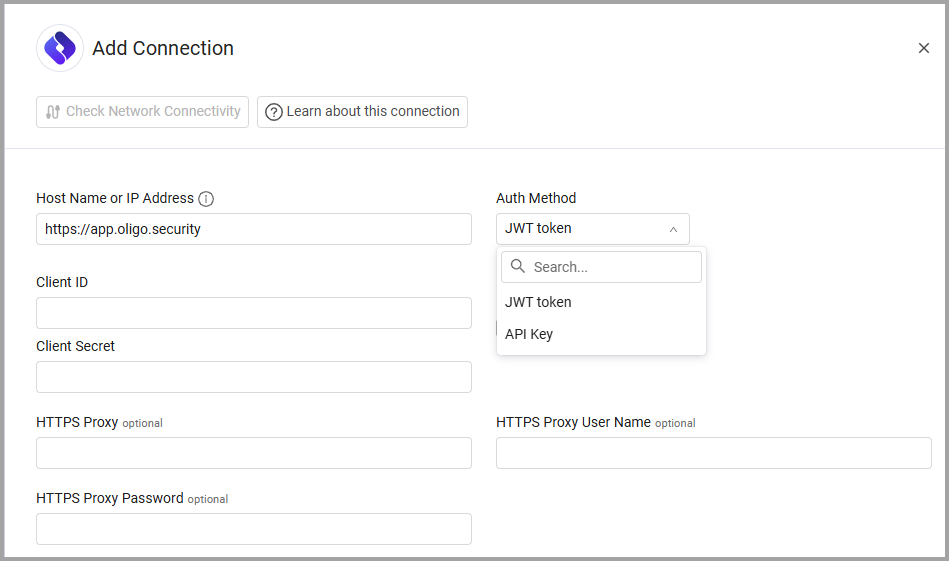
To connect the adapter in Axonius, provide the following parameters:
Required Parameters
- Host Name or IP Address (default:
https://app.oligo.security) - The hostname or IP address of the Oligo server. - Auth Method - Select the relevant authentication method, either JWT Token or API Key.
- JWT Token (Client ID and Client Secret)
- API Key (Client ID and API Secret)
- Client ID and Client/API Secret- The credentials for an account that has the Required Permissions to fetch assets.
Optional Parameters
-
Verify SSL - Select whether to verify the SSL certificate of the server against the CA database inside of Axonius. For more details, see SSL Trust & CA Settings.
-
HTTPS Proxy - Connect the adapter to a proxy instead of directly connecting it to the domain.
-
HTTPS Proxy User Name - The user name to use when connecting to the value supplied in Host Name or IP Address via the value supplied in HTTPS Proxy.
-
HTTPS Proxy Password - The password to use when connecting to the server using the HTTPS Proxy.
To learn more about common adapter connection parameters and buttons, see Adding a New Adapter Connection.
Updated 12 months ago