
Palo Alto Networks Prisma Access Browser
Overview
Palo Alto Networks Prisma Access Browser is a secure enterprise browser that offers integrated threat prevention, data-loss protection, and zero-trust access for web and SaaS applications on managed or unmanaged devices.
Types of Assets Fetched
 Devices |
  Users
Users
Before you Begin
Supported from Version
- Supported from Axonius v8.0.8
Required Ports
- TCP 443
APIs
- Aoxnius uses the Prisma Access Browser SEB API v1
Required Permissions
View Only Administratorrole
Configuring the Palo Alto Networks Prisma Access Browser credentials
Use Palo Alto Networks Common Services UI to add a Service Account in the desired Tenant Service Group (TSG). Reference: Add Service Accounts (Common Services).
-
Sign in to the Palo Alto Networks cloud management portal.
-
Navigate to Common Services → Identity & Access.
-
Select the Tenant Service Group (TSG) where you want to create the service account.
- If needed, create a new TSG first
-
Click Add.
-
For Identity Type, select Service Account.
-
Enter a unique Service Account Name and Description.
-
Proceed to the Client Credentials step.
-
On the Client Credentials screen:
- Copy the Client ID and Client Secret. (the Client Secret is displayed only once)
-
Assign a predefined least-privileged role suitable for data retrieval:
View Admin Only. -
Save to complete creation.
-
In Identity & Access, open the TSG details and record the TSG ID.
Deploying the Palo Alto Networks Prisma Access Browser Adapter
- Navigate to the Adapters page, search for
Palo Alto Networks Prisma Access Browser, and click on the adapter tile. - Click Add Connection.
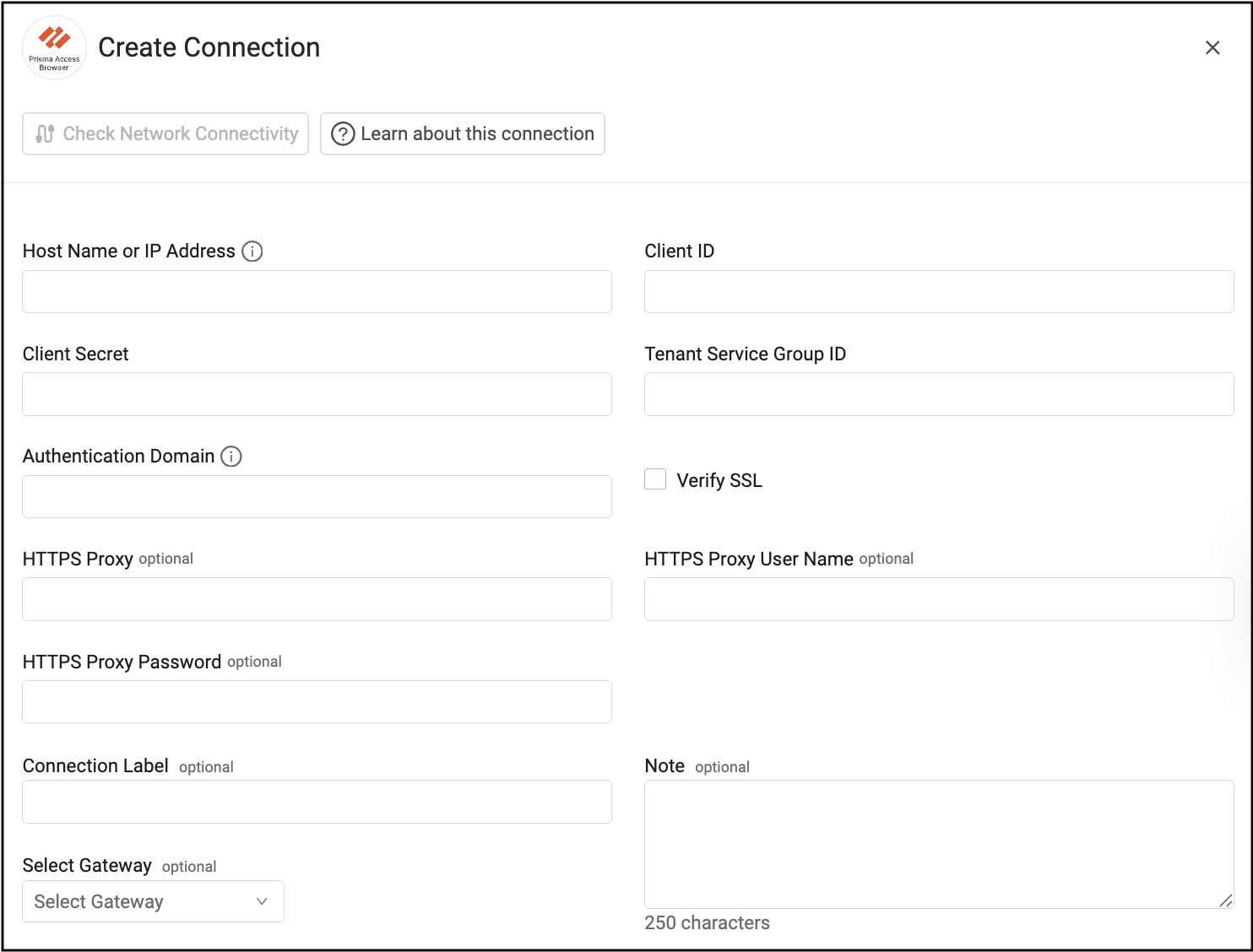
To connect the adapter in Axonius, provide the following parameters:
Required Parameters
- Domain - Base domain URL for SEB API requests. Must include protocol (
http://orhttps://). Example:https://<seb-api-host>(Do not append path segments) - Client ID - Client identifier from the Prisma SASE Service Account.
- Client Secret - Client secret from the Prisma SASE Service Account.
- Tenant Service Group ID - TSG identifier used to scope the access token.
- Authentication Domain - Base domain URL for the Authentication Service token endpoint. Use
https://auth.apps.paloaltonetworks.com. - Connection Label - Friendly name for your new adapter connection.
Optional Fields
- Verify SSL - Enable/disable SSL certificate verification for API calls.
- HTTPS Proxy - Proxy URL used for outbound API communication.
- HTTPS Proxy User Name - Username for proxy authentication.
- HTTPS Proxy Password - Password for proxy authentication.
- Select Gateway – Select the Axonius Gateway to use when connecting adapters whose sources are only accessible by an internal network. To use this option, you need to set up an Axonius Gateway.
To learn more about common adapter connection parameters and buttons, see Adding a New Adapter Connection.
Updated 10 months ago