
Detectify
Detectify is an external attack surface management platform that provides continuous asset discovery and dynamic automated security testing to identify vulnerabilities across web applications and domains.
The Detectify adapter enables Axonius to fetch and catalog comprehensive information about your organization's internet-facing assets and security assessments to provide visibility into your external digital footprint.
Asset Types Fetched
- Devices
- Vulnerabilities
- SaaS Applications
- Domains & URLs
Data Retrieved through the Adapter
The adapter retrieves information to provide visibility into your publicly accessible assets. The retrieved data for each asset type may include:
- Devices - Data such as IP address details and geolocation information (country, continent).
- Vulnerabilities - Data such as finding titles, severity levels, and industry-standard risk scores (CVSS, CWE).
- SaaS Applications - Data such as breach information related to compromised assets and associated policy names.
- Domains & URLs - Data such as asset names, discovery status, and various lifecycle timestamps.
Before You Begin
Required Ports
- TCP port 443
Authentication Methods
- API Key
Required Permissions
The adapter connection requires an API key associated with an account that has permissions to enumerate assets and IPs, and to retrieve vulnerability and breach data. See Generating the API Key.
APIs
Axonius uses the Detectify v2 and Detectify v3 APIs to retrieve asset data.
Important
The Detectify v3 API requires a specific API key separate from the Detectify v2 API. To fetch all supported data types across both endpoint versions, you must configure two separate connections using their respective keys.
Generating the API Key
- Log in to your Detectify account and navigate to the Team menu.
- Select Account Settings and go to the API-Keys tab.
- Click Generate API Key.
- Enter a name and optional description for the key, then click Generate API-Key again.
- Copy and securely store the API key, as it will only be displayed once.
- In API Setting Permissions, ensure that permissions for listing assets and reading vulnerabilities are enabled.
Supported from Version
This adapter is supported from Axonius version 8.0.11.
Connection Parameters
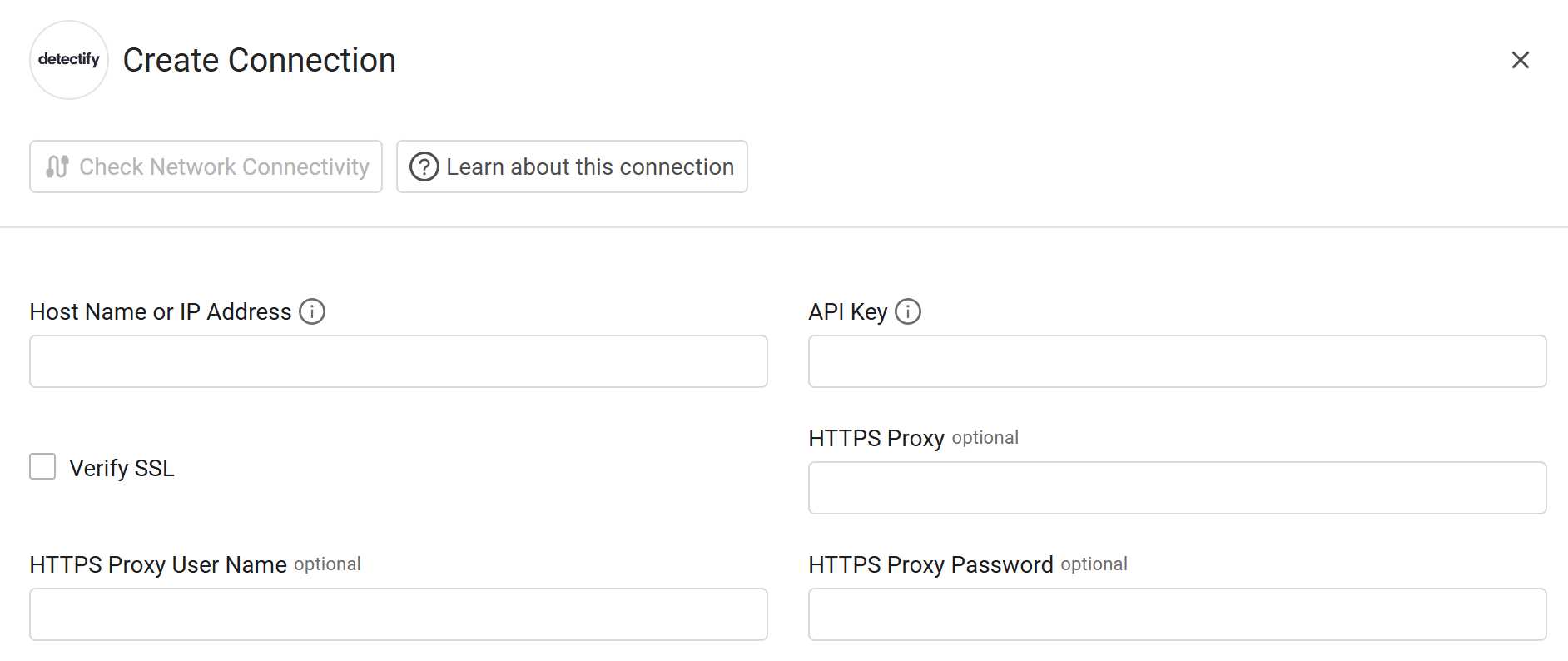
To connect the adapter in Axonius, provide the following parameters.
Required Parameters
- Host Name or IP Address - Enter the host name or IP address of the Detectify server.
- API Key - Enter the API key generated for the specific API version (v2 or v3) you are connecting with.
Optional Parameters
-
Verify SSL - Select whether to verify the SSL certificate of the server against the CA database inside of Axonius. For more details, see SSL Trust & CA Settings.
-
HTTPS Proxy - Enter an HTTPS proxy address to connect the adapter to a proxy instead of directly connecting it to the domain.
-
HTTPS Proxy User Name - Enter the user name to use when connecting to the value supplied in Host Name or IP Address via the value supplied in HTTPS Proxy.
-
HTTPS Proxy Password - Enter the password to use when connecting to the server using the HTTPS Proxy.
To learn about additional optional/common adapter connection parameters, see Adding a New Adapter Connection.
Updated 21 days ago