
AI Workforce Manager
Use the AI Workforce Manager to monitor the health of your workforce — which workers are stale, what changed since their last runs, and what to run next.
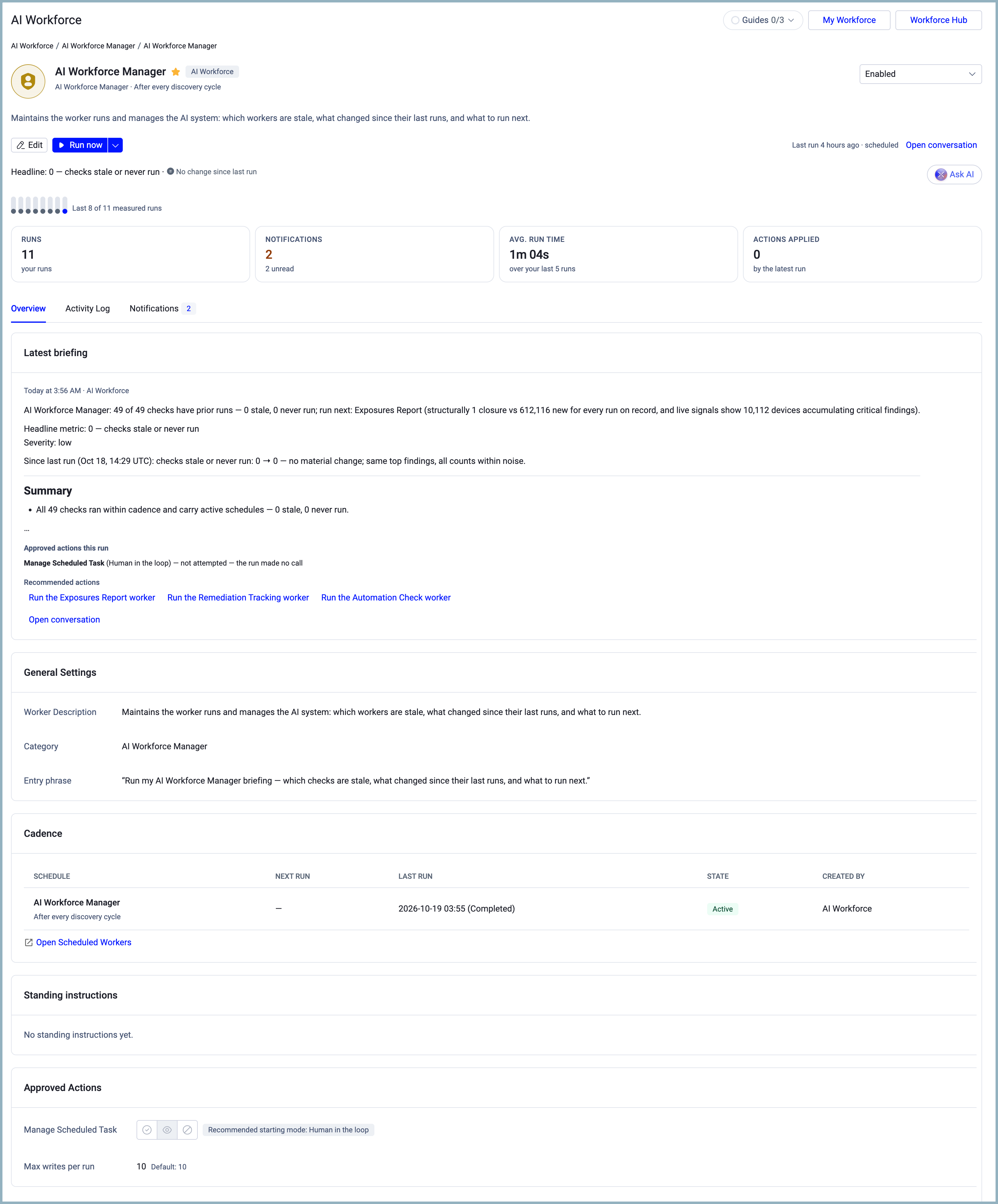
The AI Workforce Manager is itself a worker that runs automatically after every discovery cycle. It checks every worker on your roster and reports how many need attention, are stale, have never run, and are up to date. It runs no asset queries. It appears at the top of My Workforce, above all other worker categories.
Its schedule also sets when the Daily Digest is generated, and therefore when Top Insights on the Homepage is refreshed.
See Viewing Worker Details to learn about the Workforce Manager page.
Prerequisites
- To open the AI Workforce Manager, your role needs the AI Agents > View and interact permission.
- To edit the AI Workforce Manager's settings (status, Approved Actions, Standing instructions), your role needs the Configure AI system settings permission.
- To change the AI Workforce Manager's schedule, your role needs the Manage the AI Workforce permission.
Opening the AI Workforce Manager
- In the sidebar, hover over AI Workforce, and then select My Workforce.
- At the top of the page, select the AI Workforce Manager card.
The AI Workforce Manager card has no star. Its card menu includes Open run, Schedule, and Open worker page.
Updated 15 days ago