
DarwinBox
Overview
Darwinbox is a human capital management platform that provides end-to-end HR technology solutions for managing the entire employee lifecycle from recruitment to retirement.
Use Cases the Adapter Solves
- Employee Lifecycle Visibility: Gain complete visibility into your organization's employee data, including active employees, new hires, and departures.
- HR Data Correlation: Correlate employee information from Darwinbox with device and application usage data.
- Compliance and Audit Readiness: Maintain up-to-date employee records for compliance reporting, audit trails, and security assessments.
Assets Types Fetched
 Users
Users
Data Retrieved through the Adapter
The following data can be fetched by the adapter:
Users: fields such as Employee ID, Company Email, Full Name, Department Name
Before You Begin
Required Ports
- TCP 443 (HTTPS)
Authentication Method
- Basic Authentication with Username and Password and API Key and Dataset Key for API access
APIs
The adapter uses the Darwinbox Master API to fetch employee data:
Endpoint:
POST /masterapi/employee- Fetch employee data
Required Permissions
Note: The exact permission names and roles required for API access should be confirmed with your Darwinbox administrator or Darwinbox support, as the API documentation is not publicly available. Typically, you will need:
- Read access to employee data
Supported From Version
Supported from Axonius version 8.0.14
Setting Up Darwinbox to Work with Axonius
To configure Darwinbox for integration with Axonius, contact your Darwinbox administrator or Darwinbox support to obtain the following credentials:
- User Name and Password - Credentials for a Darwinbox user account with appropriate permissions
- API Key - An API key provided by Darwinbox for API access
- Dataset Key - A dataset key that identifies the specific dataset to query
Connecting the Adapter in Axonius
Navigate to the Adapters page, search for Darwinbox, and click on the adapter tile.
Click Add Connection.
Required Parameters
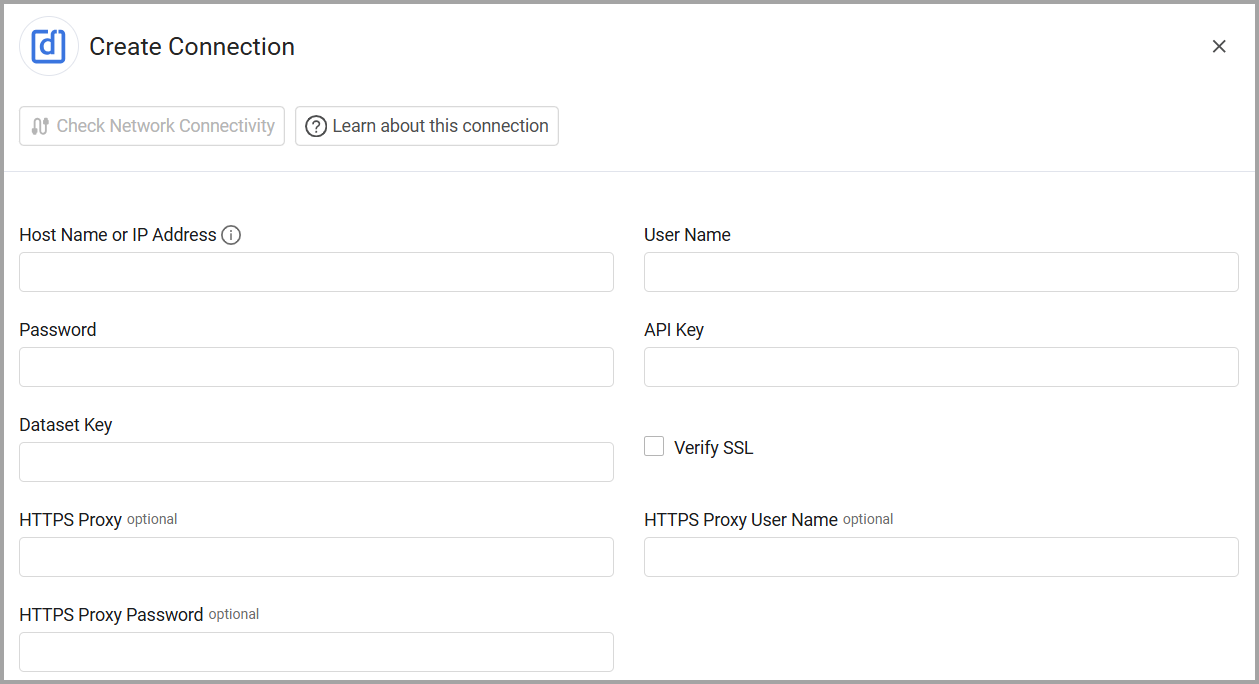
To connect the adapter in Axonius, provide the following parameters:
-
Host Name or IP Address: The base domain for your Darwinbox instance (e.g.,
https://yourcompany.darwinbox.in) -
User Name: Your Darwinbox username for API authentication
-
Password: Your Darwinbox password for API authentication
-
API Key: The API key generated from Darwinbox
-
Dataset Key: The dataset key provided by Darwinbox for your organization
-
Connection Label - A unique label to identify this connection in Axonius.
Optional Parameters
-
Verify SSL - Select whether to verify the SSL certificate of the server against the CA database inside of Axonius. For more details, see SSL Trust & CA Settings.
-
HTTPS Proxy - Connect the adapter to a proxy instead of directly connecting it to the domain.
-
HTTPS Proxy User Name - The user name to use when connecting to the value supplied in Host Name or IP Address via the value supplied in HTTPS Proxy.
-
HTTPS Proxy Password - The password to use when connecting to the server using the HTTPS Proxy.
-
Select Gateway – Select the Axonius Gateway to use when connecting adapters whose sources are only accessible by an internal network and not from the primary Axonius instance, which may be an Axonius-hosted (SaaS) instance or Customer-hosted (on-premises / private cloud). To use this option, you need to set up an Axonius Gateway.
To learn more about common adapter connection parameters and buttons, see Adding a New Adapter Connection.
Updated 19 days ago