
Seismic
Seismic is a unified AI-powered sales enablement platform that provides customer-facing teams with the skills, content, tools, and insights needed to engage buyers and drive revenue growth.
The Seismic adapter enables Axonius to fetch and catalog users, roles, and entitlements, providing comprehensive visibility into access governance and system settings within the platform.
Asset Types Fetched
- Users
- Roles
Data Retrieved through the Adapter
- Users - Full name, email address, user ID, status, and assigned roles.
- Roles - Role names, permissions, and security role configurations.
Before You Begin
Required Ports
- TCP port 443
Authentication Methods
- OAuth 2.0 with Client Credentials
Required Permissions
The credentials used for the connection must be associated with an account that has an administrative role within the Seismic tenant.
Generating the Client ID and Client Secret
- Log in to your Seismic instance as an Administrator.
- Navigate to Settings > Integration Management (or Developer Portal).
- Select App Management or Connected Apps.
- Select the option to create a new application for the OAuth 2.0 Client Credentials flow.
- Assign a name to the application (e.g., "Axonius Adapter").
- Ensure the following Required Scopes are assigned to the application:
seismic.reportingseismic.user.view
- Generate the credentials.
- Copy the Client ID and Client Secret and save them in a secure location.
For more information, see the Login with client credentials flow on the Seismic website.
APIs
Axonius uses the Seismic API to retrieve asset data.
Supported from Version
This adapter is supported from Axonius version 8.0.8.
Connection Parameters
To connect the adapter in Axonius, provide the following parameters.
Required Parameters
- Domain Name - Enter the the hostname or IP address of the Seismic server (default:
https://api.seismic.com). - Tenant - Enter the name of your specific Seismic tenant.
- User ID - Enter the User ID of the administrative account.
- Client ID - Enter the Client ID generated from the Seismic portal.
- Client Secret - Enter the Client Secret associated with the Client ID.
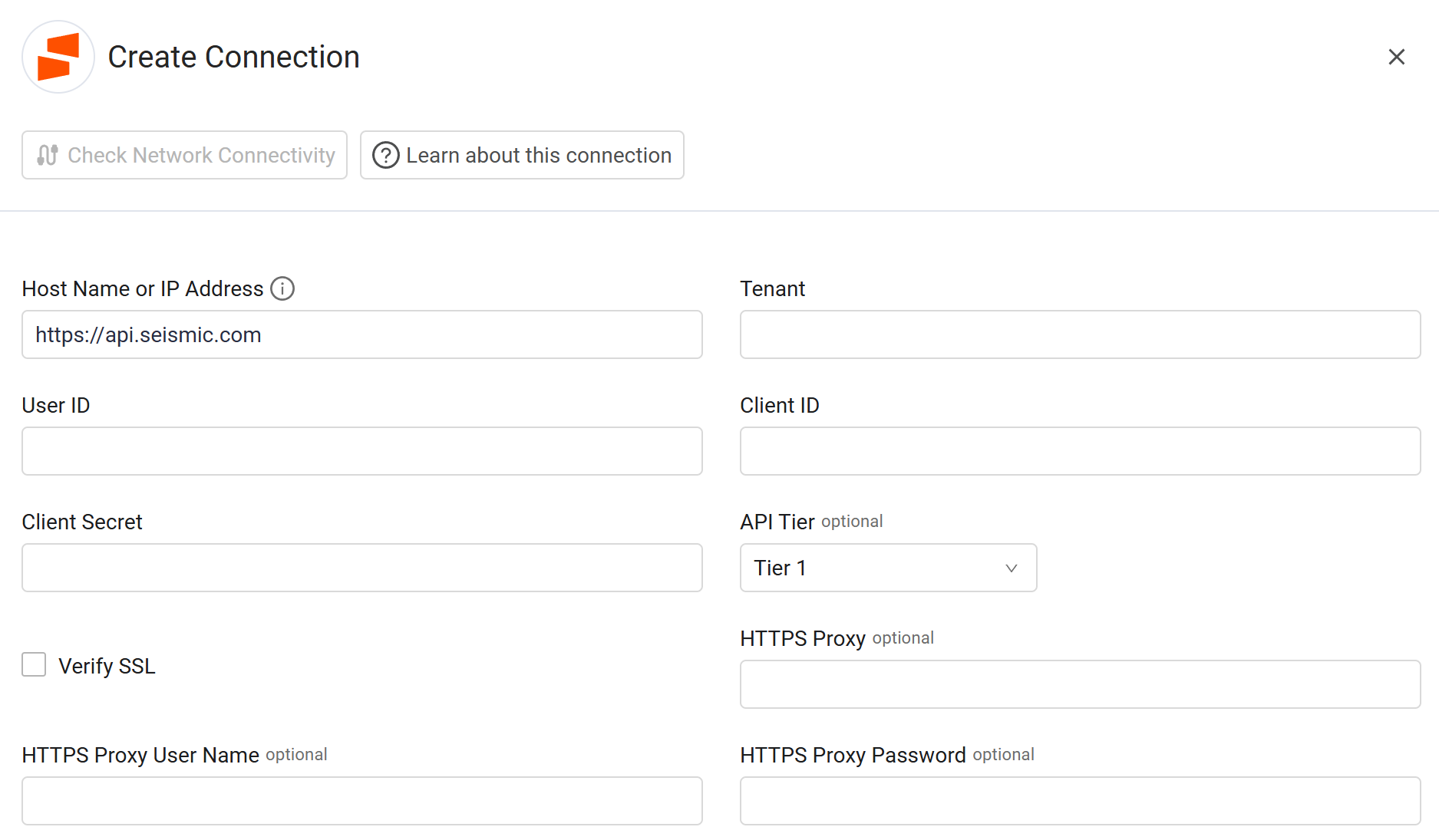
Optional Parameters
-
API Tier - Select the API tier that corresponds to your Seismic subscription level (default: Tier 1). This setting ensures that Axonius respects the specific rate limits and throttling thresholds associated with your Seismic instance.
-
Verify SSL - Select whether to verify the SSL certificate of the server against the CA database inside of Axonius. For more details, see SSL Trust & CA Settings.
-
HTTPS Proxy - Enter an HTTPS proxy address to connect the adapter to a proxy instead of directly connecting it to the domain.
-
HTTPS Proxy User Name - Enter the user name to use when connecting to the value supplied in Host Name or IP Address via the value supplied in HTTPS Proxy.
-
HTTPS Proxy Password - Enter the password to use when connecting to the server using the HTTPS Proxy.
To learn about additional optional/common adapter connection parameters, see Adding a New Adapter Connection.
Advanced Settings
Note
- Advanced settings can apply to either all connections of this adapter, or to a specific connection. For more detailed information, see Advanced Configuration for Adapters.
- For more general information about advanced settings, see Adapter Advanced Settings.
- Enrich List Users Endpoint with List Roles Endpoint - Toggle this option on to include detailed role information for each fetched user.
- Fetch SecurityRoles from List Roles Endpoint - Toggle this option on to retrieve additional security-specific roles from the roles endpoint.
Updated 23 days ago