
Adyen
Overview
Adyen is a financial‑technology platform that provides end‑to‑end payment processing, risk management, and global acquiring for online, mobile, and point‑of‑sale transactions.
This adapter integrates with Adyen's Management API to retrieve device and user inventory information for inventory and identity visibility in Axonius.
Types of Assets Fetched
 Devices |
  Users
Users
Before you begin
Ports
- TCP port 80/443
APIs
- Adyen Management API v3
- https://docs.adyen.com/api-explorer/Management/3/get/terminals
- https://docs.adyen.com/api-explorer/Management/3/get/companies
- https://docs.adyen.com/api-explorer/Management/3/get/companies/(companyId)/users
Required Permissions
- To fetch devices, the API credential must have the Management API - Terminal actions read role.
- To fetch users, the API credential must have the Management API - Account read and Management API - Users read and write roles.
Supported From Version
Supported from Axonius version 8.0.9
Configuring the Adyen credentials
Deploying the Adyen Adapter
- Navigate to the Adapters page, search for
adyen_adapter, and click on the adapter tile. - Click on Add Connection.
Required Parameters
- Domain - The base domain for the Adyen Management API. This must include the URL scheme (https://). Do not append path segments (the adapter will add /v3/...).
- API Key - Adyen Management API key with the permissions listed under 'Required Permissions'. Refer to Generate an API Key for instructions on how to create the key.
- Connection Label - A user-friendly name for this connection
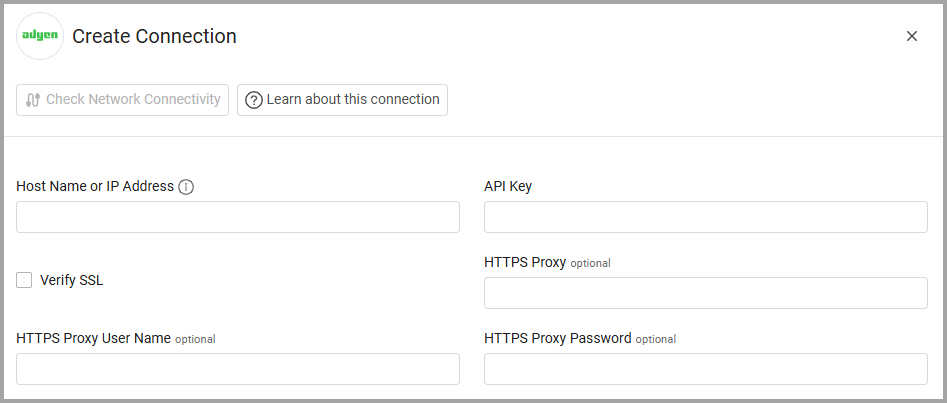
Optional Fields
- Verify SSL - Select whether to verify the SSL certificate of the server against the CA database inside of Axonius. For more details, see SSL Trust & CA Settings.
- HTTPS Proxy - Connect the adapter to a proxy instead of directly connecting it to the domain.
- HTTPS Proxy User Name - The user name to use when connecting to the value supplied in Host Name or IP Address via the value supplied in HTTPS Proxy.
- HTTPS Proxy Password - The password to use when connecting to the server using the HTTPS Proxy.
-
Select Gateway – Select the Axonius Gateway to use when connecting adapters whose sources are only accessible by an internal network and not from the primary Axonius instance, which may be an Axonius-hosted (SaaS) instance or Customer-hosted (on-premises / private cloud). To use this option, you need to set up an Axonius Gateway.
Updated 10 days ago
Did this page help you?