
A10 ThreatX
ThreatX (by A10 Networks) is a managed API and web application protection platform (WAAP/WAF) that provides Layer 7 threat detection and blocking via behavioral analytics, bot protection, DDoS mitigation, and API discovery. It operates as a reverse-proxy SaaS.
Use Cases the Adapter Solves
- Security Visibility: Gain comprehensive visibility into web applications and APIs protected by ThreatX, including monitored sites, endpoints, and backend services.
- Asset Discovery: Identify and track load balancers (sites), API endpoints, and protected services to understand your application security perimeter.
Asset Types Fetched
Devices, Load Balancers, Domains & URLs
Data Retrieved through the Adapter
Devices - Fields such as IP Address
Load Balancers - Fields such as Hostname, Name, Device Remote ID
Domains & URLs - Fields such as Hostname, Domain, Device Remote ID
Before You Begin
Required Ports
- TCP port 443 (HTTPS)
Authentication Methods
API Token Authentication
APIs
Axonius uses the ThreatX REST API. The following endpoints are called:
POST /tx_api/v1/login- Authenticates and retrieves a session tokenPOST /tx_api/v2/sites- Retrieves list of protected sites (load balancers)POST /tx_api/v1/metrics/tech- Retrieves endpoint profiles (API/URL endpoints)POST /tx_api/v1/services- Retrieves service IP addresses
Required Permissions
The following permissions are required:
The API user must have a valid API token with permissions to:
- Access the ThreatX API
- Read site configurations
- Read endpoint profile data
- Read service information
Note: The exact permission names should be confirmed with your ThreatX administrator or ThreatX support, as the API documentation is not publicly available.
Supported From Version
Supported from Axonius version 9.0.4
Connecting the Adapter in Axonius
Navigate to the Adapters page, search for A10 ThreatX, and click on the adapter tile.
Click Add Connection.
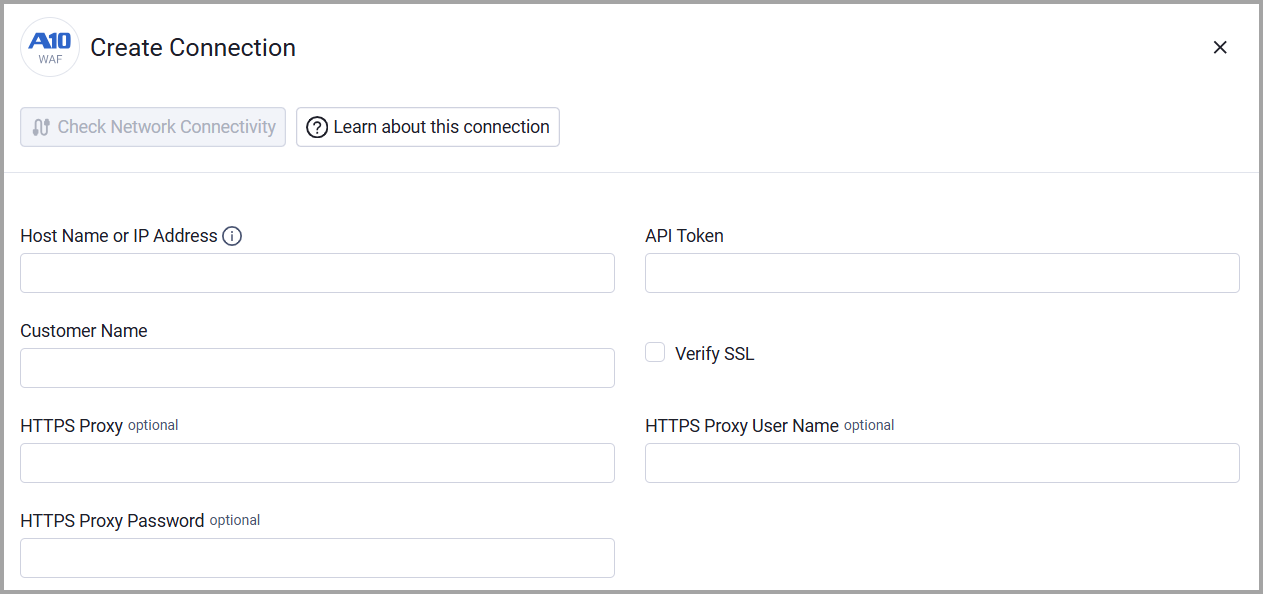
To connect the adapter in Axonius, provide the following parameters:
Required Parameters
- Host Name or IP Address - Base domain for the API, should contain a prefix of http:// or https://. Do not add any specific endpoints after the domain. Example:
https://api.protect.threatx.io - API Token - The API token generated from the ThreatX console. This token is used to authenticate API requests.
- Customer Name - Your ThreatX tenant name (customer name). This is required for all API requests.
Optional Parameters
- Verify SSL - Select whether to verify the SSL certificate of the server against the CA database inside of Axonius. For more details, see SSL Trust & CA Settings.
- HTTPS Proxy - Connect the adapter to a proxy instead of directly connecting it to the domain.
- HTTPS Proxy User Name - The user name to use when connecting to the value supplied in Host Name or IP Address via the value supplied in HTTPS Proxy.
- HTTPS Proxy Password - The password to use when connecting to the server using the HTTPS Proxy.
To learn more about common adapter connection parameters and buttons, see Adding a New Adapter Connection.
Updated 20 days ago