
Dashboard Templates
Dashboard Templates
Dashboard templates are pre-built workspaces available in the Dashboard Templates gallery. When a user selects a template, Axonius creates a new dashboard populated with pre-configured charts and queries.
Note that some are available as part of Axonius Workspaces. The templates visible to you depend on which Axonius products are activated on your instance.
- Executive & Security Posture
- Inventory by Device Class
- Cloud
- Emerging Threats & Patch
- Tool Coverage
- Data Quality & CMDB
- Users & Identity
- Software
- SaaS (Axonius SaaS Applications product)
- Compliance & Programs
🏢 Executive & Security Posture
Executive Report
Use this dashboard to see a high-level view of the environment. The main focus on overall metrics makes this ideal for export as a management report. The charts and queries can be adjusted based on your specific needs. The content covers an overall overview of different aspects, mainly in security and coverage, agents, users, and cloud instances.
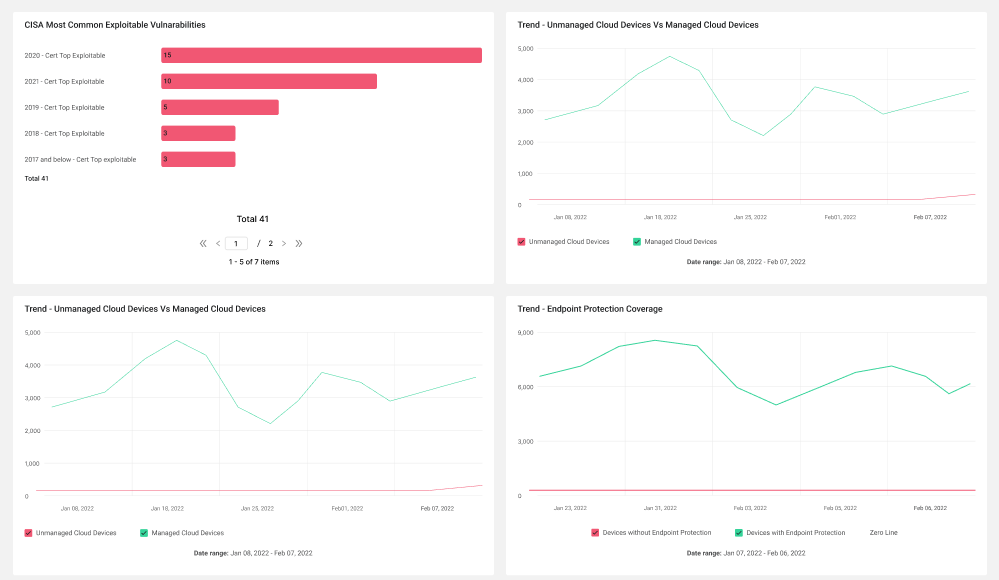
Tags: Inventory, Windows Servers, Endpoint Protection Coverage, Managed Devices, Users, Cloud Environments
Security Posture
Use this dashboard to see the reflection of the environment's security posture. The content is focused on understanding different aspects of the environment's security posture such as exposure to CVEs, EPP and VA tools coverage, and enabling a simple and easy starting point. The dashboard is organized so you can gain a quick understanding of the exposure to the top exploitable CVEs, the different agents deployed, EDR/EPP and VA Tools coverage, Agents' statuses, and more.
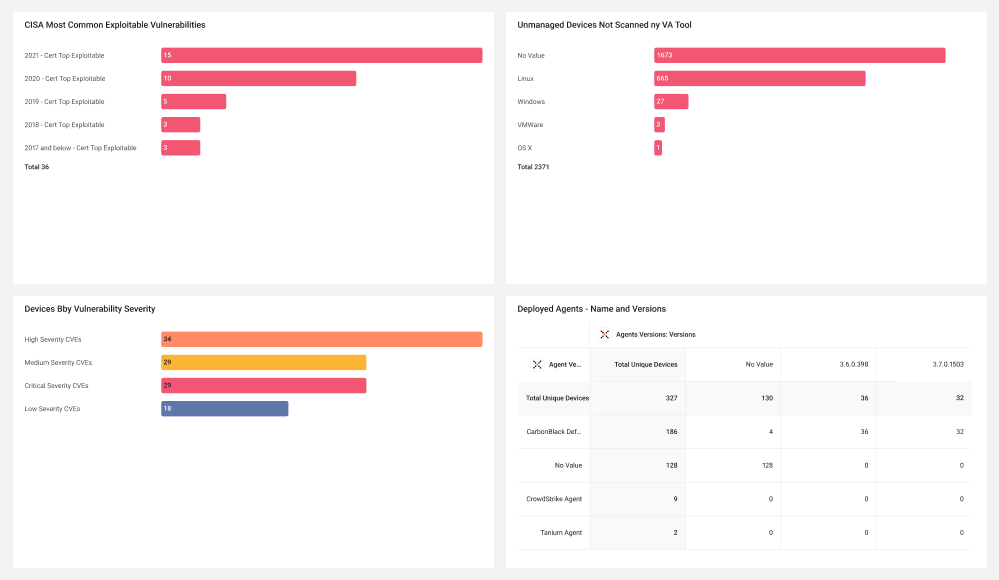
Tags: Security Findings, CISA Top Exploitable, CISA Common Exploitable, Deployed Agents, Endpoint Protection Coverage, Vulnerability Tool Coverage, Agent Status
Environment Hygiene
Use this dashboard to see the reflection of the environment's security hygiene. The content is focused on understanding different aspects of the environment's exposure to CVEs and to enable a simple and easy starting point. The dashboard is organized so you can gain a quick understanding of exposure to the top exploitable CVEs, the different agents deployed, overall CVEs by severity, and more.
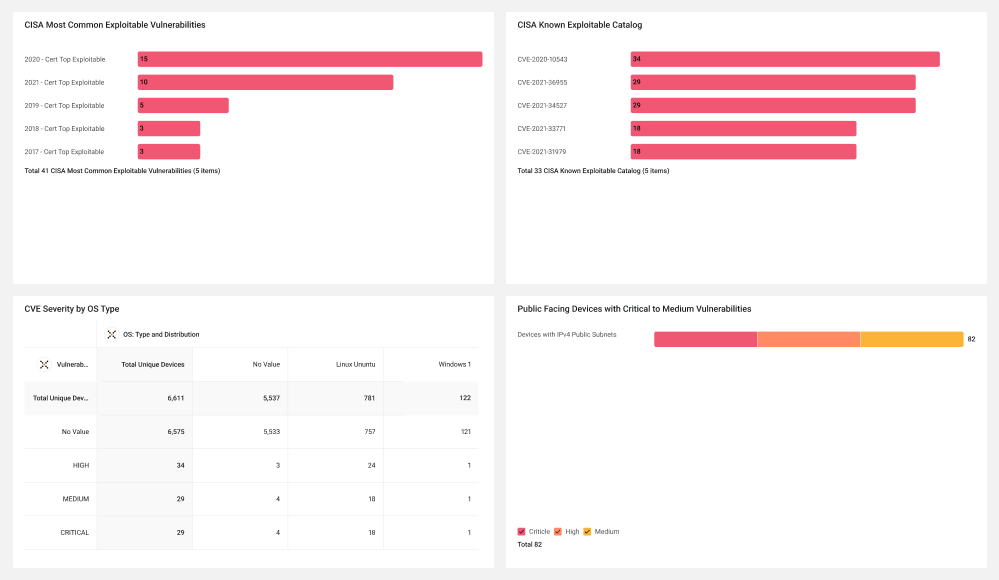
Tags: Security Findings, CISA Top Exploitable, CISA Common Exploitable, Deployed Agents
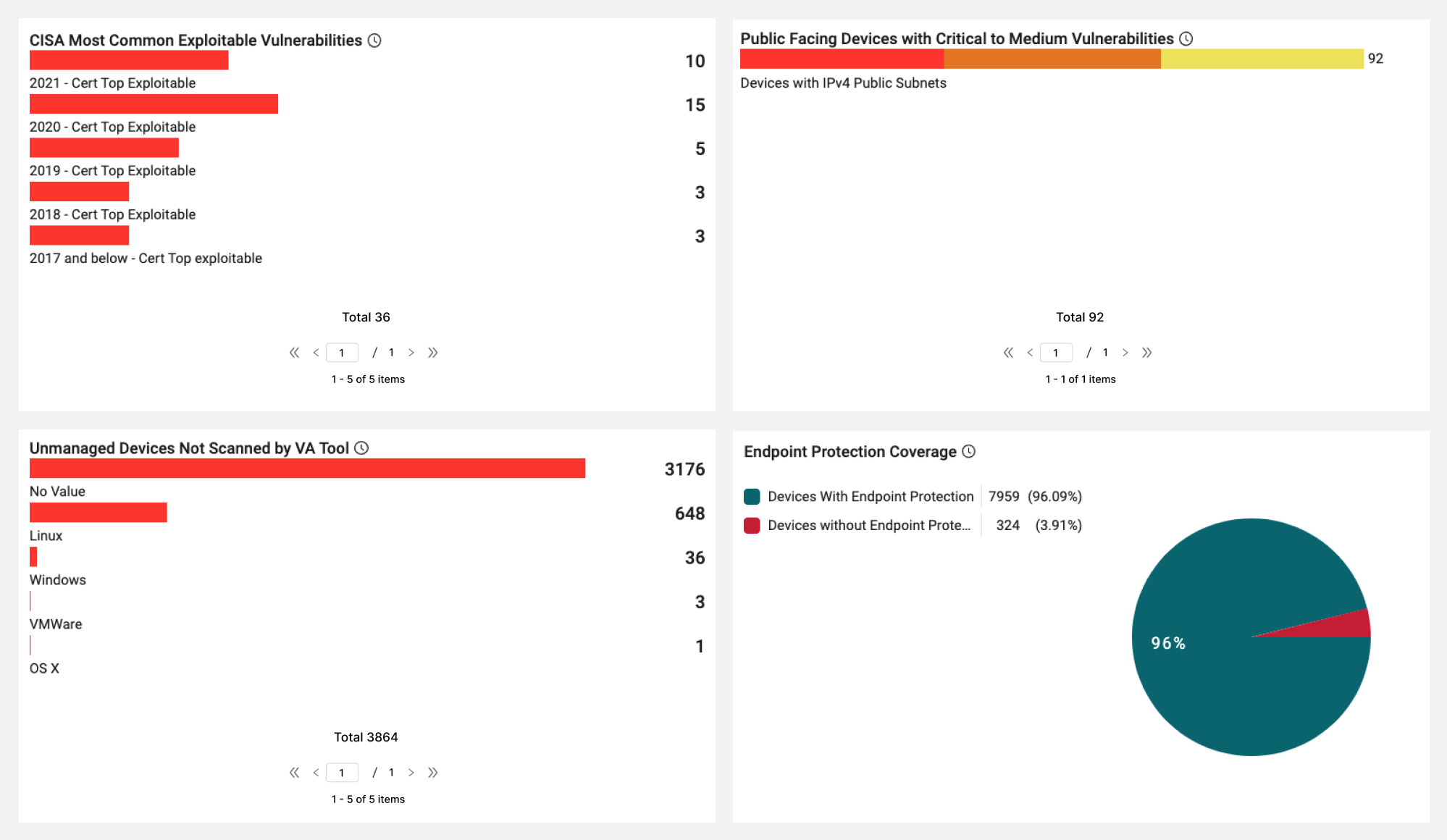
IT Audit Insights
This dashboard is an Audit starter and shows exploitable CVEs, coverage pies, risky/forensic software, AD misconfigurations, password insights
Exposures Management
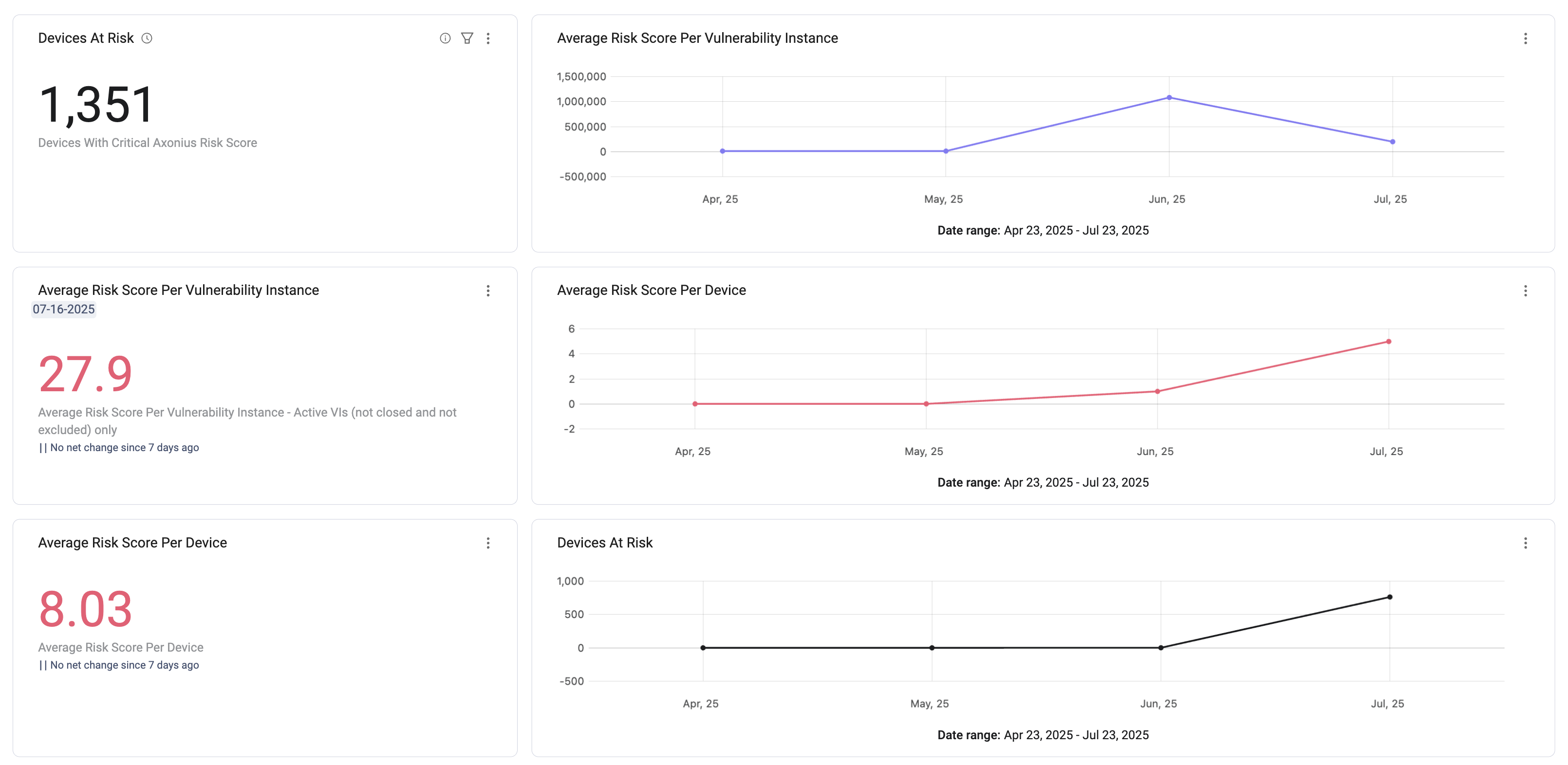
This dashboard shows Findings by Axonius Risk Score, out-of-SLA counts per level, MTTR tiles, risk trends (requires Risk Score feature)
External Exposures
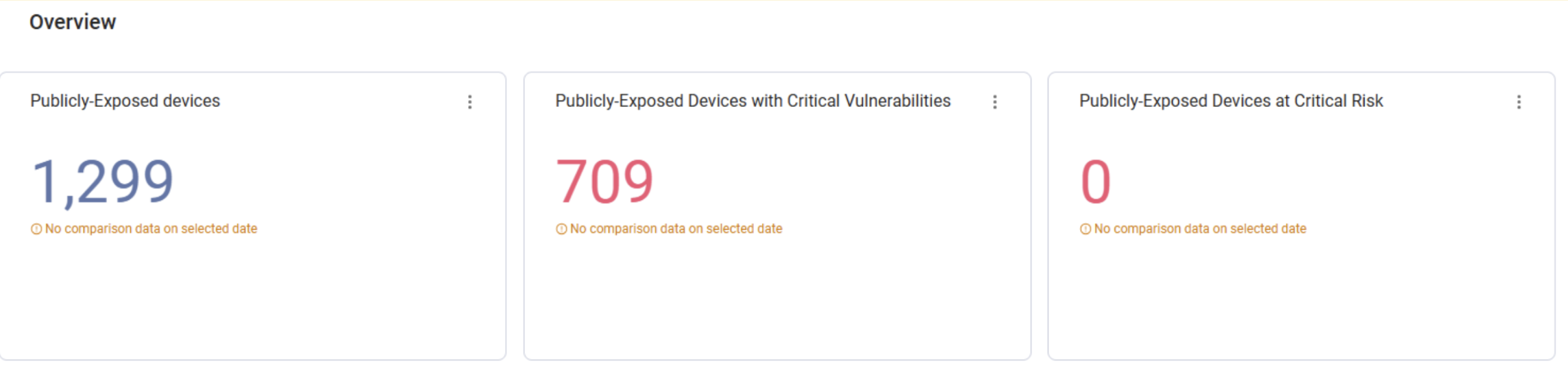
This dashboard shows Publicly exposed devices/load balancers/network routes, exposed with critical findings, risk breakdown
💻 Inventory by Device Class
Comprehensive Asset Inventory
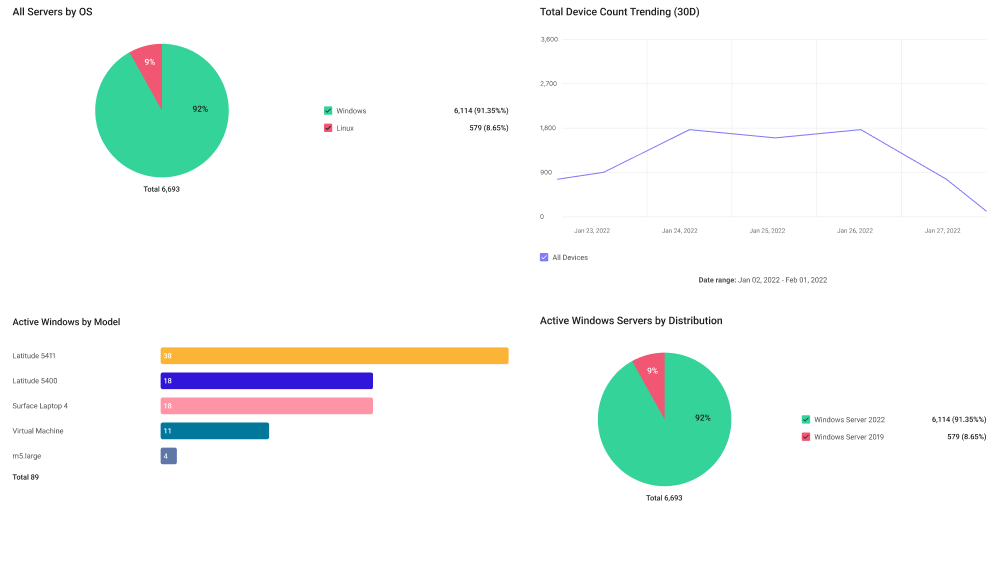
Comprehensive asset inventory provides visibility into servers, workstations, network devices, mobile devices, and more.
Tags: Cyber Asset Management, CMDB, Attack Surface Management, Directory, MDM/EMM, Networking
Device Inventory Management
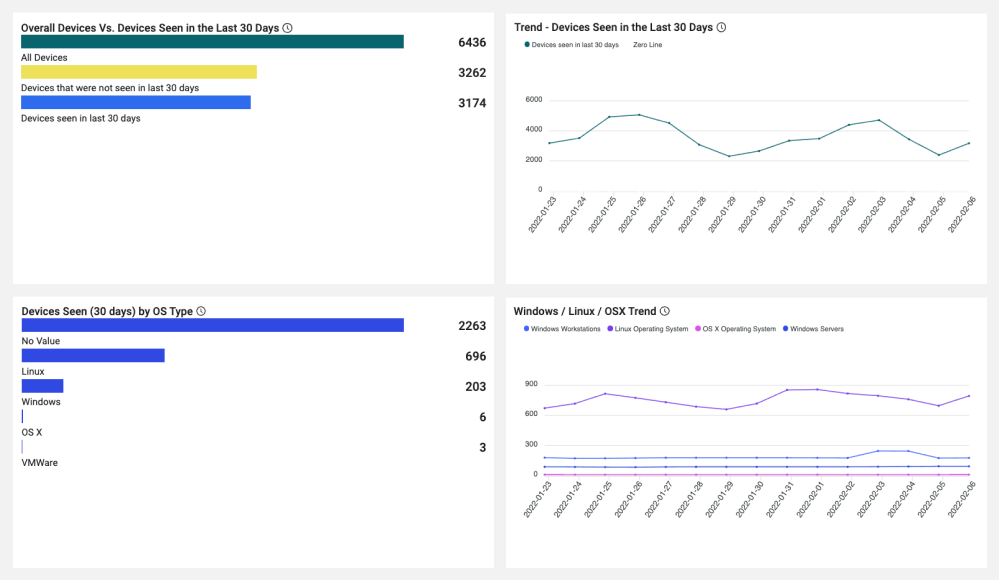
Use this dashboard to see the reflection of the environment's full inventory. The content is focused on the devices inventory to enable a simple and easy starting point. The dashboard is organized so you can see a general overview and then go over more specifics per OS — Windows (Workstations and Servers), Linux, and OS X.
Tags: Inventory, Windows Devices, Windows Servers, Linux Devices, OS X Devices
Windows Workstations Inventory
Use this dashboard to see the reflection of the Windows workstations inventory. The content is focused on the most relevant aspects of managing Windows workstations and is aimed to give you a starting point. The dashboard is organized so you can first see a general overview of the Windows workstations devices and then go over more specifics such as OS and builds distribution, deployed agents, and more.
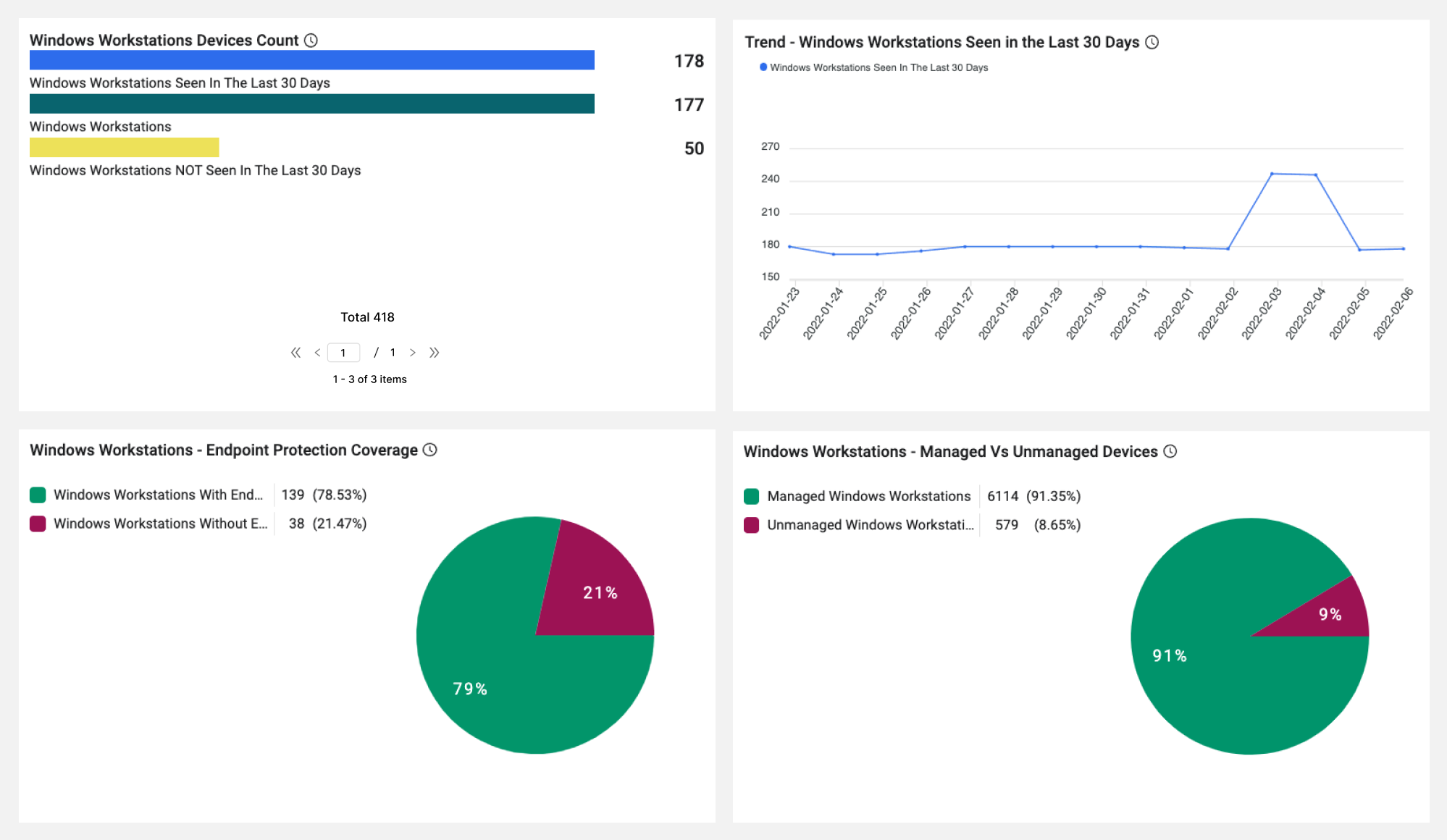
Tags: Inventory, Windows Servers, Endpoint Protection Coverage, Managed Devices
Windows Servers Inventory
Use this dashboard to see the reflection of the Windows servers inventory. The content is focused on the most relevant aspects of managing Windows servers and is aimed to give you a starting point. The dashboard is organized so you can first see a general overview of the Windows servers devices and then go over more specifics such as Endpoint Protection coverage, Servers Uptime, OS and builds distribution, deployed agents, and more.
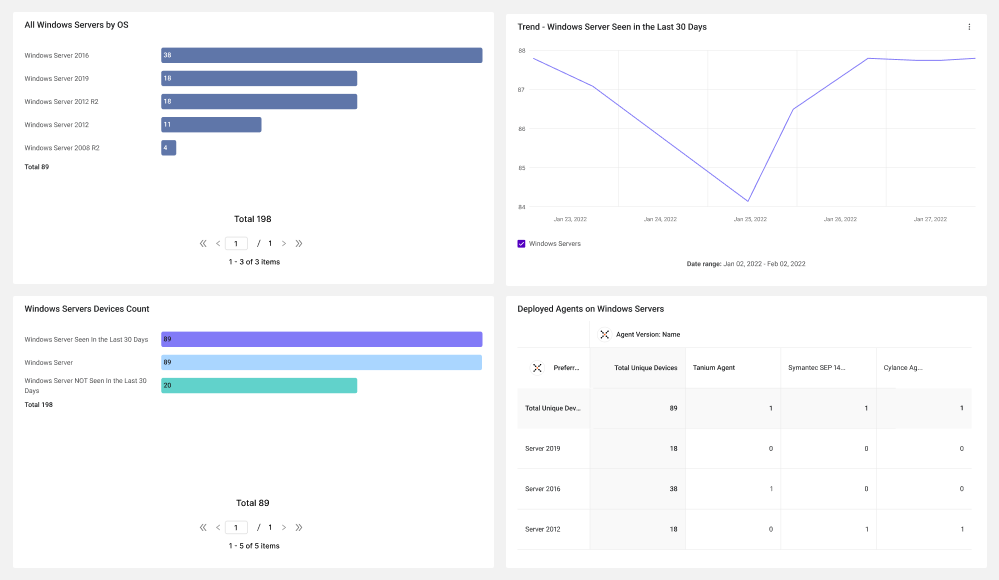
Tags: Inventory, Windows Servers, Endpoint Protection Coverage, Managed Devices
Linux Devices Inventory
Use this dashboard to see the reflection of the Linux devices inventory. The content is focused on the most relevant aspects of managing Linux devices and is aimed to give you a starting point. The dashboard is organized so you can first see a general overview of the Linux devices and then go over more specifics such as Endpoint Protection Coverage, Servers Uptime, OS and builds distribution, deployed agents, and more.
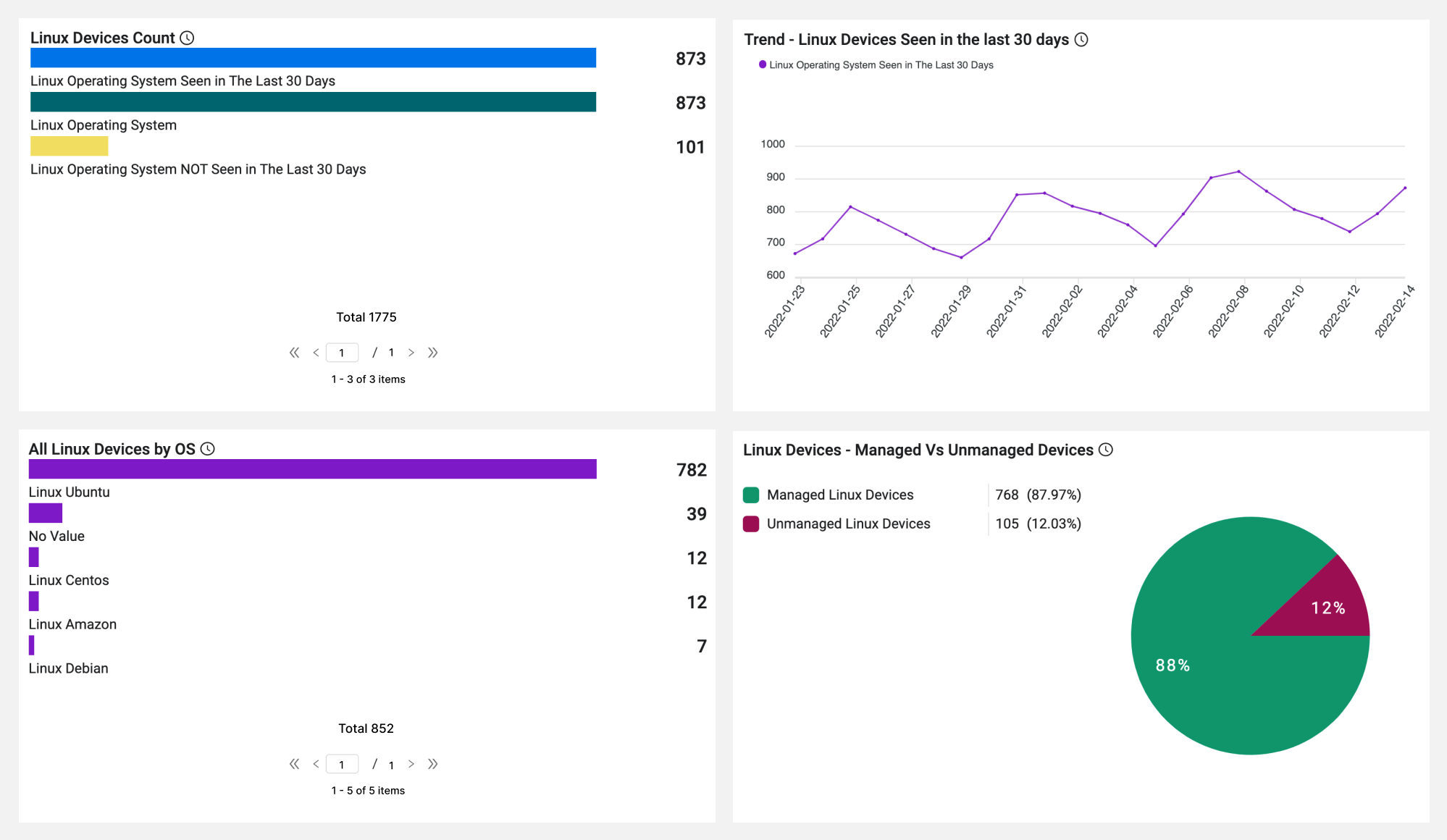
Tags: Inventory, Linux Devices, Endpoint Protection Coverage, Managed Devices
Mobile Device Inventory
The mobile device inventory dashboard covers iOS and Android devices including versions.
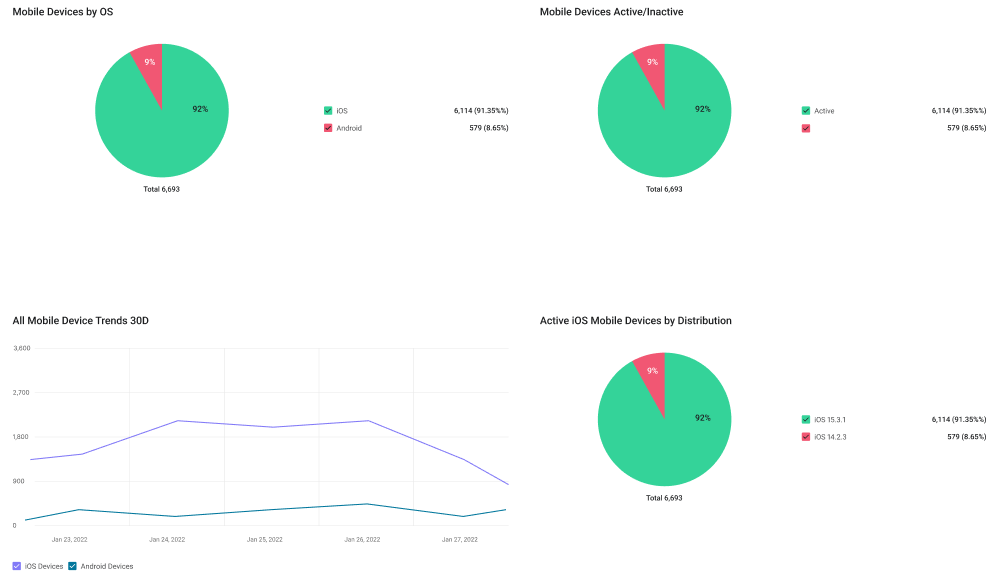
Tags: Cyber Asset Management, Mobile Device, CMDB
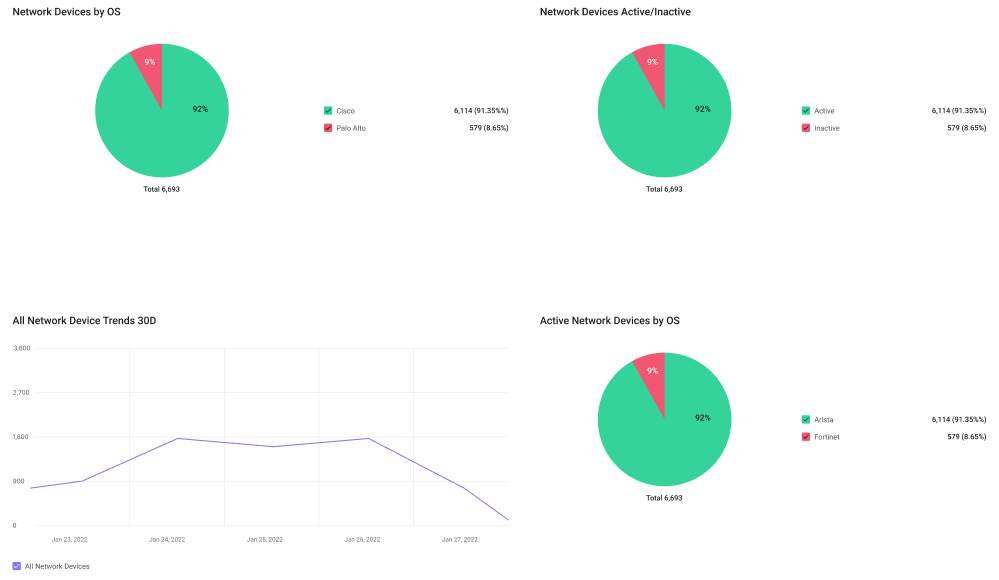
Network Device Inventory
This dashboard shows a Network appliance census by OS/NIC manufacturer
Tags: Cybersecurity Asset Management, Software, Risk Management, ITAM/ITSM, Attack Surface Management, License Management
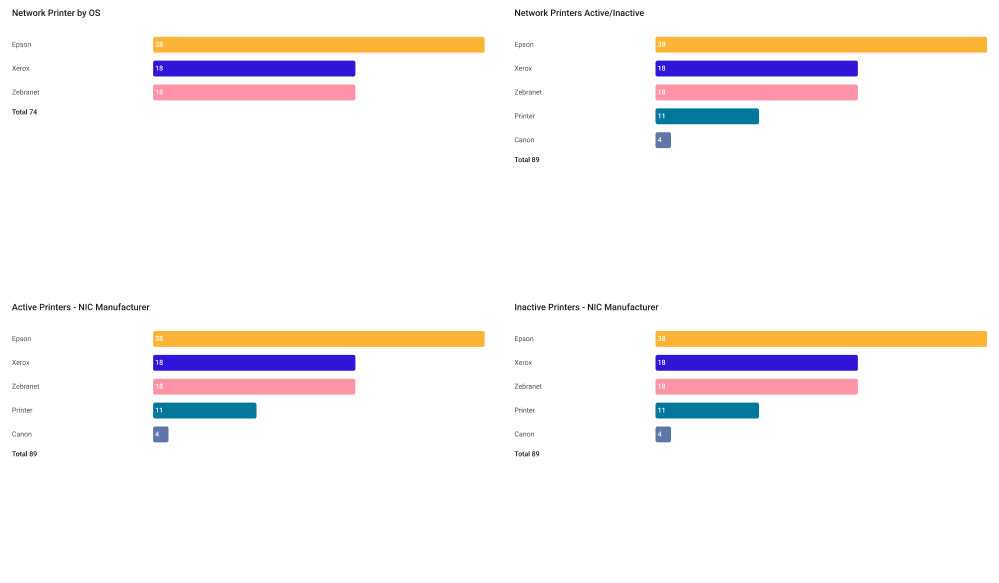
Printer Inventory
The printer inventory dashboard provides visibility into networked printers. Printer identification relies on combinations of OS Type, open ports, OS strings, and NIC manufacturers.
Tags: Cyber Asset Management, Printer, ITAM/ITSM, CMDB, Attack Surface Management
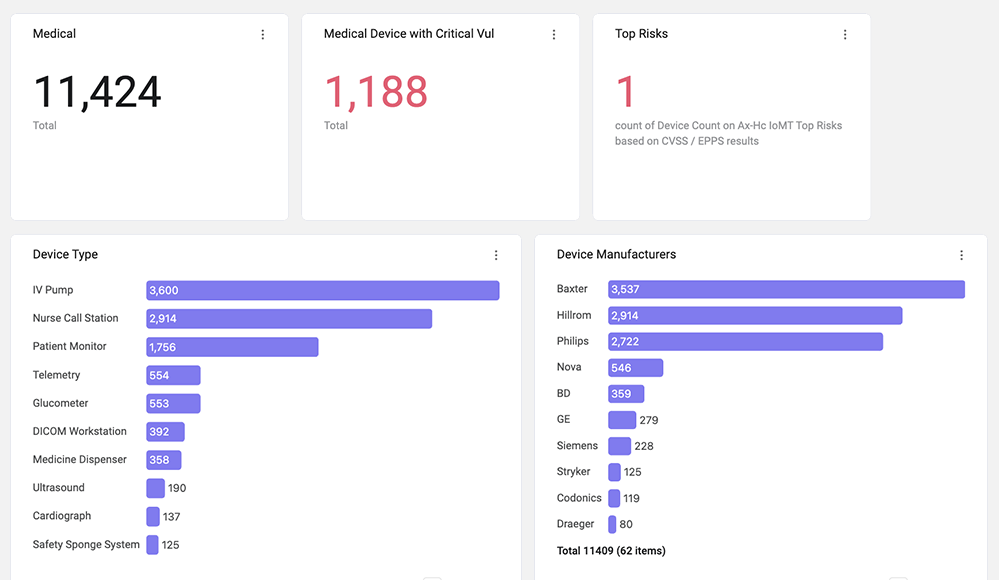
Medical Devices
This dashboard shows IoMT/IoT-OT census + critical-vuln breakdown
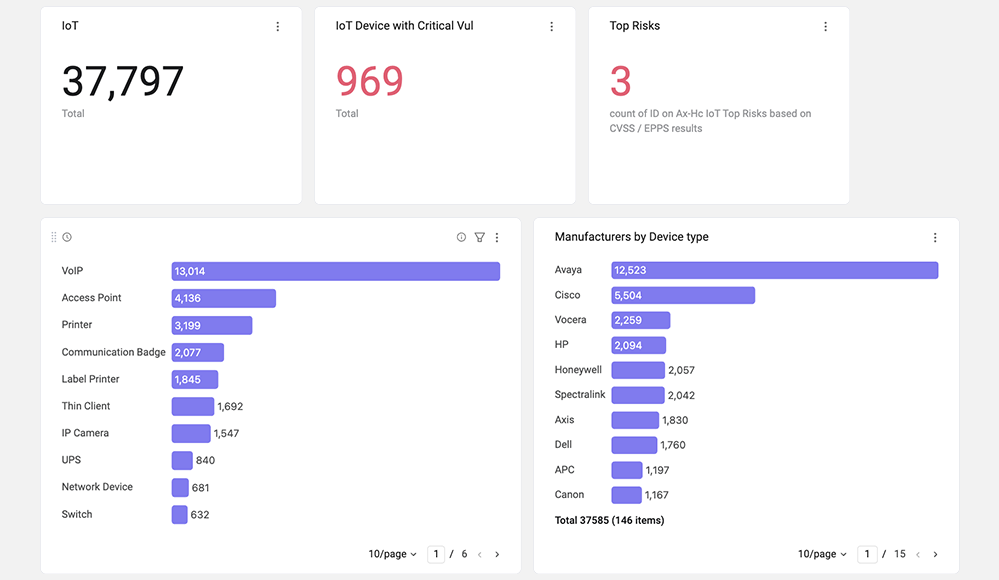
OT Devices
This dashboard shows IoMT/IoT-OT census + critical-vuln breakdown
☁️ Cloud
Cloud Inventory
Use this dashboard to see the reflection of the environment's cloud instances inventory. The content is focused on the cloud-based inventory to enable a simple and easy starting point. The dashboard is organized so you can see a general overview and then go over more aspects of cloud instances. It is not based on a specific cloud environment, so it is relevant whether you have any of the cloud providers.
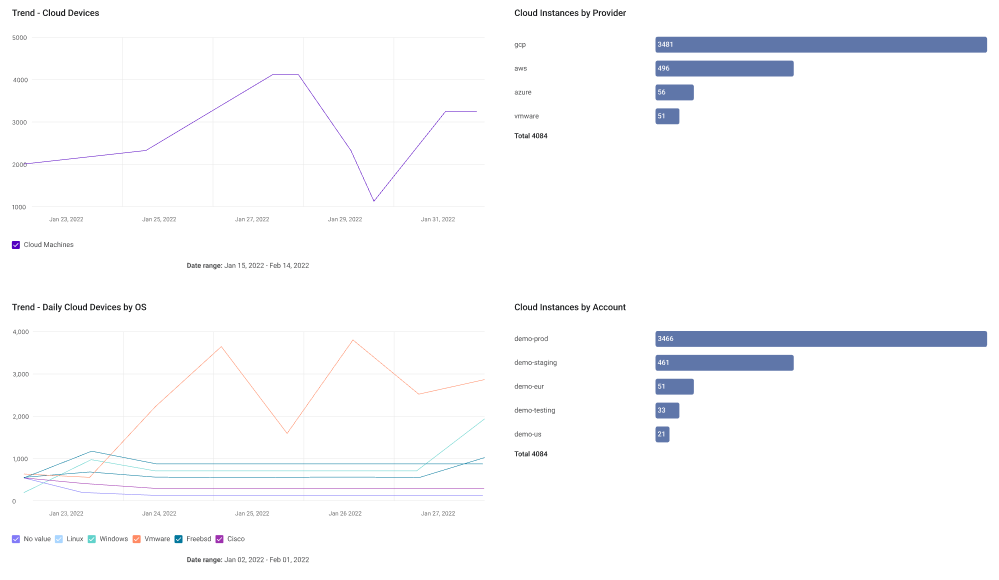
Tags: Inventory, Cloud Environments, AWS, GCP, Microsoft Azure, Security Findings
AWS Inventory
Use this dashboard to see the reflection of the AWS inventory in your environment. The content is focused on the AWS inventory to enable a simple and easy starting point. The dashboard is organized so you can see a general overview and then go over more aspects of AWS instances, such as Instances Types, Device Types, Power States, and Assets Counts. This dashboard is specific to AWS, so you need to connect the AWS adapter in order to gain the full extent of the capabilities.
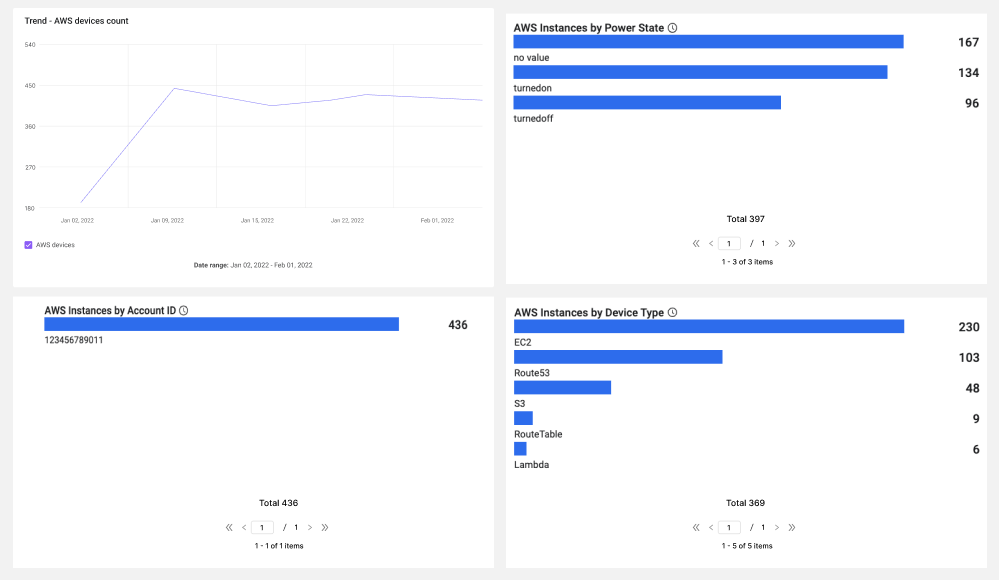
Tags: Inventory, Cloud Environments, AWS, Security Findings, Deployed Agents, Geo Spread
Microsoft Azure Inventory
Use this dashboard to see the reflection of the Microsoft Azure inventory in your environment. The content is focused on the Microsoft Azure inventory to enable a simple and easy starting point. The dashboard is organized so you can see a general overview and then go over more aspects of Microsoft Azure instances, such as Instances Types, Device Types, Power States, and Assets Counts. This dashboard is specific to Microsoft Azure, so you need to connect the Microsoft Azure adapter to gain the full extent of the capabilities.
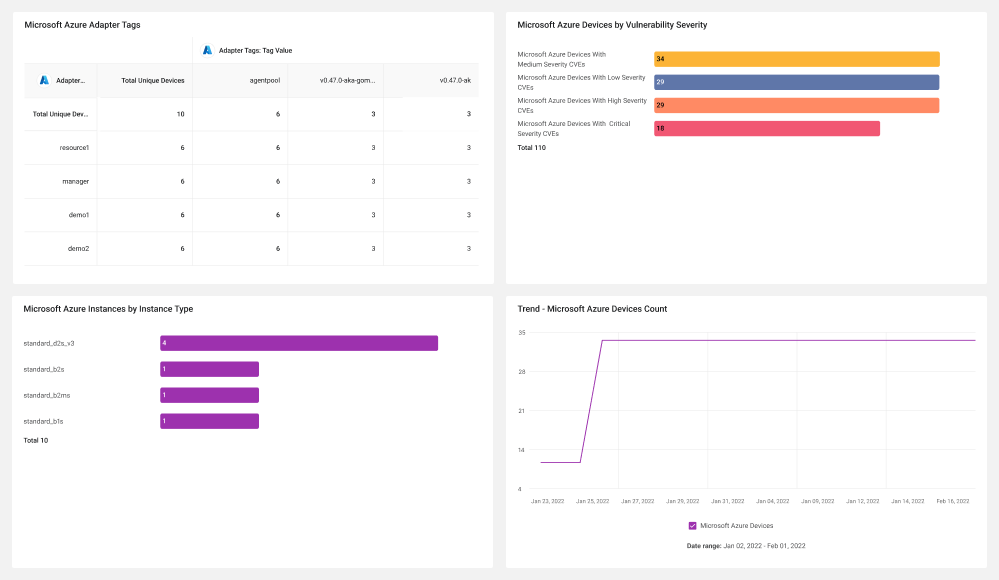
Tags: Inventory, Cloud Environments, Microsoft Azure, Security Findings, Deployed Agents, Geo Spread
Google Cloud Provider Inventory
Use this dashboard to see the reflection of the GCP inventory in your environment. The content is focused on the GCP inventory to enable a simple and easy starting point. The dashboard is organized so you can see a general overview and then go over more aspects of GCP instances, such as Instances Types, Device Types, Power States, and Assets Counts. This dashboard is specific to GCP, so you need to connect the GCP adapter in order to gain the full extent of the capabilities.
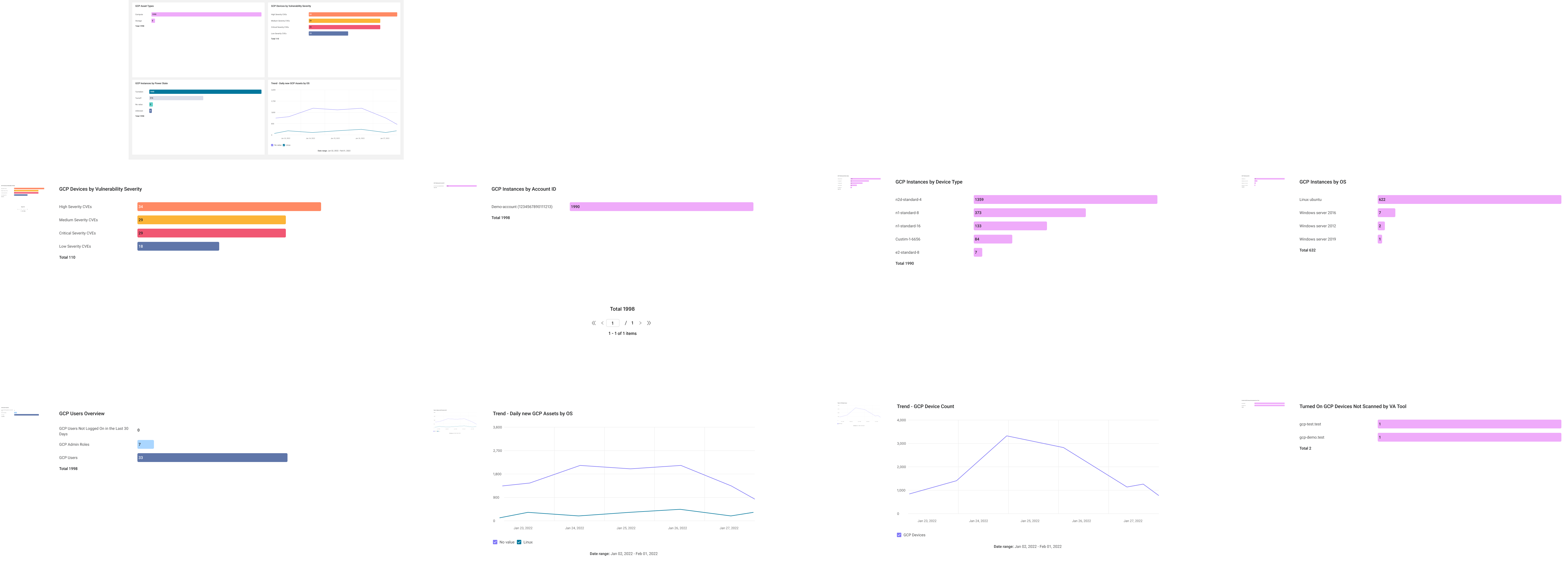
Tags: Inventory, Cloud Environments, GCP, Security Findings, Deployed Agents, Geo Spread
🔥 Emerging Threats & Patch
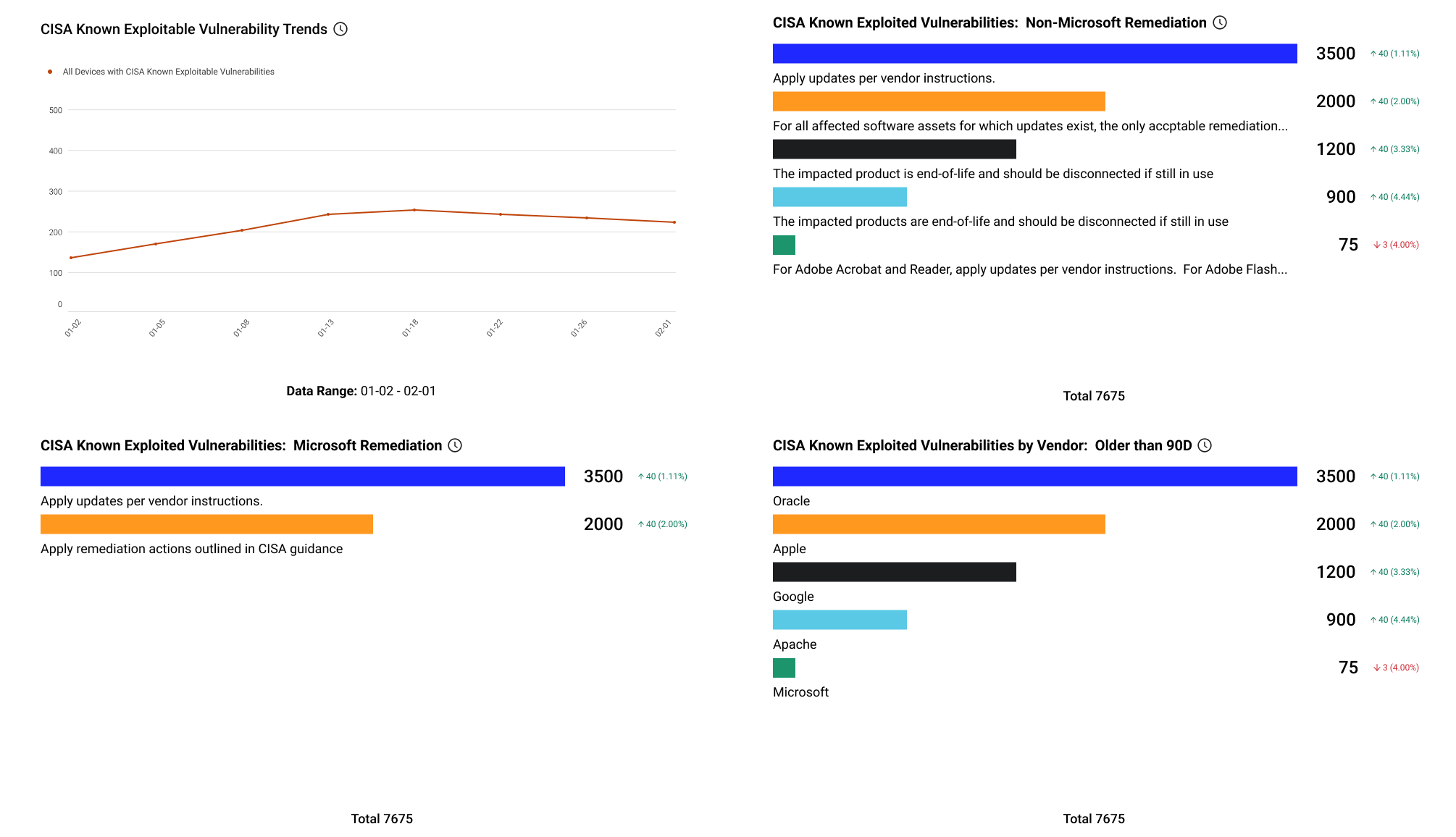
CISA Known Exploited Vulns
CISA Known Exploited Vulnerabilities prioritize remediation efforts on the subset of vulnerabilities causing immediate harm. All vulnerabilities in the CISA KEV Catalog are assigned a CVE ID, are known to have active exploits, and have clear remediation guidance available.
Tags: Security Findings, Exploits, Risk Management
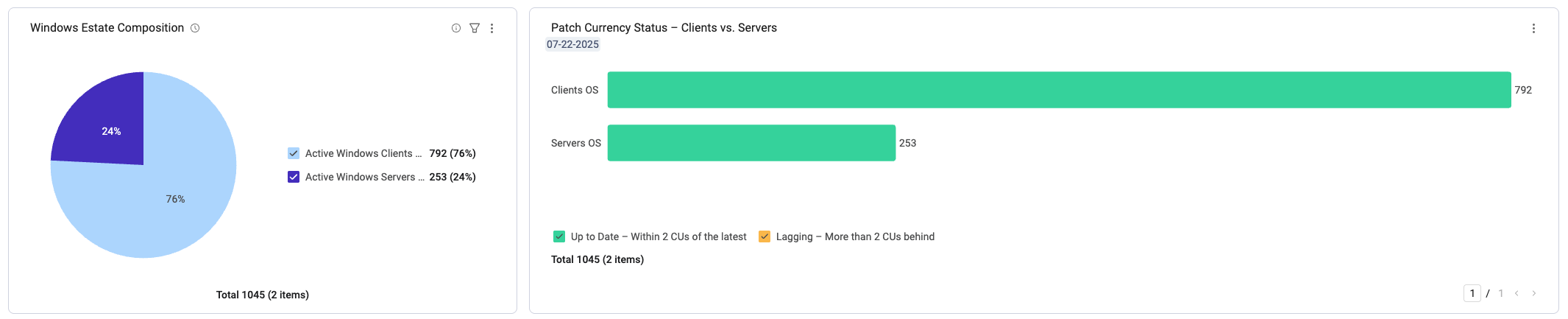
Windows Patch Tuesday Posture
This dashboard shows Patch currency: clients/servers lagging >2 cumulative updates, immediate-action worklist
🛡️ Tool Coverage
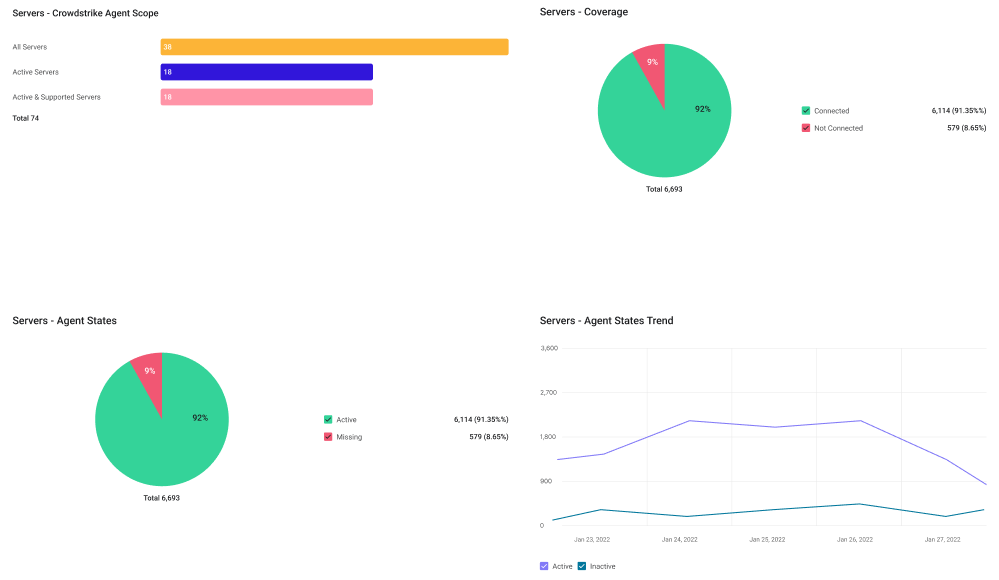
CrowdStrike Agent Coverage
The CrowdStrike Agent Coverage dashboard provides insights on general agent coverage as well as various agent states such as: Missing, Headless, and Inactive.
Tags: Cybersecurity Asset Management, Tool Coverage, Agent Coverage, Endpoint Protection Platform
🧹 Data Quality & CMDB
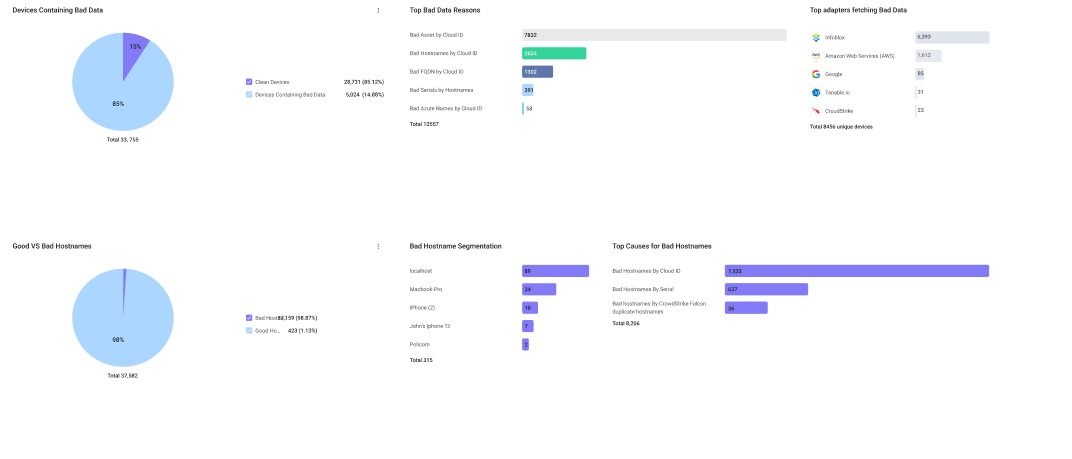
Data Hygiene
The Data Hygiene dashboard provides insights into sources of questionable data and devices that should be reviewed to understand the root cause of the questionable data.
Tags: Data Quality, Normalization Reasons
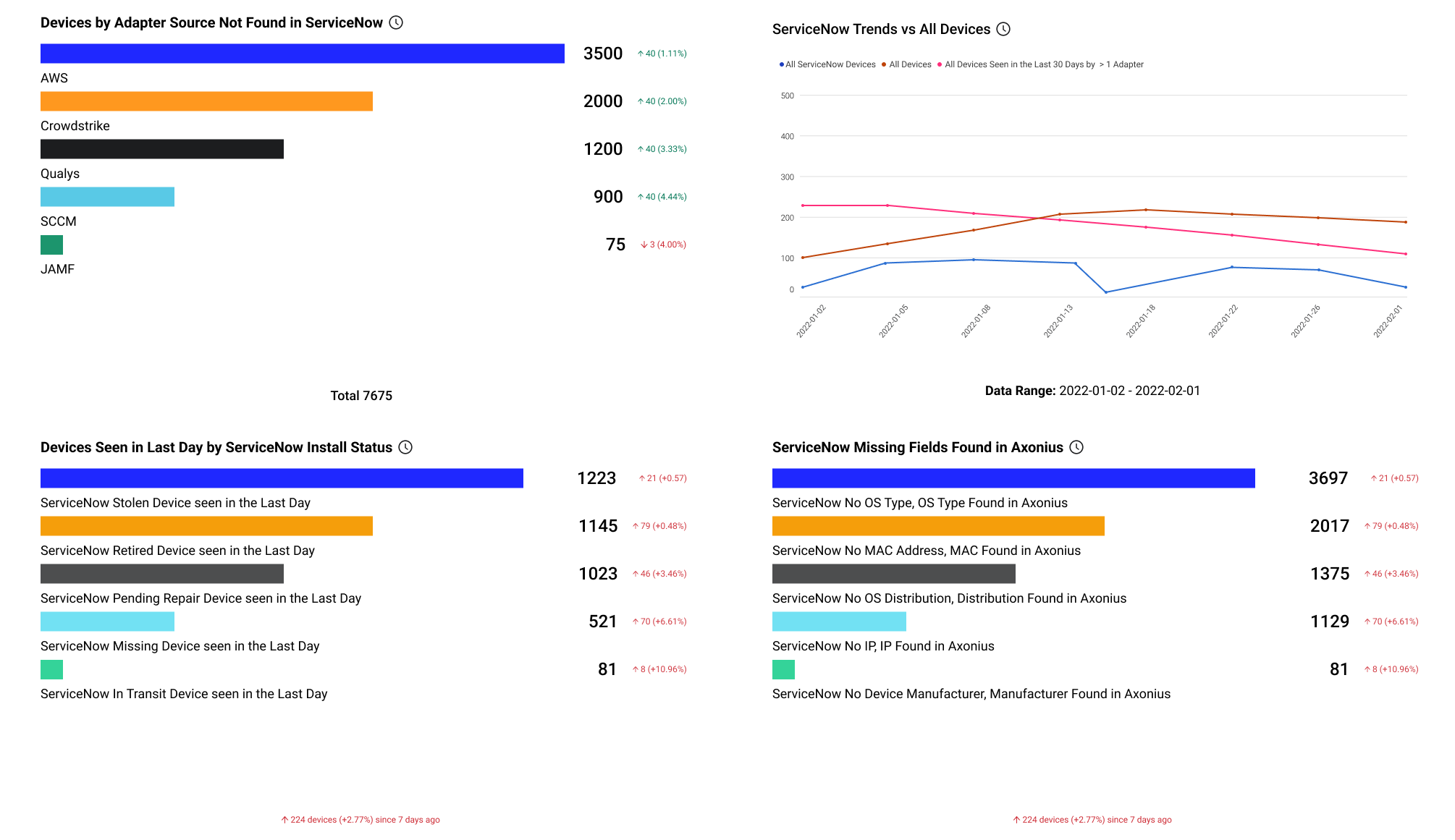
ServiceNow Reconciliation
The ServiceNow Reconciliation dashboard provides insights into data quality in your CMDB, including devices and fields missing from ServiceNow as well as discrepancies with install status values.
Tags: ServiceNow, Data Quality, System of Record
👥 Users & Identity
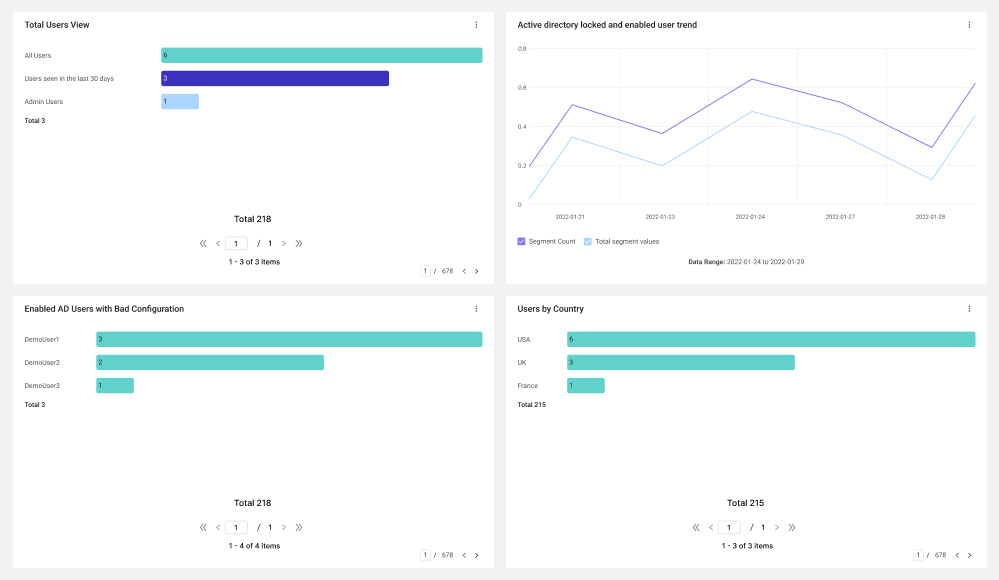
Users Inventory Management
The Users Inventory Management dashboard provides insights into Account Policies, Admin users, and configurations.
Tags: Active Directory, Privileged Access, Account Policies, Users
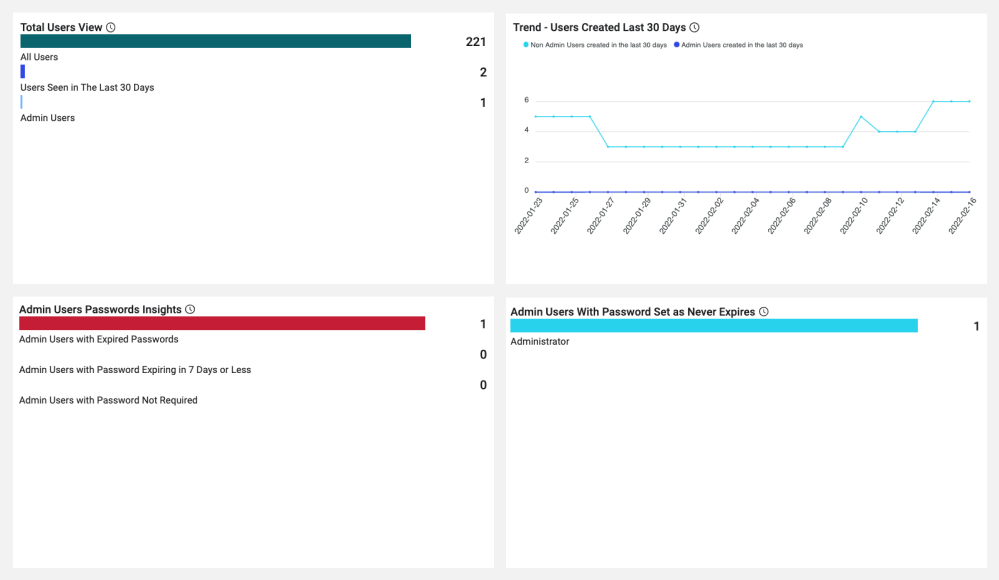
Users Password Insights
Use this dashboard to see an overview of everything to do with user passwords in your environment. The content is focused on aspects of passwords to help you identify configurations that might pose a risk. The dashboard is organized so you can see a general overview of the users and then go over more specifics divided between admin users and non-admin users.
Tags: Users, Access, Password Management, Active Users, Admin Users, Non Admin Users, Password Policy
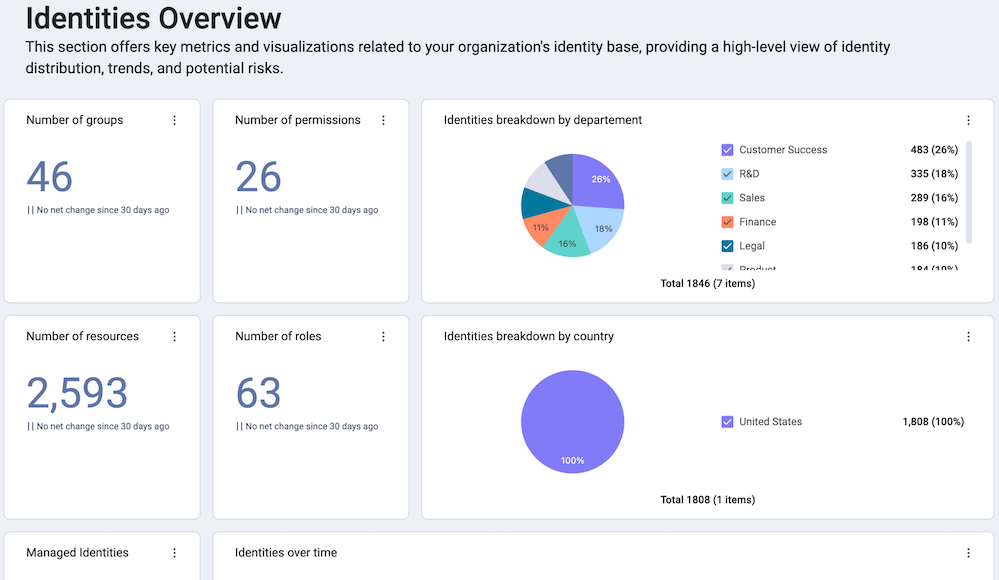
Identity Management Overview
This dashboard shows Managed identities: admins, non-human identities, MFA enrollment, access rules
Incident Response: Device
The Incident Response Device dashboard delivers critical data points to incident response teams to expedite an investigation. Utilize the Set Filter feature to analyze a single device.
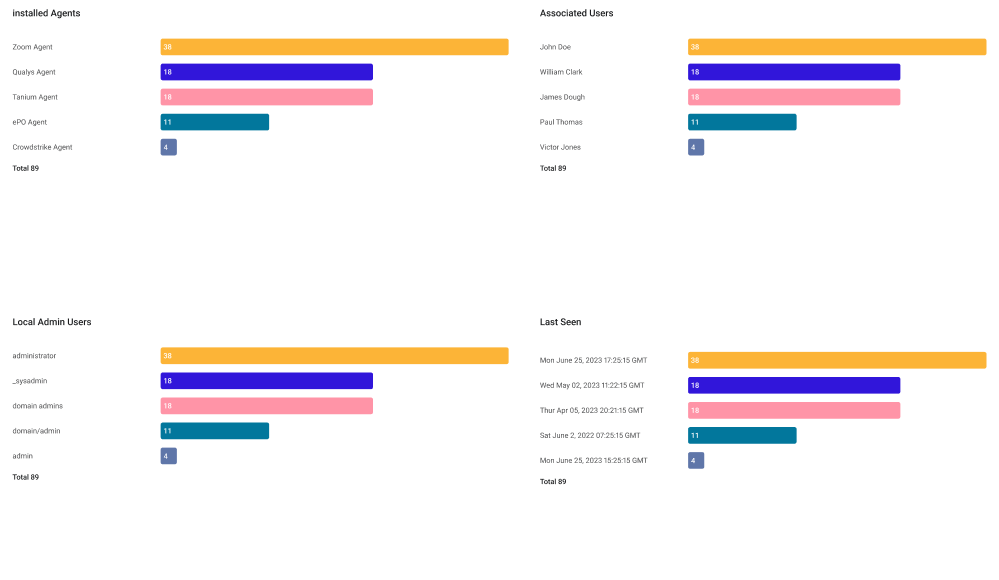
Tags: Cybersecurity Asset Management, Incident Response, Risk Management, Attack Surface Management, Config/Patch Management, DLP, EDR/EPP, Directory, IT Agent, Networking, VA Tool
Incident Response: User
The Incident Response User dashboard delivers critical data points to incident response teams to expedite an investigation. Utilize the Set Filter feature to analyze a single user.
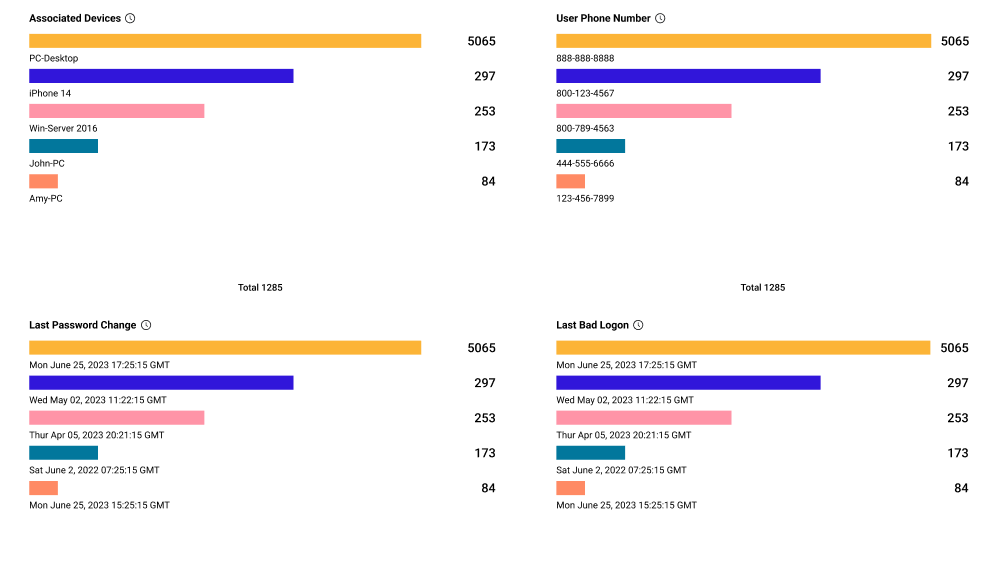
Tags: Cybersecurity Asset Management, Incident Response, Risk Management, Email Security, HR, Password Management, PAM, Audit/Compliance
Okta Configurations and Insights
Use this dashboard to gain insights about your Okta users and configurations. It enables you to view Okta-enabled applications by department, used authentication methods and devices to track compliance, Okta users exposed to Have I Been Pwned, and more. This dashboard is specific to Okta, so you need to connect the Okta adapter in order to benefit from its full capabilities.
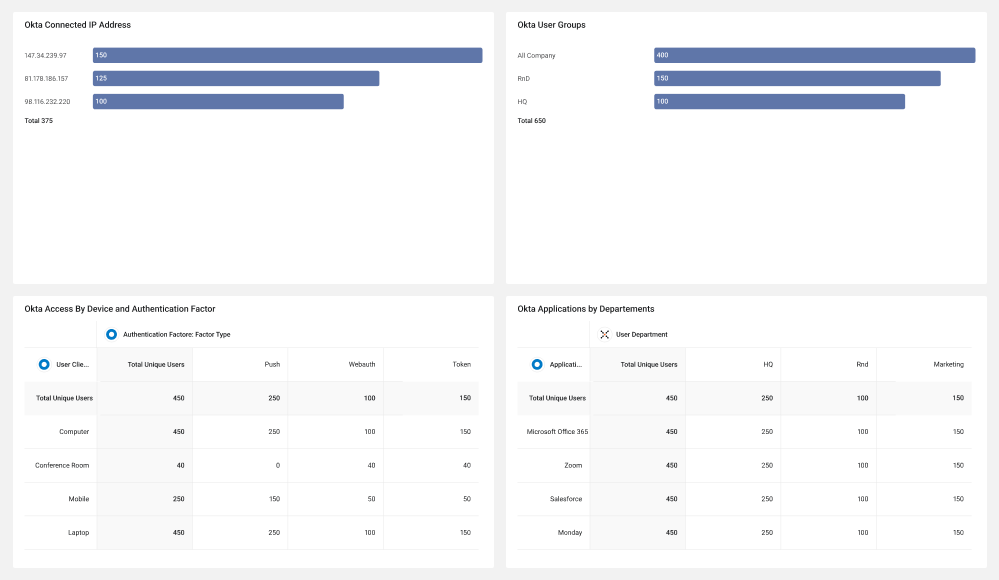
Tags: Remote Workforce, Compliance, IAM, IT, Security
📦 Software
Software Hygiene
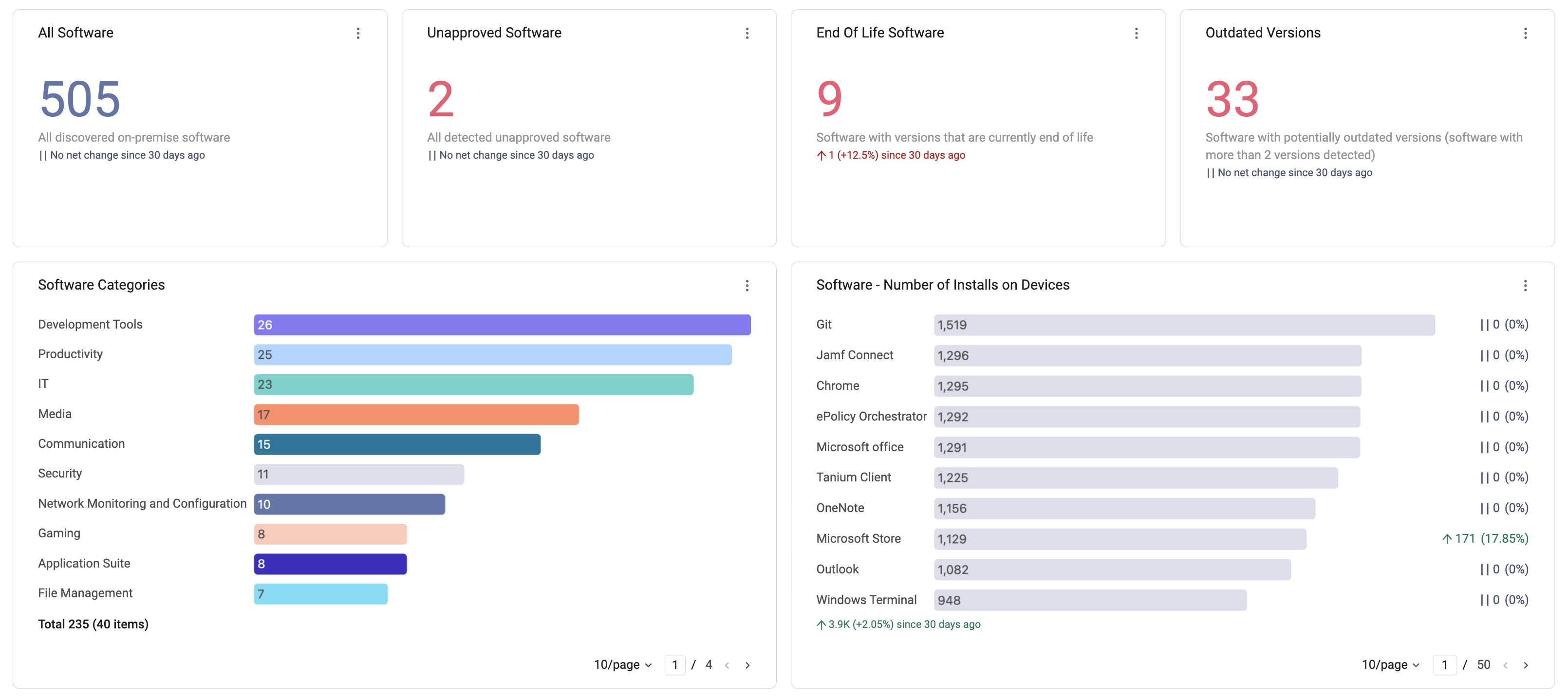
Use this dashboard to see the reflection of the environment's installed software. The content is focused on the software installed on various devices to help you see it all simply and easily review it. The dashboard is organized so you can search for installed software and also gain insights into and track installed software that might pose a threat, such as known exploitable software, potentially malicious software, and unsanctioned software.
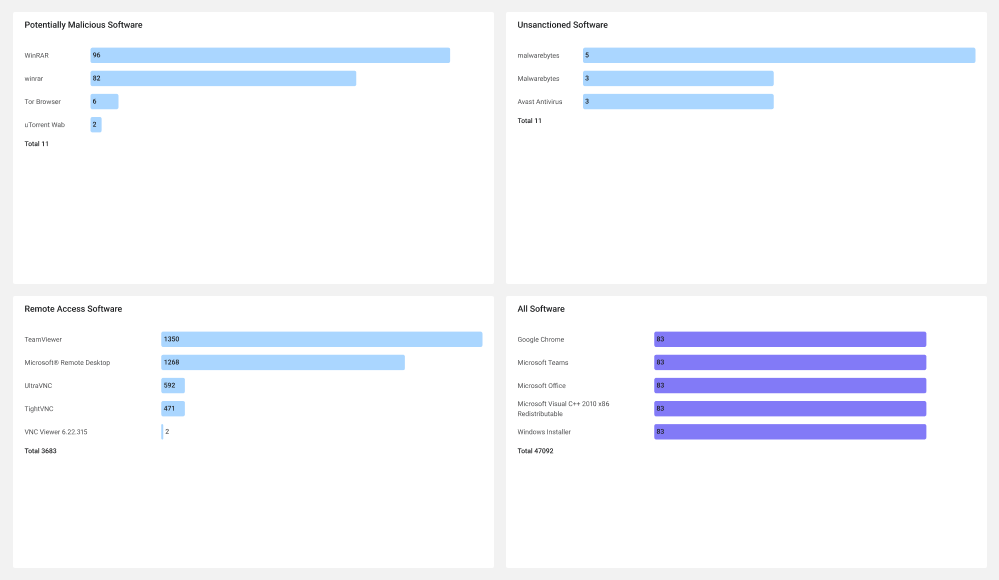
Tags: Risk Management, Compliance, High Risk Software, Installed Software
Software Management
This dashboard shows Software-module governance: approval status, outdated versions, EOL/EOS, AI software census
☁️ SaaS (Axonius SaaS Applications product)
Users
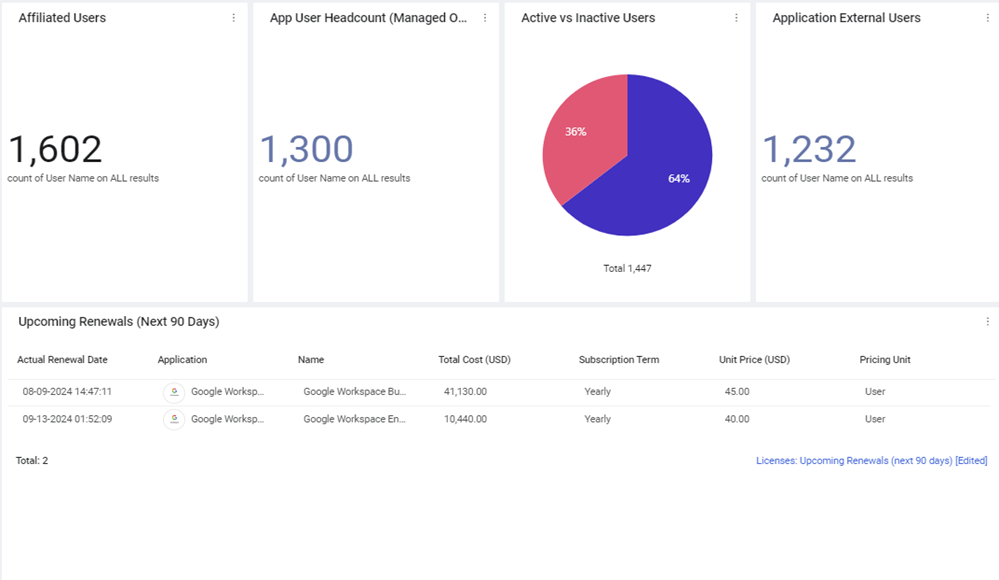
A centralized hub for all user data across diverse applications, allowing you to identify gaps in management, security, and uncover potential cost savings opportunities.
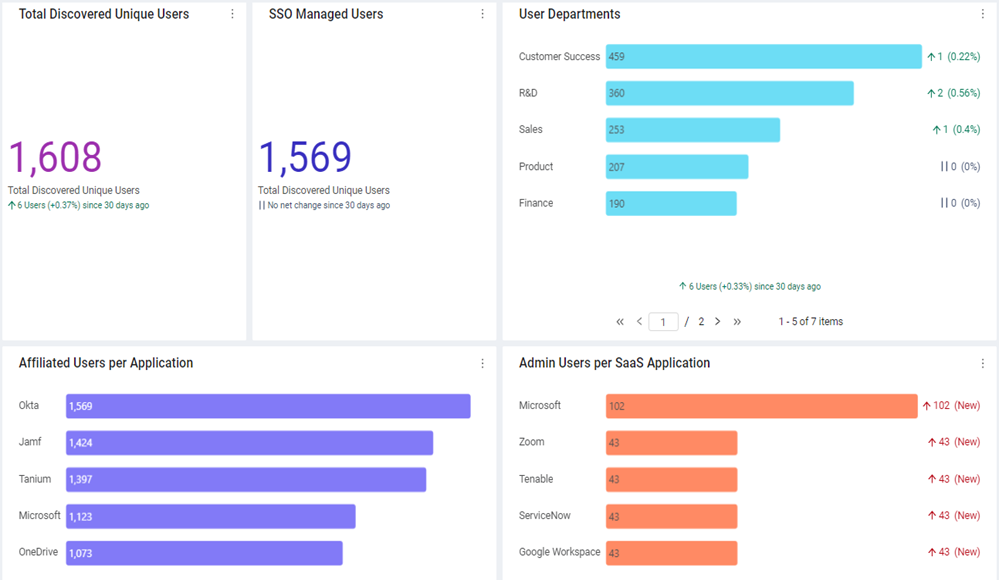
SaaS Management Overview
Gain context on your SaaS environment through a high-level view of the discovered applications and their users, app-to-app integrations, and security settings. Identify gaps in management, security, and compliance, and uncover potential cost-saving opportunities.
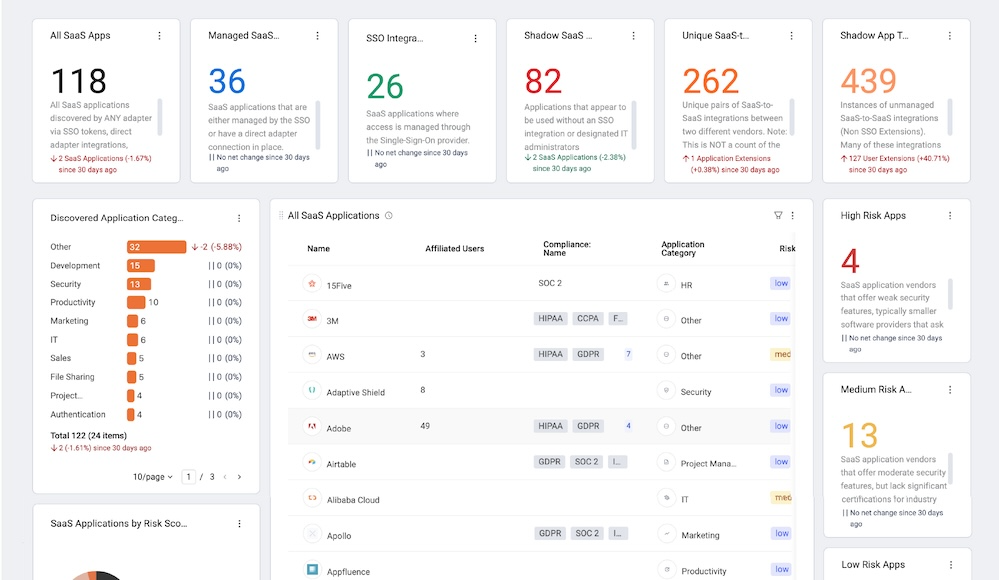
Tags: SaaS Management
SaaS Applications
Oversee and monitor all your SaaS applications from a single, centralized location. Gain context on your applications and manage the app-to-app integrations.
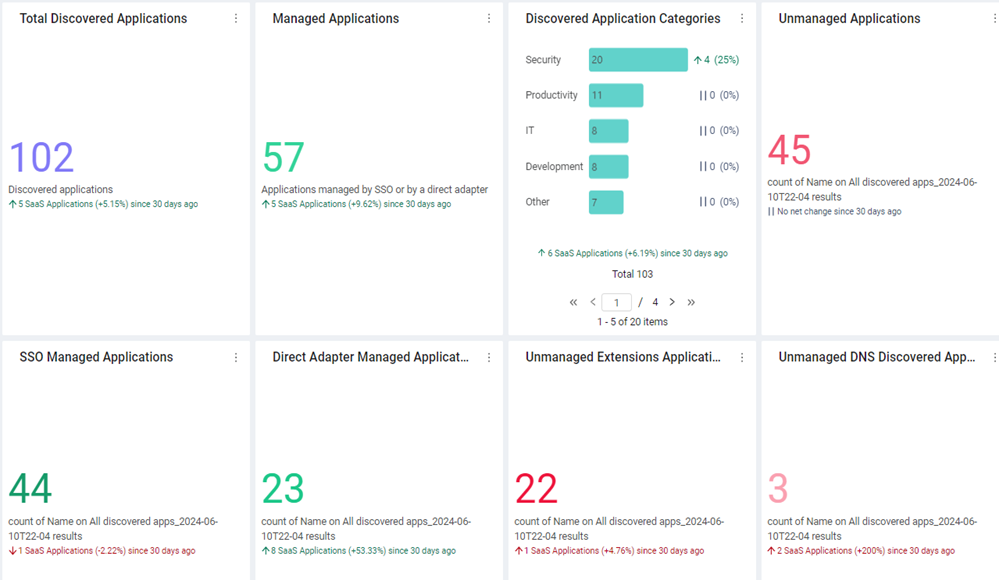
Application Settings (SSPM)
Identify security and compliance gaps, review scores and trends, and take action for enhanced security and compliance across your SaaS applications.
-TileBig.png)
Tags: Audit/Compliance
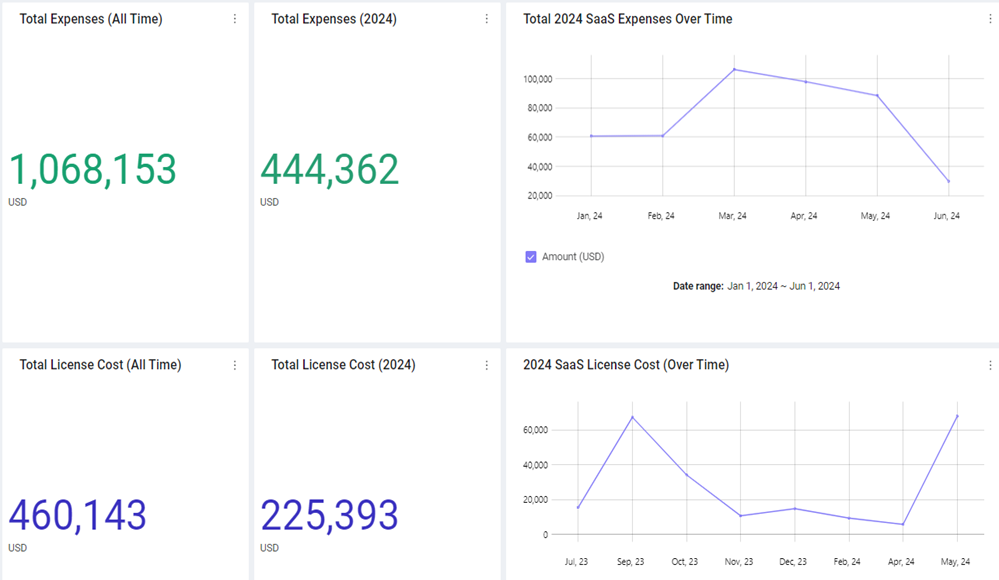
Cost Optimization
Get a comprehensive, high-level view of your SaaS spend. This dashboard provides insights into management and cost aspects, enabling you to make informed decisions and optimize your organization's performance efficiently.
Tags: License Management
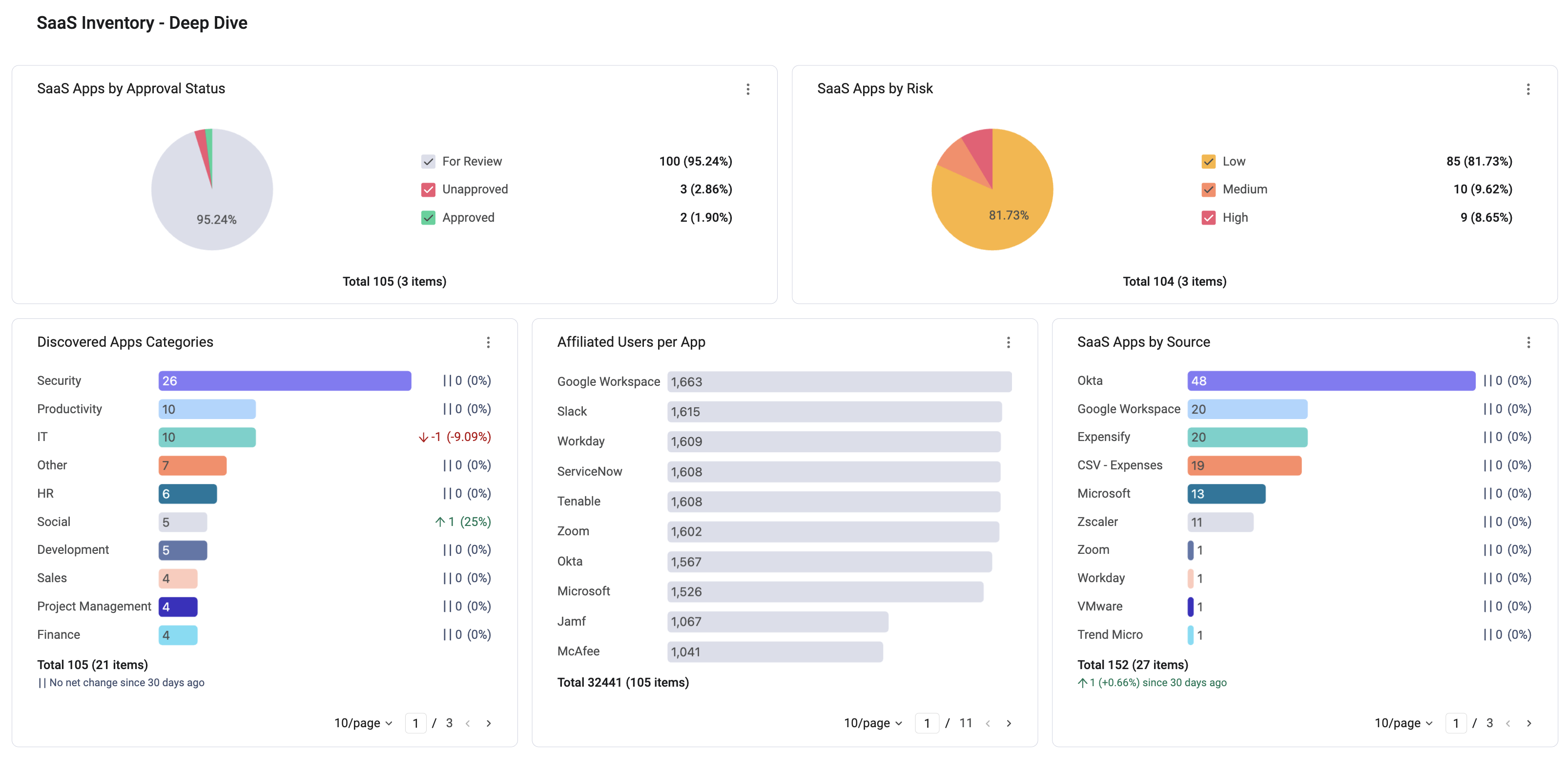
SaaS Inventory Discovery
Use this dashboard for Discovery confidence, shadow IT, source breakdown
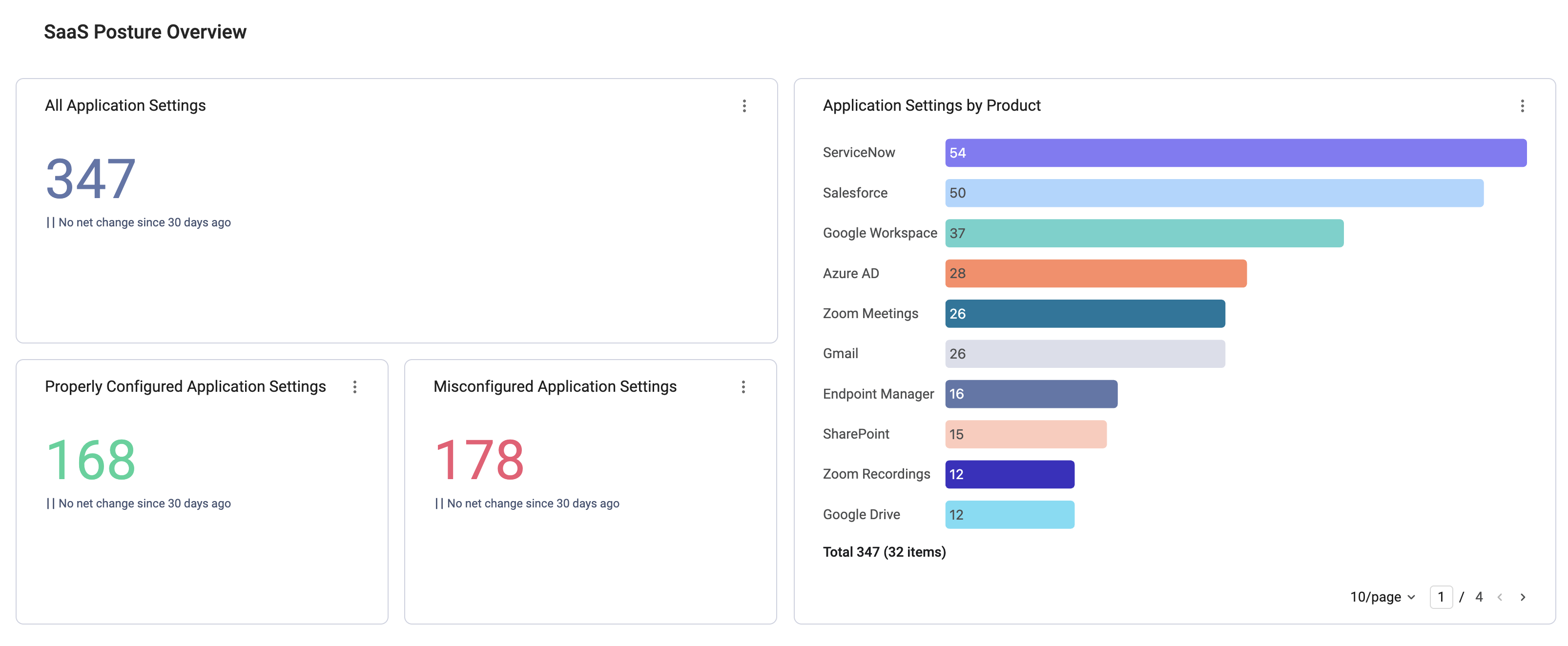
SaaS Posture Management
Use this dashboard to discover Misconfigured settings by impact/product/framework + posture trends
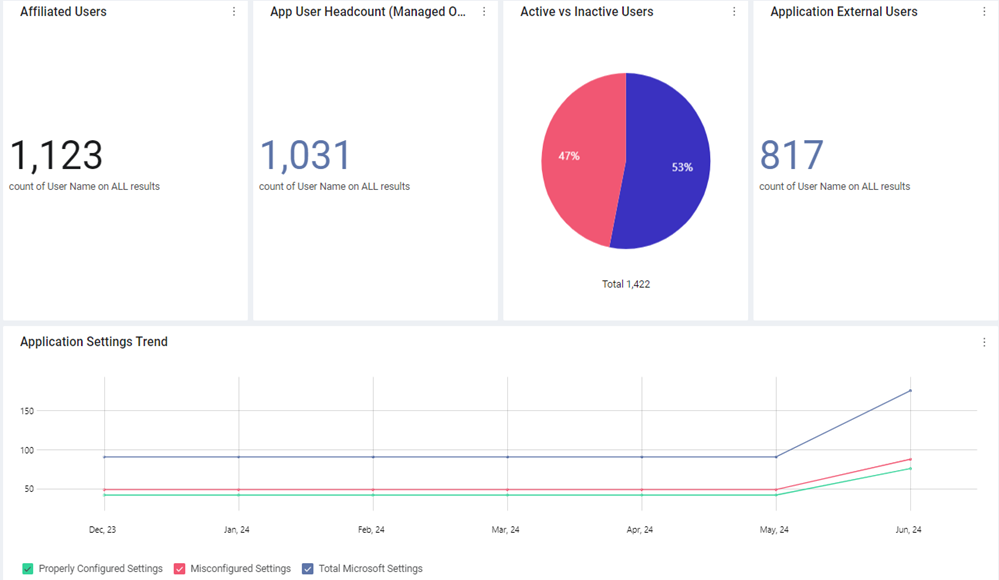
Entra ID Overview
Oversee and monitor all aspects of Entra ID from a single, centralized location. Handle the app's security settings, its SaaS integrations, and cost management aspects.
Google Workspace Overview
Oversee and monitor all aspects of Google Workspace from a single, centralized location. Handle the app's security settings, its SaaS integrations, and cost management aspects.
Zoom Configurations and Insights
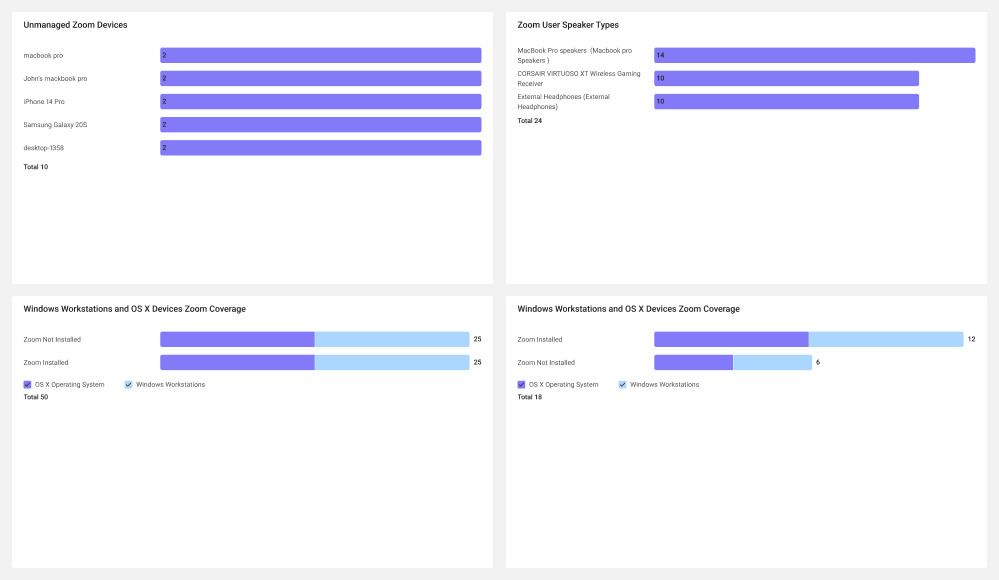
Use this dashboard to gain insights about your Zoom configurations and usage. The dashboard enables you to detect connections to Zoom through unmanaged devices, installed Zoom versions, used locations, recording settings, used hardware, encryption settings, and more. This dashboard is specific to Zoom, so you need to connect the Zoom adapter in order to benefit from its full capabilities.
Tags: Remote Workforce, Compliance, High Risk Hardware, IT, Security
📋 Compliance & Programs
Mergers & Acquisitions
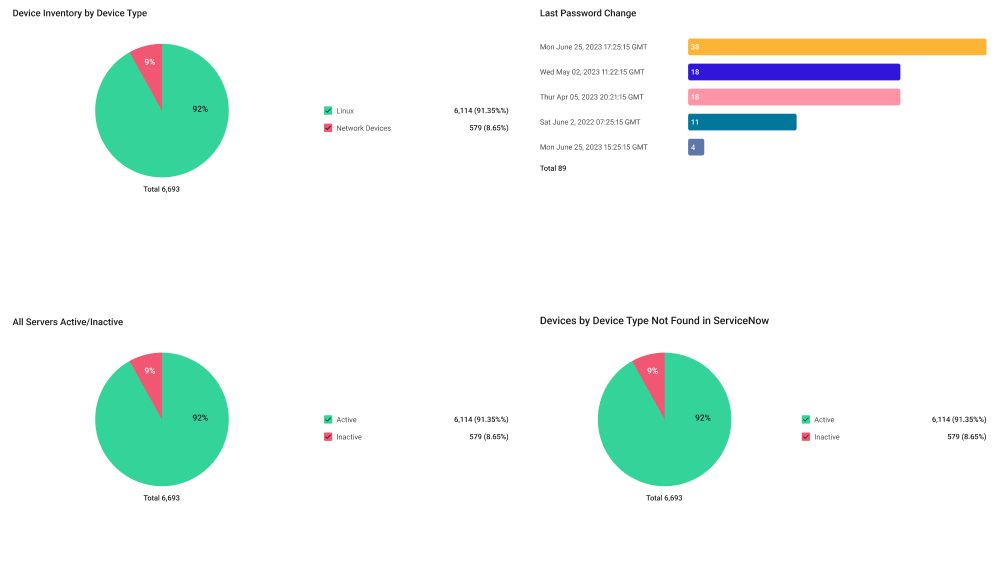
The M&A dashboard provides visibility into an acquired business to understand asset inventory and security posture. Utilizing the Set Filter feature, you can quickly isolate any segment of assets for analysis. Defining a segment or business segment can be accomplished with combinations of logical data points such as Adapter Connection Labels, Tags, Custom Data, Host Name naming conventions, and more.
Tags: Cybersecurity Asset Management, M&A, Tool Coverage, Asset Inventory, Network, Vulnerability Assessment, Manager, Endpoint Protection Platform, Attack Surface Management
NIST 800-53: Identify ID.AM
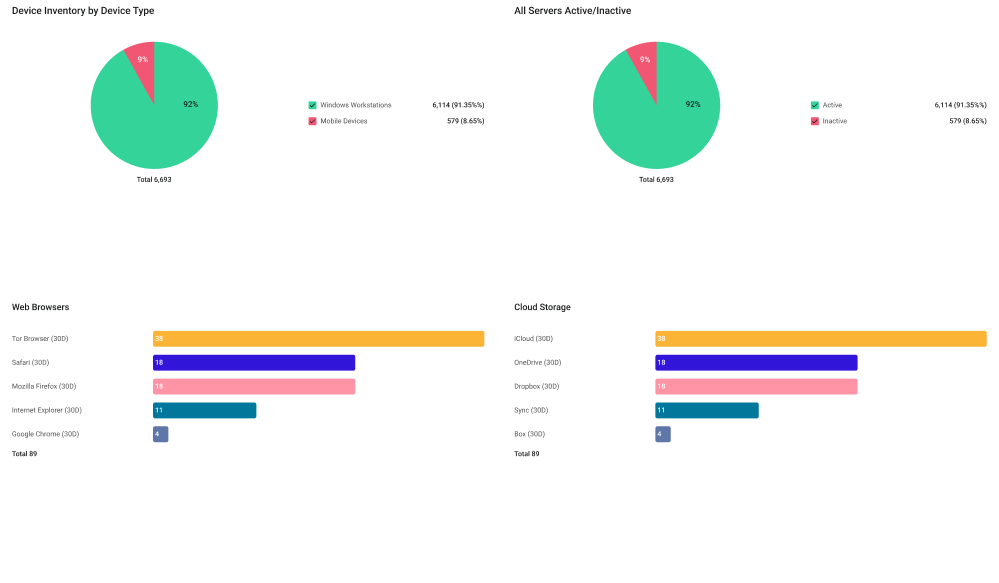
NIST 800-53 provides a list of controls that support the development of secure and resilient federal information systems. The five functions of the framework core are: Identify, Protect, Detect, Respond, and Recover. This is the first in a series of Axonius dashboards focused on the NIST Cybersecurity Framework.
Tags: Cyber Asset Management, CMDB, Attack Surface Management, Directory, MDM/EMM, Networking, Audit/Compliance
Updated 2 months ago