
ActivTrak
ActivTrak is a workforce analytics tool that provides insights into productivity and operational efficiency.
Asset Types Fetched
- Devices, Users
Before You Begin
Required Ports
Axonius must be able to communicate with the value supplied in Host Name or IP Address via the following ports:
- TCP port 443
APIs
Axonius uses the following APIs:
Supported From Version
Supported from Axonius version 6.1.42.0
Connecting the Adapter in Axonius
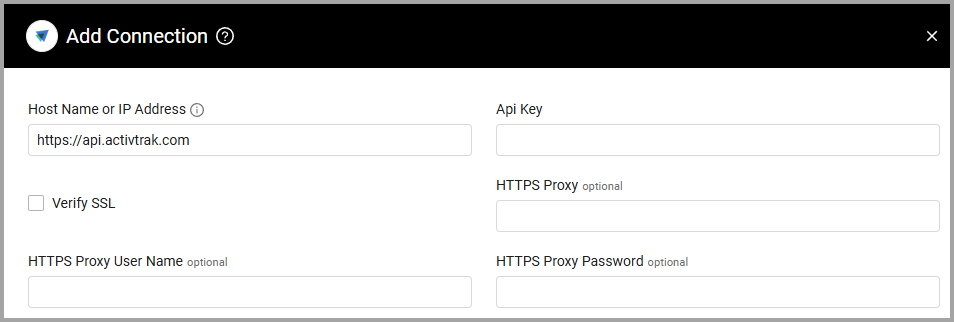
To connect the adapter in Axonius, provide the following parameters:
Required Parameters
- Host Name or IP Address (Default:
https://api.activtrak.com) - The hostname or IP address of the ActivTrak server that Axonius can communicate with via the Required Ports. - API Key - An API Key associated with a user account that has permissions to fetch assets. For more information, see API Access.
Optional Parameters
- Verify SSL - Select whether to verify the SSL certificate of the server against the CA database inside of Axonius. For more details, see SSL Trust & CA Settings.
- HTTPS Proxy - Connect the adapter to a proxy instead of directly connecting it to the domain.
- HTTPS Proxy User Name - The user name to use when connecting to the value supplied in Host Name or IP Address via the value supplied in HTTPS Proxy.
- HTTPS Proxy Password - The password to use when connecting to the server using the HTTPS Proxy.
To learn more about common adapter connection parameters and buttons, see Adding a New Adapter Connection.
Updated about 1 month ago
Did this page help you?