
Themes
You can set the Theme of your system to control whether Axonius is displayed in Light or Dark mode.
- To set the theme, click your avatar.
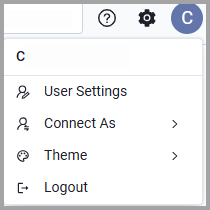
-
From the menu that opens, choose Theme
-
You can select Light, Dark or Match Browser. By default, the theme automatically adjusts to match your browser's display settings.
As soon as you make your selection the system theme is updated.
Updated 6 months ago
Did this page help you?