
AuditBoard
AuditBoard is a connected risk platform that provides audit, risk, and compliance teams with workflow automation and analytics across controls and frameworks.
The AuditBoard adapter enables Axonius to fetch and catalog users, teams, and roles, ensuring comprehensive visibility into access governance and compliance within your risk management environment.
Asset Types Fetched
- Users
- Roles
- Groups
- Permissions
Data Retrieved through the Adapter
- Users - Full name, user name, email, job title, employee number, phone number, authentication type, MFA status, SCIM status, password and login information, creation/update dates, and associated teams.
- Roles - Detected roles within the AuditBoard instance.
- Teams (Groups) - Detected teams and their associated metadata.
- Permissions - Access control permissions and scopes.
Before You Begin
Required Ports
- TCP port 443
Authentication Methods
- OAuth 2.0 Client Credentials
Required Permissions
The Client ID and Client Secret used for the connection must be associated with an account that has permissions to fetch assets via the AuditBoard API.
- Asset Access - The credentials must have permissions to enumerate Users, Teams, Roles, and Permissions.
- Scopes - Ensure the API client has the
action.viewpermission scope enabled.
Generating the Client ID and Client Secret
- Log in to your AuditBoard instance as an administrator.
- Navigate to the Settings (or Administration) panel.
- Locate the API or Integrations section.
- Create a new OAuth Client (or API Token) for the Axonius adapter.
- Ensure the client has the Required Permissions listed above.
- Generate the credentials.
- Copy the Client ID and Client Secret and save those in a secure location.
APIs
Axonius uses the AuditBoard API to retrieve asset data.
Note
The AuditBoard API documentation is not publicly available. For more information or to request access to the API reference, contact your AuditBoard support representative.
Supported from Version
This adapter is supported from Axonius version 8.0.7.
Connection Parameters
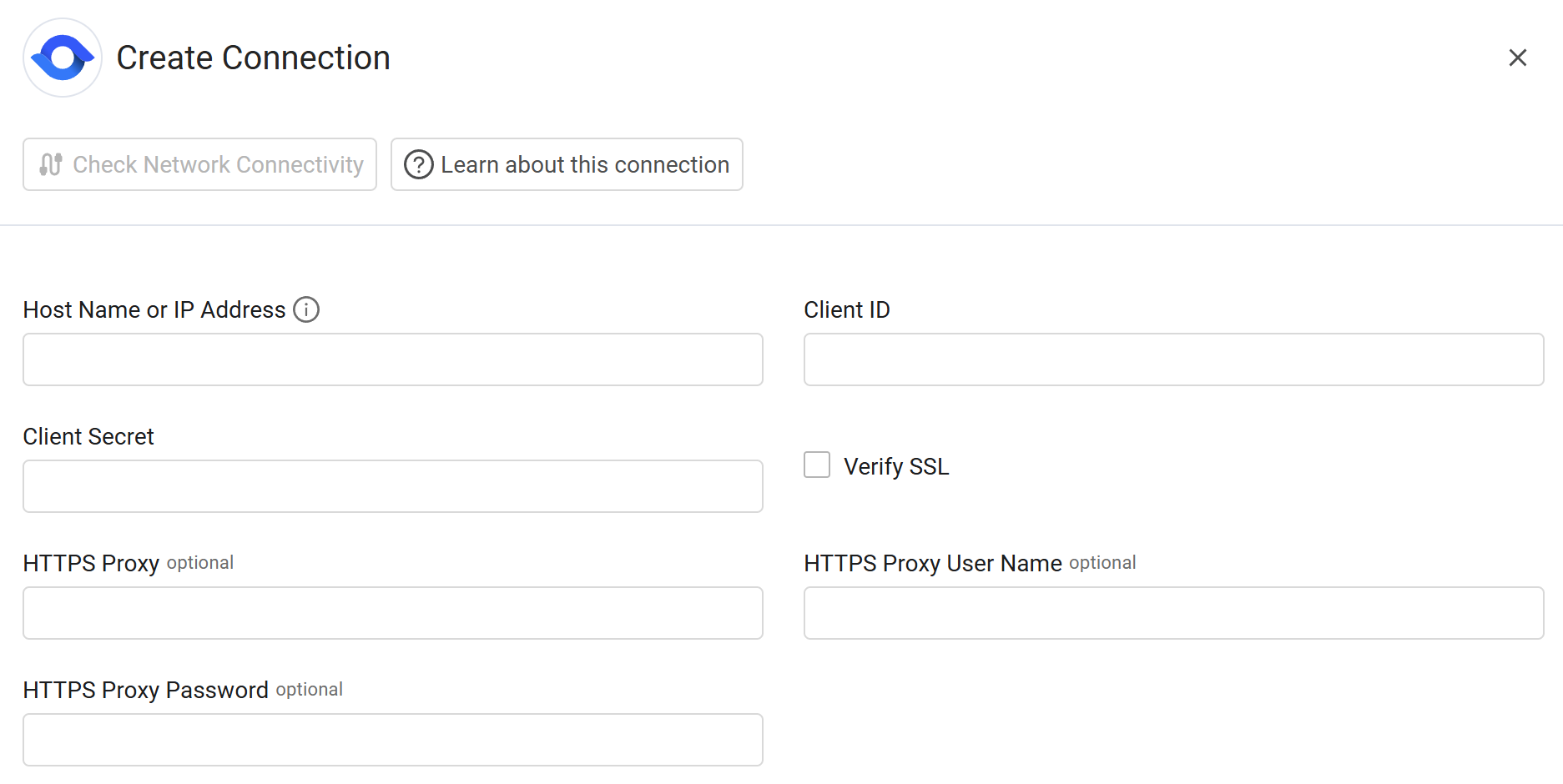
To connect the adapter in Axonius, provide the following parameters.
Required Parameters
- Host Name or IP Address - Enter the URL of your AuditBoard instance (for example:
https://example.auditboard.com). - Client ID - Enter the Client ID (OAuth 2.0) generated from the AuditBoard settings.
- Client Secret - Enter the Client Secret (OAuth 2.0) associated with the Client ID.
Optional Parameters
-
Verify SSL - Select whether to verify the SSL certificate of the server against the CA database inside of Axonius. For more details, see SSL Trust & CA Settings.
-
HTTPS Proxy - Enter an HTTPS proxy address to connect the adapter to a proxy instead of directly connecting it to the domain.
-
HTTPS Proxy User Name - Enter the user name to use when connecting to the value supplied in Host Name or IP Address via the value supplied in HTTPS Proxy.
-
HTTPS Proxy Password - Enter the password to use when connecting to the server using the HTTPS Proxy.
To learn about additional optional/common adapter connection parameters, see Adding a New Adapter Connection.
Updated 12 days ago