
Acronis
Acronis is a backup solution providing data protection and recovery for servers and endpoints.
Note
The Acronis platform does not have an API for on-premise servers. Therefore Axonius cannot connect to Acronis on-premises deployments.
Asset Types Fetched
- Devices
Before You Begin
APIs
Axonius uses the Acronis Agents API. For more details, see the following links:
Supported From Version
Supported from Axonius version 6.1
Connecting the Adapter in Axonius
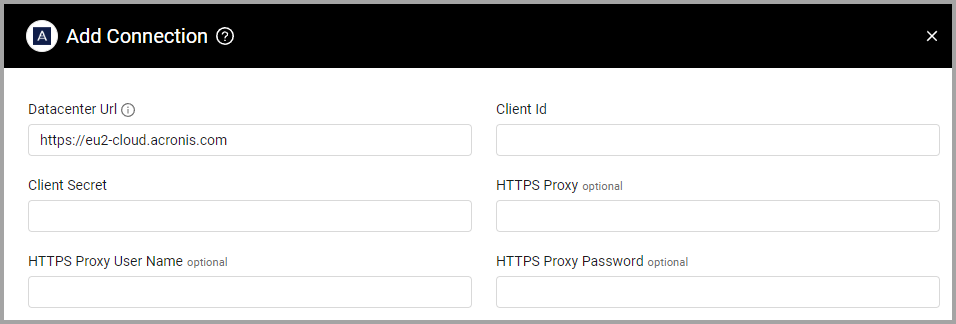
To connect the adapter in Axonius, provide the following parameters:
Required Parameters
- Datacenter URL (Default:
https://eu2-cloud.acronis.com) - The hostname or IP address of the Acronis server. - Client ID and Client Secret - The Client ID and Client Secret associated with a user account that has permission to fetch assets.
Optional Parameters
- HTTPS Proxy - Connect the adapter to a proxy instead of directly connecting it to the domain.
- HTTPS Proxy User Name - The user name to use when connecting to the value supplied in Host Name or IP Address via the value supplied in HTTPS Proxy.
- HTTPS Proxy Password - The password to use when connecting to the server using the HTTPS Proxy.
To learn more about common adapter connection parameters and buttons, see Adding a New Adapter Connection.
Version Matrix
This adapter was only tested with the versions marked as supported, but may work with other versions. Contact Axonius Support if you have a version that is not listed, which is not functioning as expected.
| Version | Supported | Notes |
|---|---|---|
| API v2 | Yes | -- |
Updated 13 days ago
Did this page help you?