
HPE Alletra SAN
HPE Alletra SAN is a storage platform that provides block storage, volume provisioning, snapshots, replication, and lifecycle management for enterprise workloads.
Use Cases the Adapter Solves
- Inventory SAN assets: View HPE Alletra SAN systems and switches as Devices in Axonius.
- Review hardware details: Use device serial number, model, and manufacturer data to identify storage infrastructure.
- Monitor device software and state: Review operating system, firmware version, and overall state data for discovered devices.
Asset Types Fetched
- Devices
Data Retrieved through the Adapter
Devices - fields such as: Device Name, Hostname, Device Serial Number, Device Model
Before You Begin
Required Ports
- TCP port specified by the URL supplied in Host Name or IP Address. The adapter configuration requires a protocol prefix; the supplied example uses HTTPS.
Authentication Methods
Username and password authentication.
APIs
Axonius uses the HPE Alletra SAN API. The following endpoints are called:
POST /api/v3/credentials- Authenticates the connection and retrieves a key.GET /api/v3/systems- Retrieves system data.GET /api/v3/switches- Retrieves switch data.
Required Permissions
Prerequisite: Enable WSAPI on the Array
Before Axonius can connect, an administrator must enable the Web Services API (WSAPI) on the storage array. This requires a user with the Super role, the Service role, or any role granted the wsapi_set right. This is a one-time setup step performed by the array administrator — it is not the Axonius service account.
Required User Account
Create a dedicated local user account on the HPE Primera / Alletra array for Axonius to use.
Minimum Role: browse
The browse role grants read-only access to the array. This is sufficient for the Axonius adapter, which only performs GET requests to discover storage systems and switches.
| Setting | Value |
|---|---|
| Role | browse |
| Domain access | All domains |
Why all domains? The GET /api/v3/systems and GET /api/v3/switches endpoints return only resources the authenticated user has access to. Restricting the user to a subset of domains results in incomplete asset discovery.
Supported From Version
Support from Axonius version 9.0.7
Connecting the Adapter in Axonius
- Navigate to the Adapter Catalog, search for HPE Alletra SAN, and select the adapter.
- Click Add Connection.
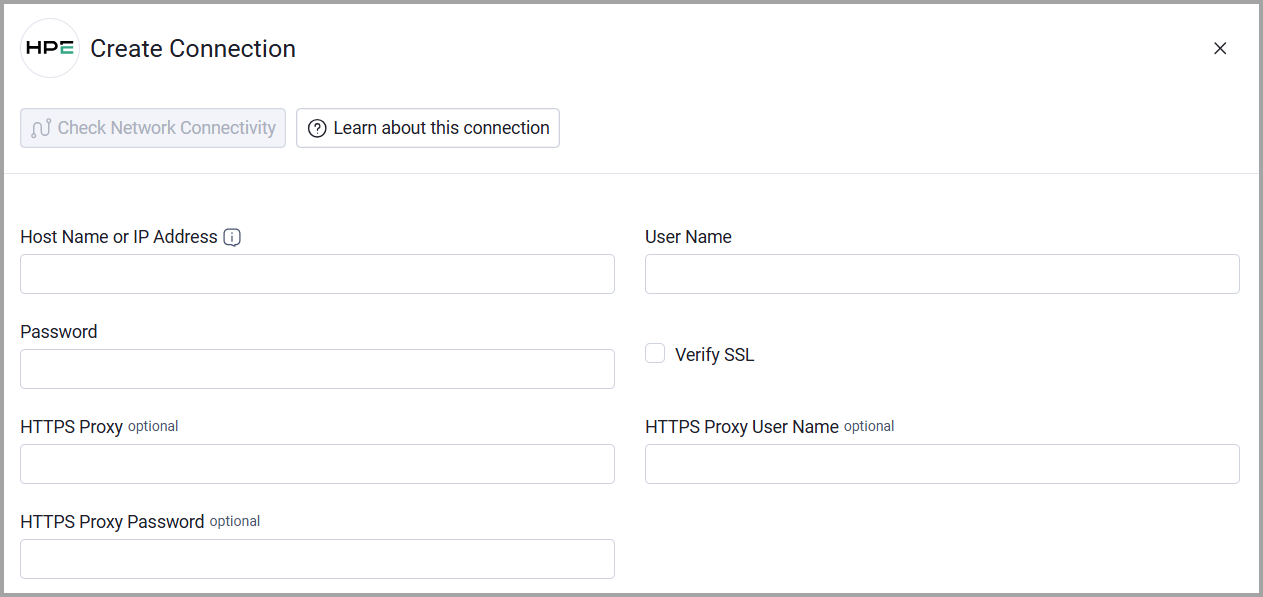
- Provide the following parameters.
Required Parameters
- Host Name or IP Address - Enter the base URL of the HPE Alletra SAN management API, including the protocol prefix. Example: https://alletra-array.example.com
- User Name - Enter the user name for the HPE Alletra SAN API account.
- Password - Enter the password for the HPE Alletra SAN API account.
Optional Parameters
- Verify SSL - Select whether to verify the SSL certificate of the server against the CA database inside of Axonius. For more details, see SSL Trust & CA Settings.
- HTTPS Proxy - Connect the adapter to a proxy instead of directly connecting it to the value supplied in Host Name or IP Address.
- HTTPS Proxy User Name - Enter the user name to use when connecting to Host Name or IP Address through HTTPS Proxy.
- HTTPS Proxy Password - Enter the password to use when connecting through HTTPS Proxy.
To learn more about common adapter connection parameters and buttons, see Adding a New Adapter Connection.
Updated about 1 month ago