
Huawei iMaster NCE-Campus
Huawei iMaster NCE-Campus is a campus network management platform that provides visibility and control over network infrastructure devices, endpoints, and user connectivity across enterprise campus networks.
Use Cases the Adapter Solves
- Improve campus asset visibility: Collect network infrastructure and terminal device information in Axonius.
- Monitor endpoint connectivity: Review device connection details, status, and network information.
Asset Types Fetched
- Devices
- Users
Data Retrieved through the Adapter
Devices - fields such as: Name, ESN, Device Model, Device Status
Users - fields such as: Username, Site ID, Last Seen, Device IP
Before You Begin
Required Ports
- TCP port 443 (HTTPS)
Authentication Methods
Username and password authentication.
APIs
Axonius uses the Huawei iMaster NCE-Campus API. The following endpoints are called:
POST /controller/v2/tokens- Authenticate and obtain an access token.GET /controller/campus/v3/devices- Retrieve devices.POST /controller/campus/v1/accountservice/terminalmgr/endpoint/list- Retrieve terminal devices.GET /controller/campus/v1/accountservice/onlineusers- Retrieve online users.
Required Permissions
An account with the Open Api Operator role must be configured on the iMaster NCE-Campus controller before northbound APIs can be invoked.
Supported From Version
Supported from Axonius version 10.0.0
Setting Up Huawei iMaster NCE-Campus to Work with Axonius
Use an existing Huawei iMaster NCE-Campus account and collect the host, port, user name, and password required to connect it to Axonius.
Connecting the Adapter in Axonius
- Navigate to the Adapter Catalog, search for Huawei iMaster NCE-Campus, and select the adapter.
- Click Add Connection.
- Provide the following parameters.
Required Parameters
- Host Name or IP Address - The base domain for the API. Include the http:// or https:// prefix and do not include a specific endpoint. Example:
https://192.168.1.2 - Port - The port used to connect to the Huawei iMaster NCE-Campus API. Example:
443 - User Name - The user name used to authenticate to the API. Example:
example-user - Password - The password for the configured user name.
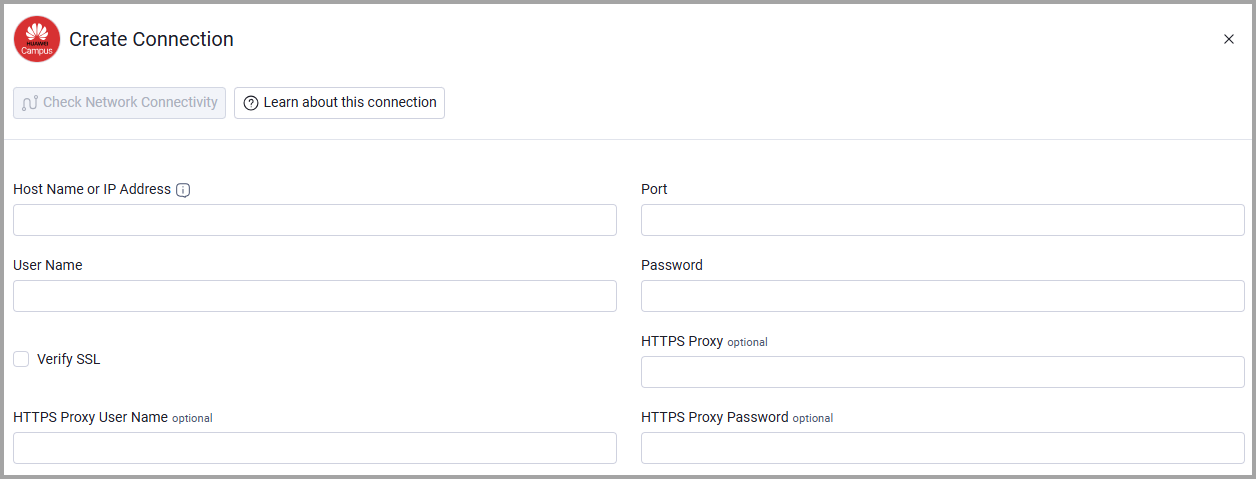
Optional Parameters
- Verify SSL - Select whether to verify the SSL certificate of the server against the CA database inside of Axonius. For more details, see SSL Trust & CA Settings.
- HTTPS Proxy - Connect the adapter to a proxy instead of directly connecting to the Host Name or IP Address.
- HTTPS Proxy User Name - The user name to use when connecting to the Host Name or IP Address via the HTTPS Proxy.
- HTTPS Proxy Password - The password to use when connecting to the server using the HTTPS Proxy.
To learn more about common adapter connection parameters and buttons, see Adding a New Adapter Connection.
Updated 20 days ago