
NS1
NS1 is a DNS solution for advanced traffic routing, automation, and application resiliency.
Asset Types Fetched
 Devices |
  Network Services |
  Domains & URLs |
Before You Begin
Ports
- TCP port 80/443
Authentication Method
API Key
APIs
Axonius uses the NS1 API Documentation.
Permissions
The value supplied in API Key must be associated with credentials that have Read permissions to fetch assets.
Supported From Version
Supported from Axonius version 4.8
Connecting the Adapter in Axonius
To connect the adapter in Axonius, provide the following parameters:
Required Parameters
-
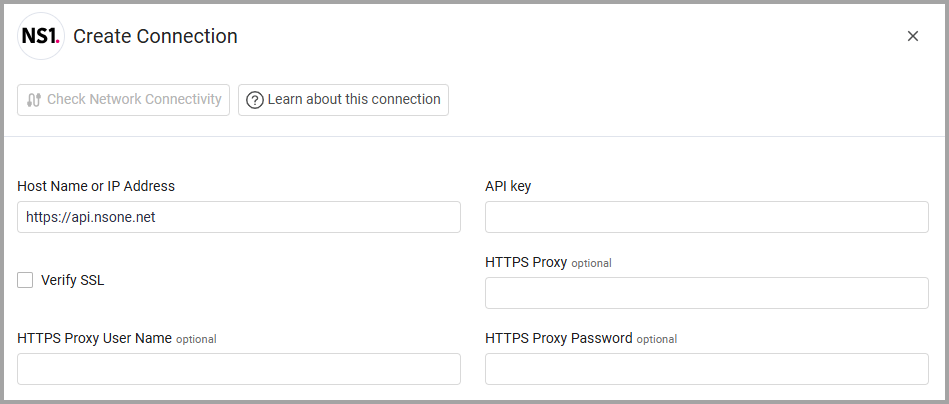
Host Name or IP Address (default:
https://api.nsone.net) - The hostname or IP address of the NS1 server that Axonius can communicate with via the Required Ports. -
API Key - An API Key associated with a user account that has the Required Permissions to fetch assets.
Optional Parameters
-
Verify SSL - Select whether to verify the SSL certificate of the server against the CA database inside of Axonius. For more details, see SSL Trust & CA Settings.
-
HTTPS Proxy - Connect the adapter to a proxy instead of directly connecting it to the domain.
-
HTTPS Proxy User Name - The user name to use when connecting to the value supplied in Host Name or IP Address via the value supplied in HTTPS Proxy.
-
HTTPS Proxy Password - The password to use when connecting to the server using the HTTPS Proxy.
To learn more about common adapter connection parameters and buttons, see Adding a New Adapter Connection.
Advanced Settings
Note
- Advanced settings can apply to either all connections of this adapter, or to a specific connection. For more detailed information, see Advanced Configuration for Adapters.
- For more general information about advanced settings, see Adapter Advanced Settings.
- Record Types to fetch - Select the specific DNS record types (such as
A, AAAA,orCNAME) that you want Axonius to fetch. By default all record types are fetched, remove record types from the list to filter those you do not want to fetch. - Parse DNS records as Domains & URLs (default: false) - Select this option to route NS1 DNS records to the Domains & URLs module instead of the Network Services module. When enabled, DNS records appear under Applications > Domains & URLs, enabling cross-source correlation with other DNS adapters such as AWS Route 53 and Censys ASM. When disabled (default), DNS records continue to appear under Network > Network Services with no change in behavior.
Updated 3 days ago