
Datto RMM (Autotask Endpoint Management)
Datto RMM (formerly Autotask Endpoint Management) is a cloud-based Remote Monitoring and Management (RMM) platform that provides device auditing, real-time monitoring, and automatic patching.
The Datto RMM adapter enables Axonius to fetch and catalog endpoint devices, ensuring comprehensive visibility into device audit data, real-time monitoring status, and patching compliance.
Asset Types Fetched
- Devices
Before You Begin
Authentication Methods
- API Key and API Secret Key
Required Permissions
The adapter connection requires a user account with the following permissions enabled in the Datto RMM console:
- Enable the Sites option and then set the following granular permissions:
- Sites - View
- Summary - View
- Devices - Manage
- Audit - View
- Manage - View
APIs
Axonius uses the Datto RMM API to retrieve asset data.
Connection Parameters
To connect the adapter in Axonius, provide the following parameters.
Required Parameters
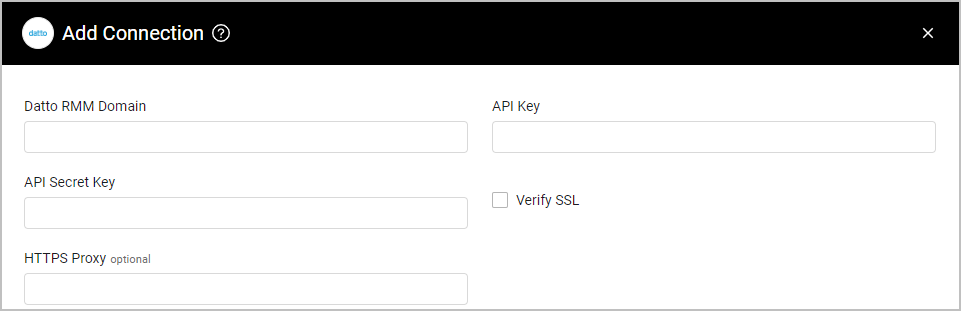
- Datto RMM Domain - Enter the hostname or IP Address of the Datto RMM server.
- API Key and API Secret Key - Enter the authentication credentials you have generated for a user that has site viewer access to Datto RMM. For more details, see Datto RMM Help - Activate the API.
Optional Parameters
- Verify SSL - Select whether to verify the SSL certificate of the server against the CA database inside of Axonius. For more details, see SSL Trust & CA Settings.
- HTTPS Proxy - Enter an HTTPS proxy address to connect the adapter to a proxy instead of directly connecting it to the domain.
To learn about additional optional/common adapter connection parameters, see Adding a New Adapter Connection.
Advanced Settings
Note
- Advanced settings can apply to either all connections of this adapter, or to a specific connection. For more detailed information, see Advanced Configuration for Adapters.
- For more general information about advanced settings, see Adapter Advanced Settings.
- Custom Fields Mapping (JSON) (optional) - You can enter a JSON object that maps custom fields from the raw data to the normalized data. The JSON object should be in the following format:
{"udf1": "my fild name", "udf2": "my second field name}' - Enrich Devices With Audit Endpoint - Select this option to enrich device assets with detailed audit information (such as MAC addresses and BIOS serial numbers) fetched from the specific audit endpoint.
Updated about 22 hours ago