
Editing Pivot Chart Number and Date Fields
Number fields in the Pivot Chart can be edited and configured to display numbers how you want.
Editing Number Fields
To configure a number field:
- Next to a number field, click the Edit icon.
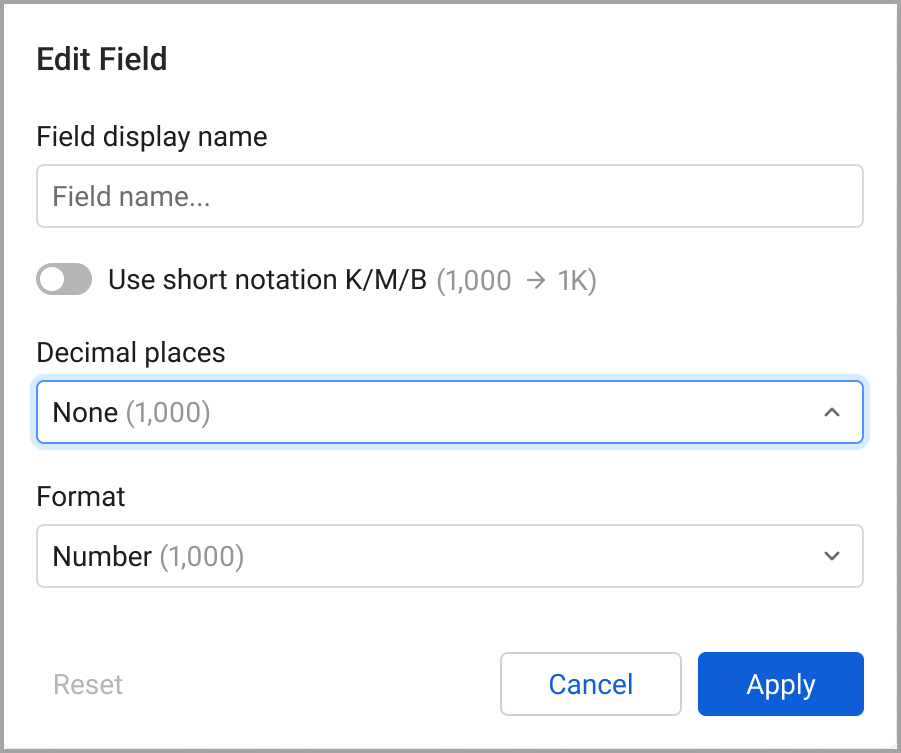
- Select options to configure the field:
-
Field display name - Enter a name for the field.
-
Use short notation K/M/B (1,000 -> 1K)- Select the abreviation you want to use.
- K for 1,000s
- M for 1,000,000s
- B for 1,000,000,000s
-
Decimal places - Select the number of digits you want after the decimal.
-
Format - Select the number format. Numbers can be presented without formatting, as a percentage, with a currency sign, or with a currency code.
-
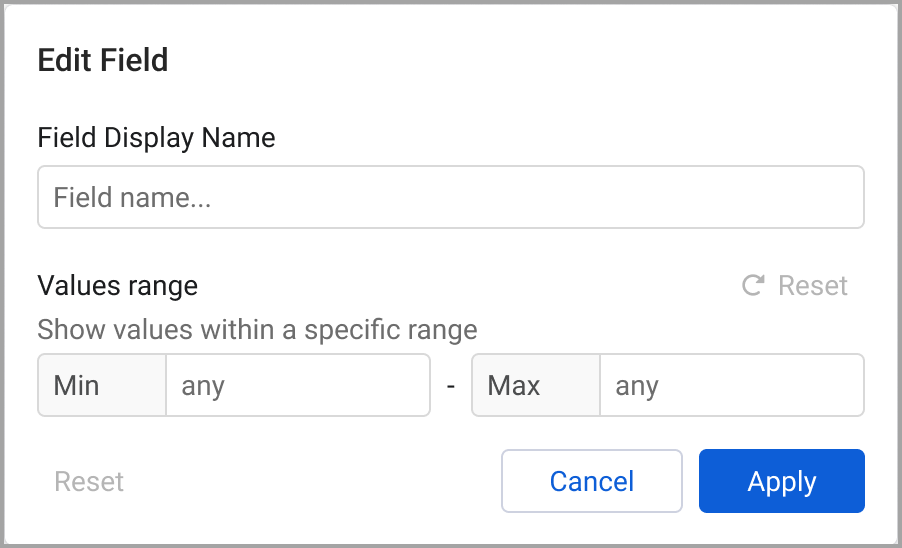
Value range - Set minimum and maximum values. Only values that fall within the range are displayed.
-
Editing Date Fields
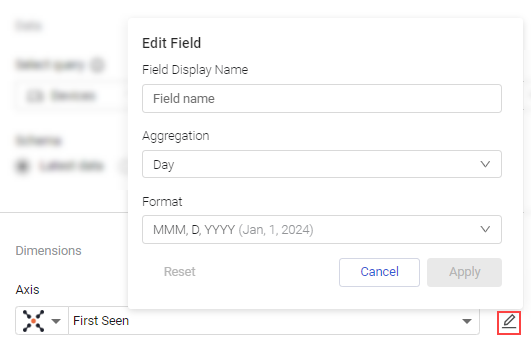
You can edit the way date fields are aggregated and displayed. In addition to the option to edit the field's display name (available for all fields), you can also select an aggregation and format.
To edit a date field:
-
When a field that displays a date is selected, click the edit icon
 .
. -
(Optional) In the Field Display Name field, enter a new name to display for the field.
-
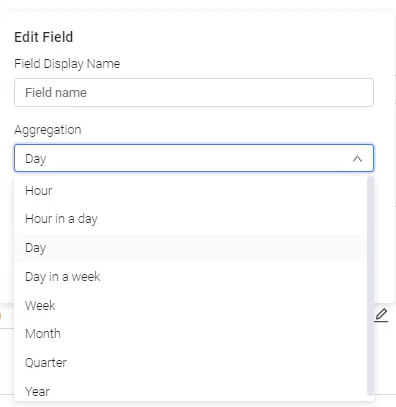
Select how you want this date aggregated.
- Hour - The hour of the event. For example, 12:00 PM.
- Hour in a day - The one hour timeframe in which the event occurred. For example, 12:00 - 12:59 PM.
- Day - The date of the event. For example, Jan 1, 2024.
- Day in a week - The day of the week that the event occurred in. For example, Monday.
- Week - The week in which the event occurred. For example, Jan 1-7, 2024.
- Month - The month in which the event occurred. For example, Jan 2024.
- Quarter - The quarter that the event occurred in. For example, Q1 2024.
- Year - The quarter that the event occurred in. For example, 2024.
-
Select the format in which you want the date to be displayed.
-
Click Apply.
Updated 6 months ago