
Working with Query Wizard Artifacts
Use the AI Companion to generate a Query Wizard artifact — a structured query configuration that maps to the Axonius Query Wizard format. Unlike a raw AQL query, a Query Wizard artifact is a fully configured query definition you can save and reuse in Axonius without writing syntax by hand. Queries are also generated and run when the AI Companion is "thinking" about your prompt.
Query Wizard Artifacts vs. AQL Queries
The AI Companion can produce two types of query output:
- AQL query — Raw Axonius Query Language syntax, useful when you need programmatic control or want to paste a query directly into an AQL field.
- Query Wizard artifact — A structured configuration that matches the Query Wizard's rule-based format. This is the right choice when you want to create a query in the standard Query Wizard interface without writing AQL.
Generating a Query Wizard Artifact
To generate a Query Wizard artifact, describe the query you want in plain language and ask the agent to build it as a Query Wizard query. When you ask the AI Companion to create a query, it also runs the query and displays the results in the conversation.
Example prompts:
- "Build me a Query Wizard query that finds devices missing an EDR agent."
- "Create a Query Wizard query for all Windows servers that haven't been seen in the last 30 days."
- "Make a Query Wizard query showing users with administrative privileges and no MFA."
The agent interprets your request, determines the appropriate rules and filters, and generates the artifact in the chat.
Reviewing the Artifact
After the agent generates the artifact, it appears in the chat as a distinct deliverable. The query language appears as a code block.
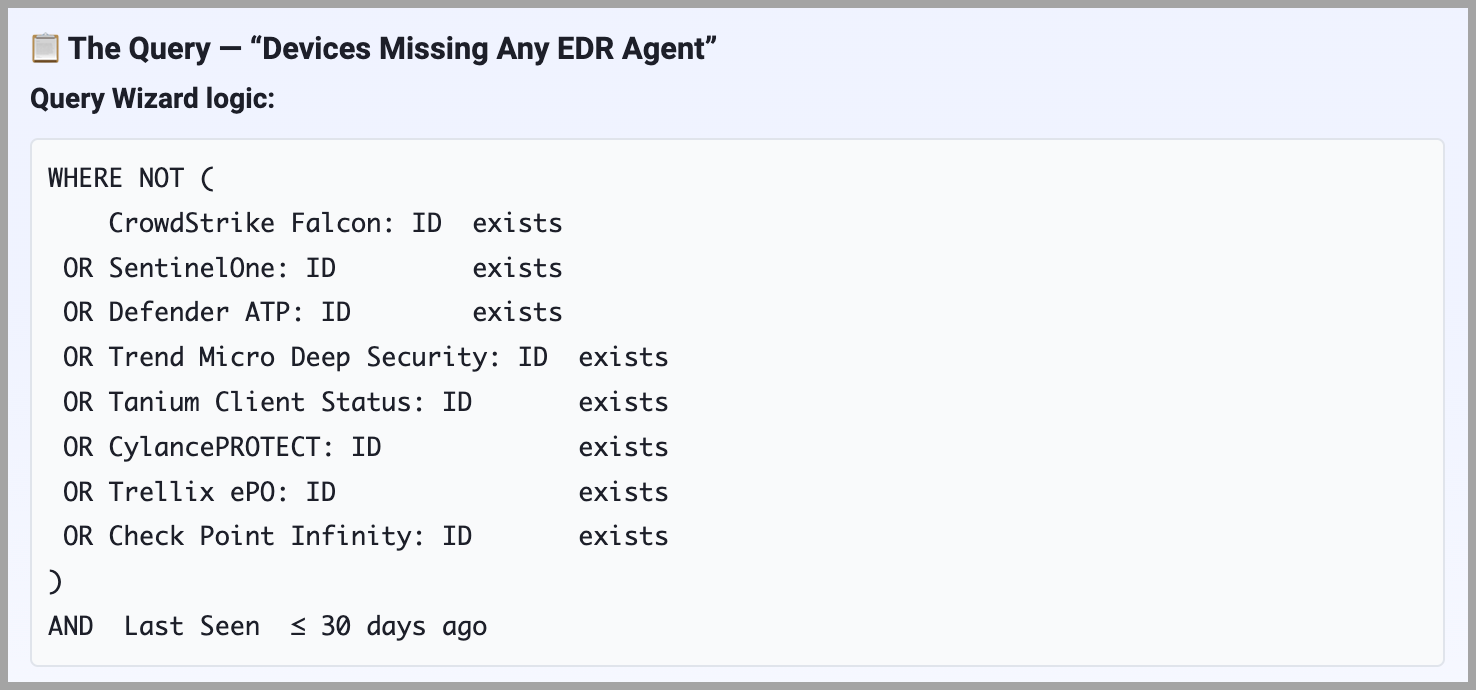
Review the artifact to confirm it reflects your intent before saving it. If the artifact doesn't match what you expected, you can ask the agent to adjust it in a follow-up message. For example:
- "Add a filter to exclude servers in the DMZ."
- "Change the time window to 14 days instead of 30."
Saving the Artifact as a Saved Query
After you confirm the artifact looks correct, you can save it to Axonius. In the Suggested next steps after the response, click Save this query or Save this as a saved query.
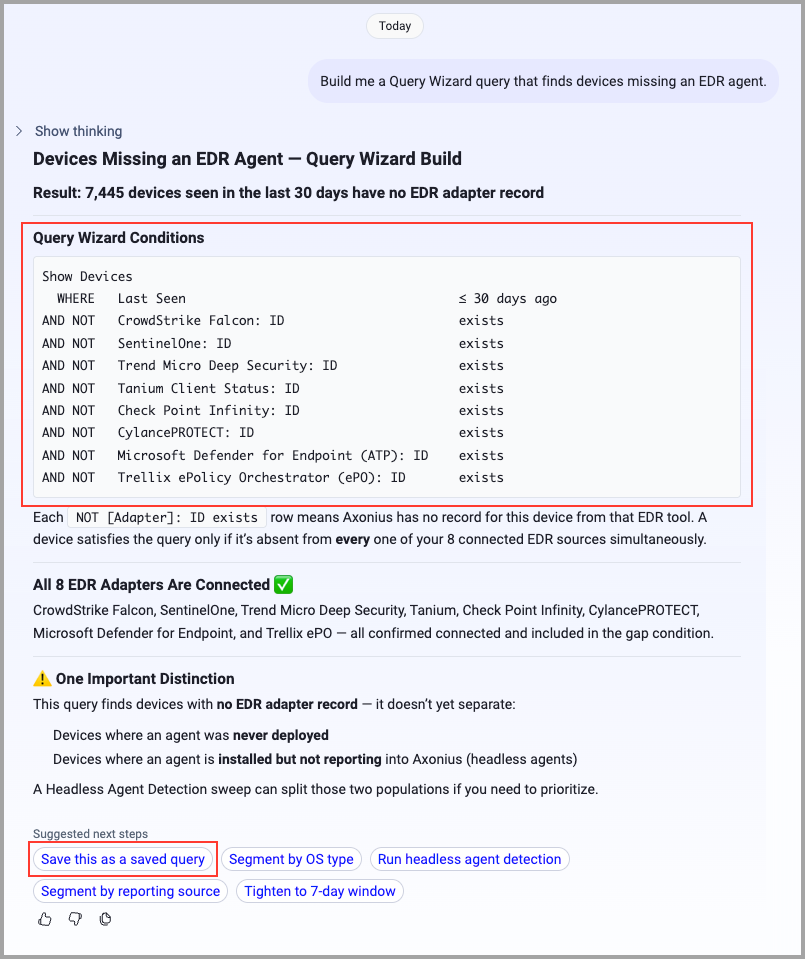
Once saved, the query is available in your Axonius Query Wizard and can be run, shared, or added to an enforcement set like any other saved query. For more information on working with saved queries, see Working with Saved Queries.
Updated 7 days ago