
ServiceNow Advanced Settings - Table Schema Mapping
Use Table Schema Mapping to map ServiceNow tables to Axonius entity types. Select an entity type and specify the table name, with an option to add query criteria and fields to fetch.
Key Benefits of Table Schema Mapping
- Unified Mapping Configuration: One interface for all table-to-asset-type mappings.
- Flexibility: Supports custom queries per table with ServiceNow syntax.
- Data Organization: Clear structure with asset type, table, query, and fields.
- Expanded Support: Works with the following asset types: Devices, Users, Compute Services, Certificates, Compute Images, Containers, Object Storage, Databases, Load Balancers, Application Services, URLs, Accounts
- Easy Maintenance: The table schema is simple to understand and modify configurations.
- Performance: Filters are applied during the fetch rather than after.
Working with Table Schema Mapping
Click + Add Table to create a new array (you can create multiple tables) or x to delete a table.
Only tables selected under the Enabled columns are fetched.
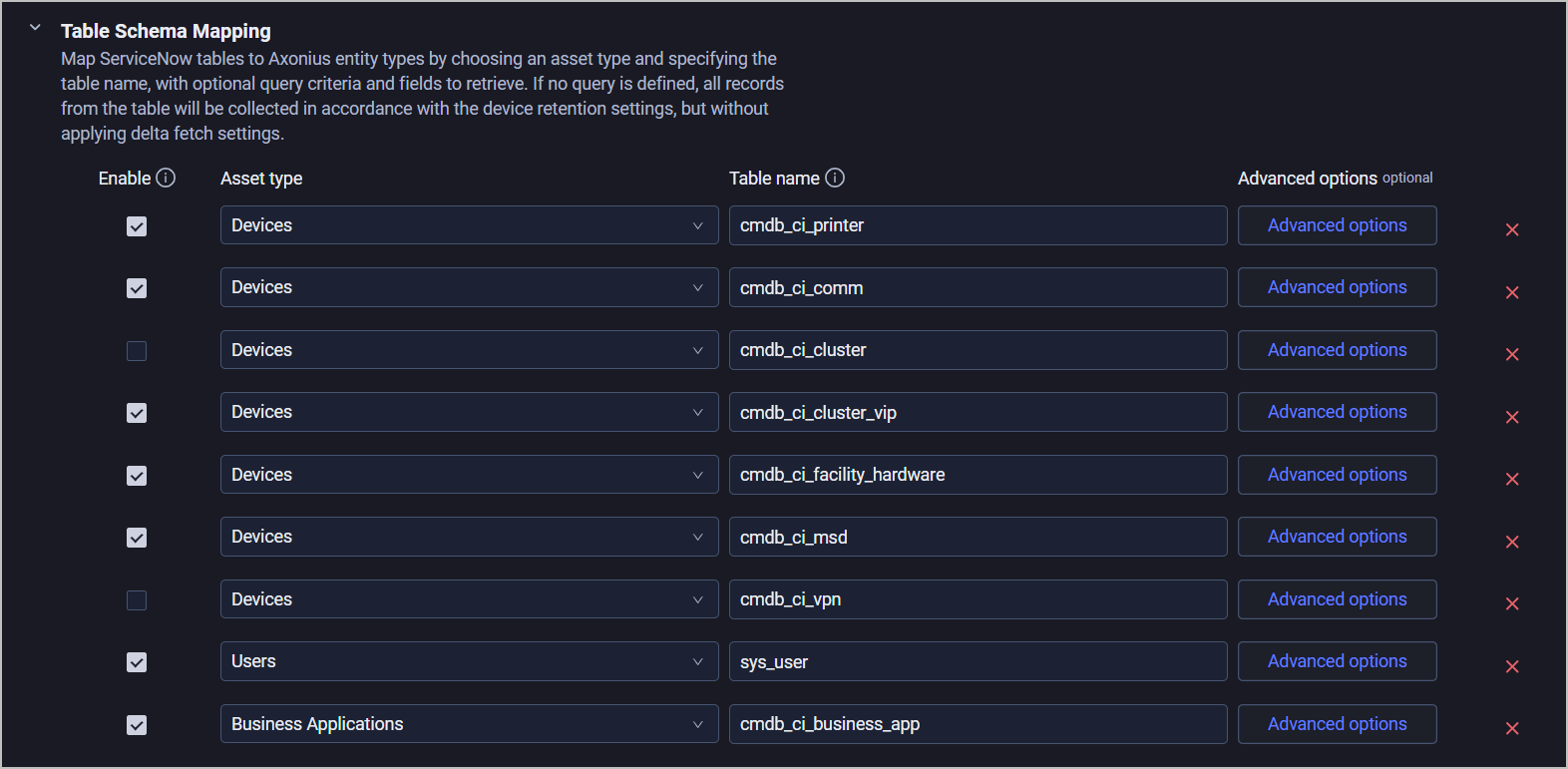
For each table, provide the following:
- Asset type - From the dropdown, select a supported asset type.
- Table name - Type a string representing the name of the table, for example:
u_cmdb_ci_computer - Options - Click Open options to add a table query and fields to fetch (these are optional):
-
Query mode - Select between Default and Custom query.
- Default - The Axonius default query(?) and other advanced configurations(?) will be applied during fetch.
- Custom query - Enter a list of strings to be used as the
sysparm_filterAPI parameter. See the ServiceNow documentation on Query Parameters for more information. You can enter a single query string using the ServiceNow syntax.
-
Fields to fetch - Enter fields to fetch from the corresponding table.
-
If you leave this section empty, all fields will be fetched by default.
-
To fetch listed fields, including dotwalked fields, enter
*. To fetch all fields and specific dotwalked fields, add*as one entry and add each dotwalked field as another entry.Note
If no query is defined, all records from the table will be fetched in accordance with the asset's retention setting, without applying Delta fetch settings.
-
-
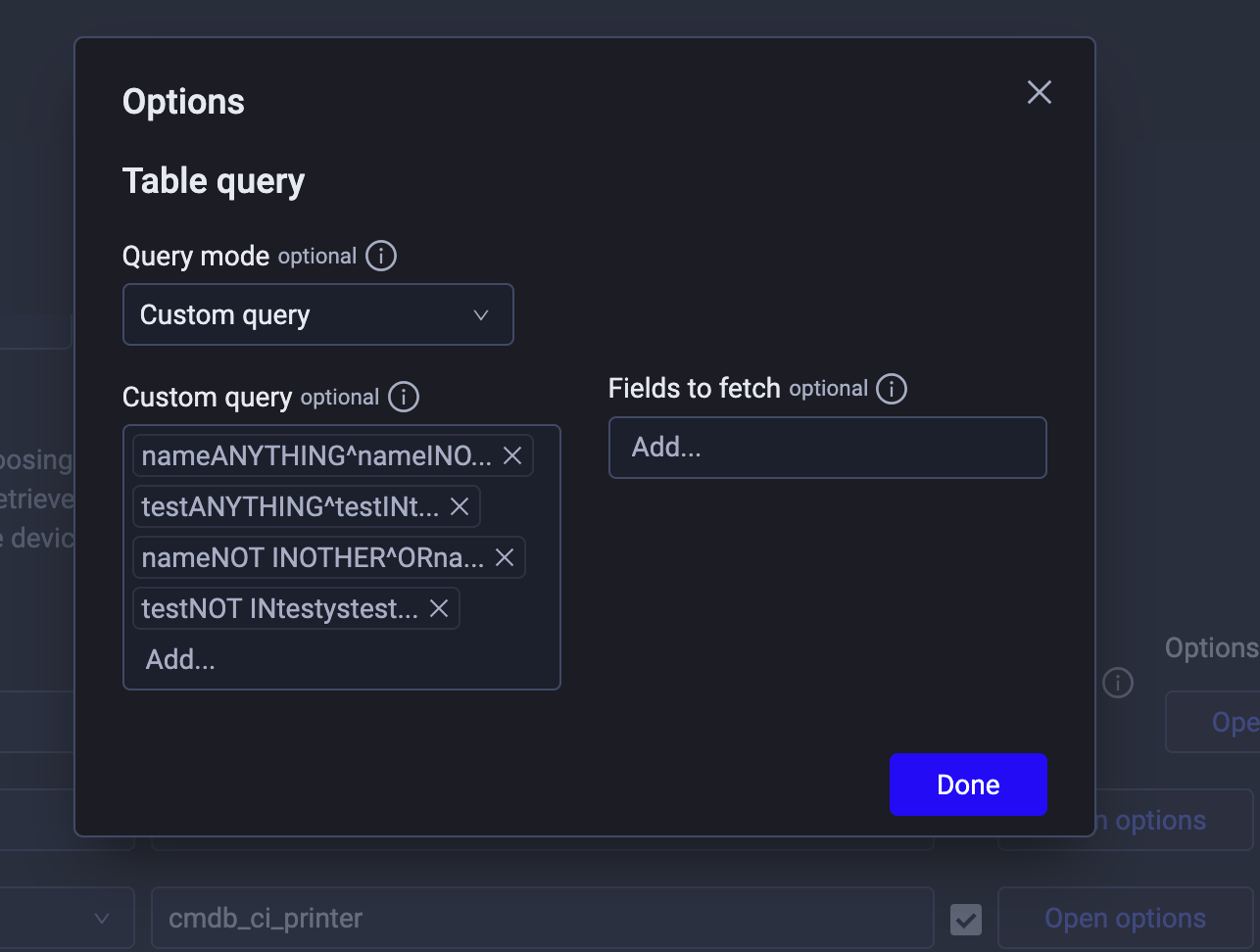
Table Schema Mapping Examples
| Data to fetch | Asset Type | Table Name | Custom Query |
|---|---|---|---|
Only the cmdb_ci_computer table | Devices | cmdb_ci_computer | -- |
Additional device tables: cmdb_ci_ip_switch,cmdb_ci_ip_router | Entry 1: Devices Entry 2: Devices | Entry 1: Entry 2: | -- |
Additional device tables with filters: cmdb_ci_ip_switch:install_statusIN1;cmdb_ci_ip_router:install_statusIN1 | Entry 1: Devices Entry 2: Devices | Entry 1: cmdb_ci_ip_switch Entry 2: cmdb_ci_ip_router | Entry 1: Entry 2: |
| VPN devices | Devices | cmdb_ci_vpn | -- |
| Exclude VMs tables | Entry 1: Devices Entry 2: Devices Entry 3: Devices (Continue as needed) | Instead of excluding VM tables, explicitly add only the non-VM tables you want: Entry 1: Entry 2: Entry 3: (Continue adding other non-VM tables as needed) | -- |
| Save only virtual devices | Devices | cmdb_ci_server (or other appropriate table) | Option 1: Option 2: Option 3 ("OR" query): |
| Exclude devices with specific field values | Devices | cmdb_ci_computer (or other appropriate table) | nameSTARTSWITHTest^ORemailENDSWITH.test |
Updated 25 days ago