
BoostSecurity
BoostSecurity is an application security posture management (ASPM) platform that provides repository scanning coverage, scanner visibility, and security gap analysis across developer source code environments.
Use Cases the Adapter Solves
- Repository Security Coverage Analysis: Gain visibility into which repositories across your organization are covered by security scanners and identify scanning gaps that may expose your codebase to vulnerabilities.
- Developer Security Posture Management: Monitor and analyze the security posture of your source code repositories, including archived status, management state, and mono-repository structures.
Asset Types Fetched
- Application Resources
Before You Begin
Required Ports
- TCP port 443 (HTTPS)
Authentication Methods
API Key Authentication
The adapter authenticates using an API Key in the request headers. You must generate an API Key from your BoostSecurity account to use with this adapter.
APIs
Axonius uses the BoostSecurity GraphQL API. The following GraphQL endpoints are called:
POST /asset-inventory/graphql- Queries thecollectionsendpoint to retrieve organization and collection dataPOST /asset-inventory/graphql- Queries thecollection.resourcesendpoint to retrieve repository information for each collection
Required Permissions
The following permissions are required:
The API Key must have permissions to:
- Read asset management data (collections and repositories)
- Access the GraphQL API endpoint
Note: The exact permission names should be confirmed with your BoostSecurity administrator or BoostSecurity support, as the API documentation is not publicly available.
Supported From Version
Supported from Axonius version 7.27
Connecting the Adapter in Axonius
Navigate to the Adapters page, search for BoostSecurity, and click on the adapter tile.
Click Add Connection.
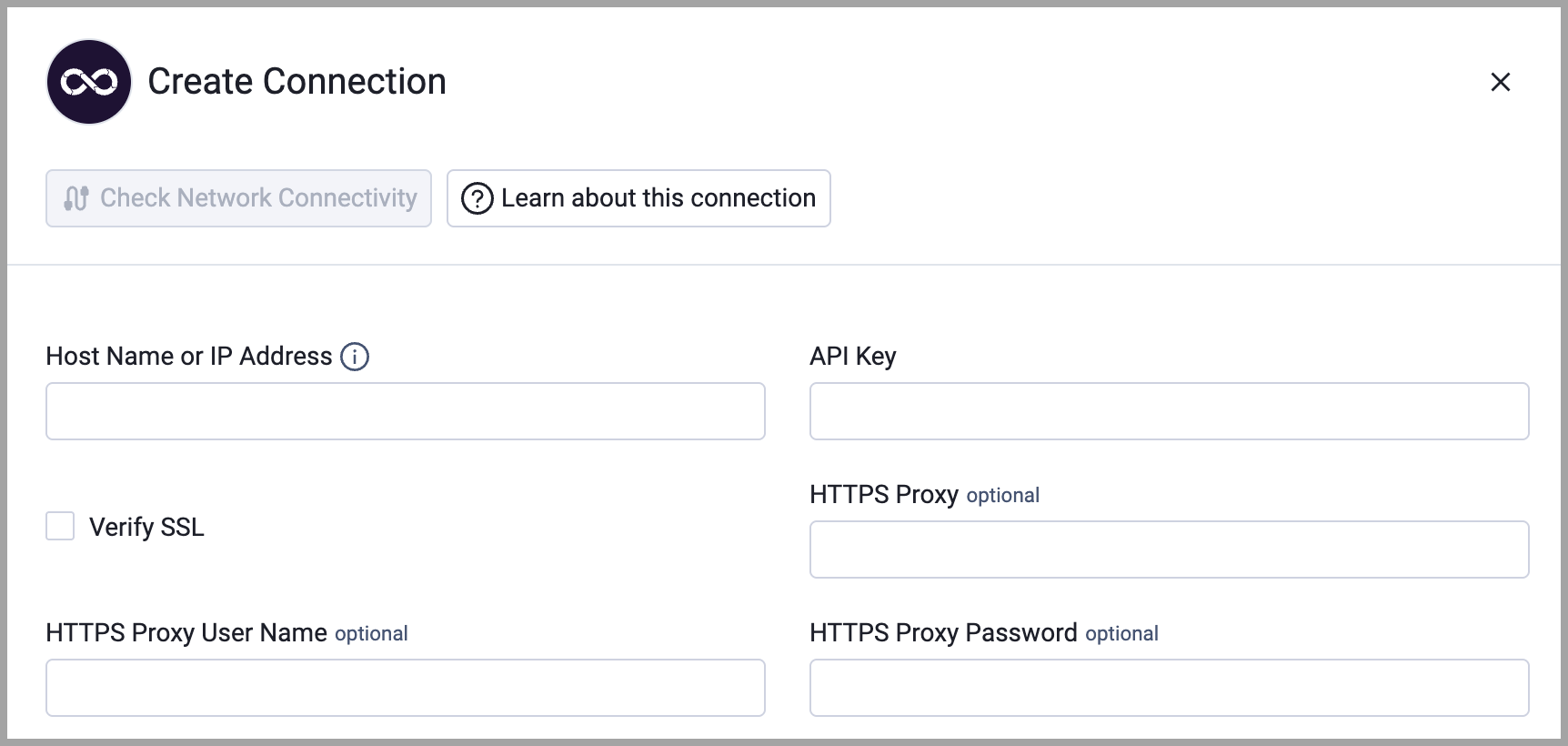
To connect the adapter in Axonius, provide the following parameters:
Required Parameters
- Host Name or IP Address - Base domain for the API, should contain a prefix of
http://orhttps://. Do not add any specific endpoints after the domain. Example:https://api.boostsecurity.io - API Key - The API Key generated from your BoostSecurity account that has permissions to access the asset management GraphQL API.
Optional Parameters
- Verify SSL - Select whether to verify the SSL certificate of the server against the CA database inside of Axonius. For more details, see SSL Trust & CA Settings.
- HTTPS Proxy - Connect the adapter to a proxy instead of directly connecting it to the domain.
- HTTPS Proxy User Name - The user name to use when connecting to the value supplied in Host Name or IP Address via the value supplied in HTTPS Proxy.
- HTTPS Proxy Password - The password to use when connecting to the server using the HTTPS Proxy.
To learn more about common adapter connection parameters and buttons, see Adding a New Adapter Connection.
Advanced Settings
Note: Advanced settings can either apply to all connections for this adapter, or to a specific connection. Refer to Advanced Configuration for Adapters. To learn more about Adapter Configuration tab advanced settings, see Adapter Advanced Settings.
The BoostSecurity adapter includes the following advanced configuration settings:
Keep Collections Where Provider Is In List - A list of providers to keep collections for. This allows you to filter which collections (organizations) are fetched based on their source control provider (e.g., GITHUB, AWS). Default: Empty list (fetches all providers).
Scanner ID - Optional: Filter repositories to only those covered by a specific scanner. This parameter allows you to focus on repositories that are monitored by a particular security scanner within BoostSecurity. Default: None (fetches all repositories).
Updated 24 days ago