
Device Data Wipe Required Before Return
IMPORTANT: Device Data Wipe Required Before Return
Action Required Prior to Returning Axonius Hardware
Important Notice: This procedure refers specifically to CPA (Cyber-Physical Assets).
Dear Customer,
Before returning any Axonius hardware appliance, you are required to perform a full data wipe of the device. This applies in all cases — including end-of-contract returns, hardware replacements, support, and decommissions.
Wiping the device ensures that your organization's data is fully erased before the equipment leaves your custody. Failure to wipe the device before return places full liability and responsibility for any remaining data on you.
Please follow the appropriate procedure below based on your device type.
WARNING:The wipe process is irreversible. Once initiated, all data on the device will be permanently erased and the device will be unusable until re-provisioned by Axonius. Ensure the device is fully decommissioned before proceeding.
Dell Device Wipe (via iDRAC)
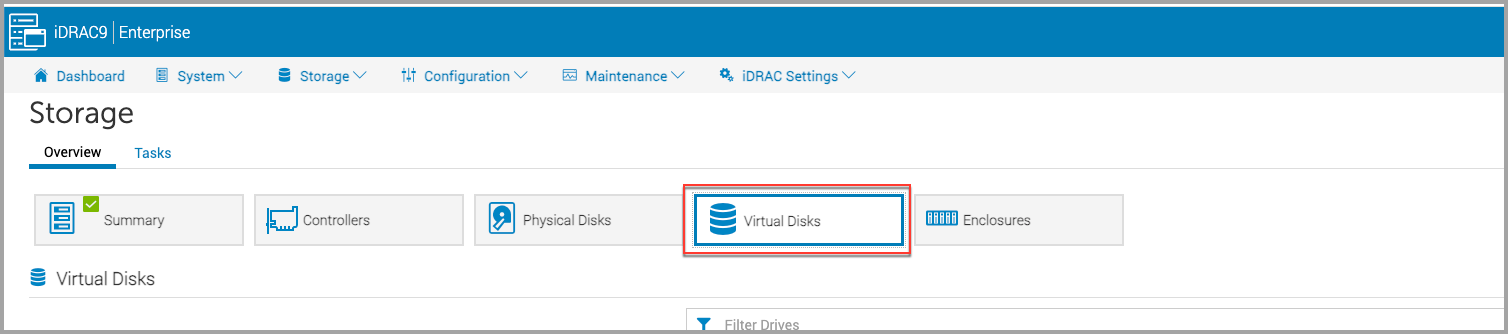
Step 1 — Navigate to Storage
Log in to the iDRAC interface and navigate to the Storage section.

Step 2 — Select Virtual Disks
Within Storage, choose Virtual Disks.
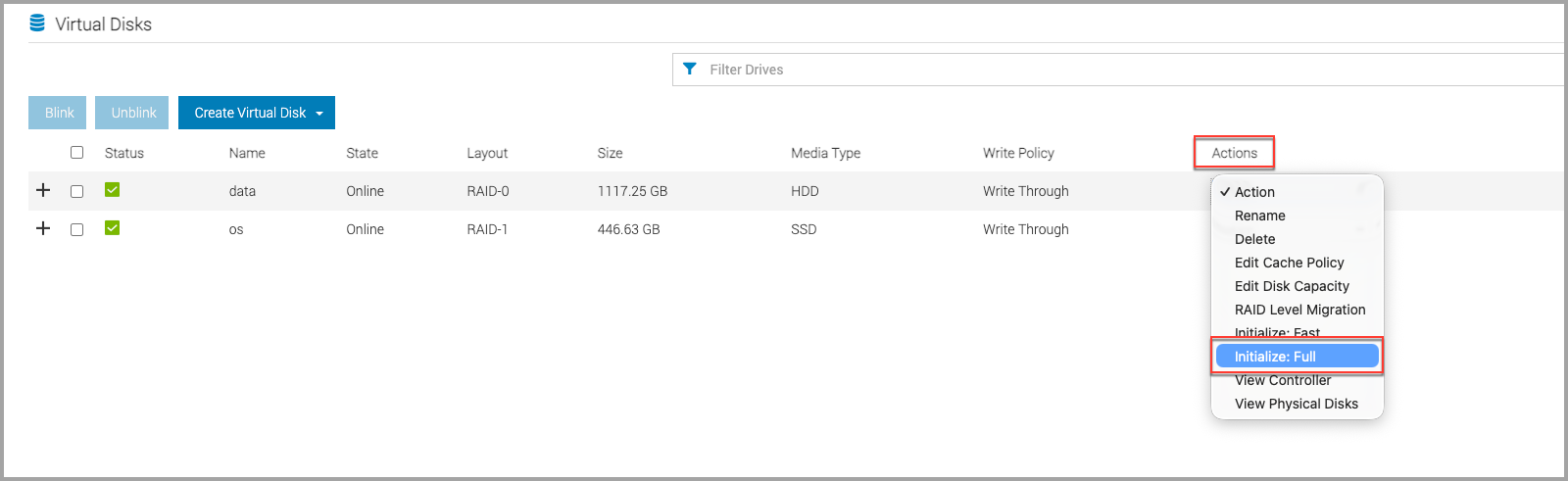
Step 3 — Initialize the data disk
On the data disk, open the Action button and select Initialize: Full. Confirm the operation when prompted. This action cannot be undone.
SFF Appliance Wipe (via Axonius UI)
Prerequisites: Access to the Axonius UI on the SFF appliance.
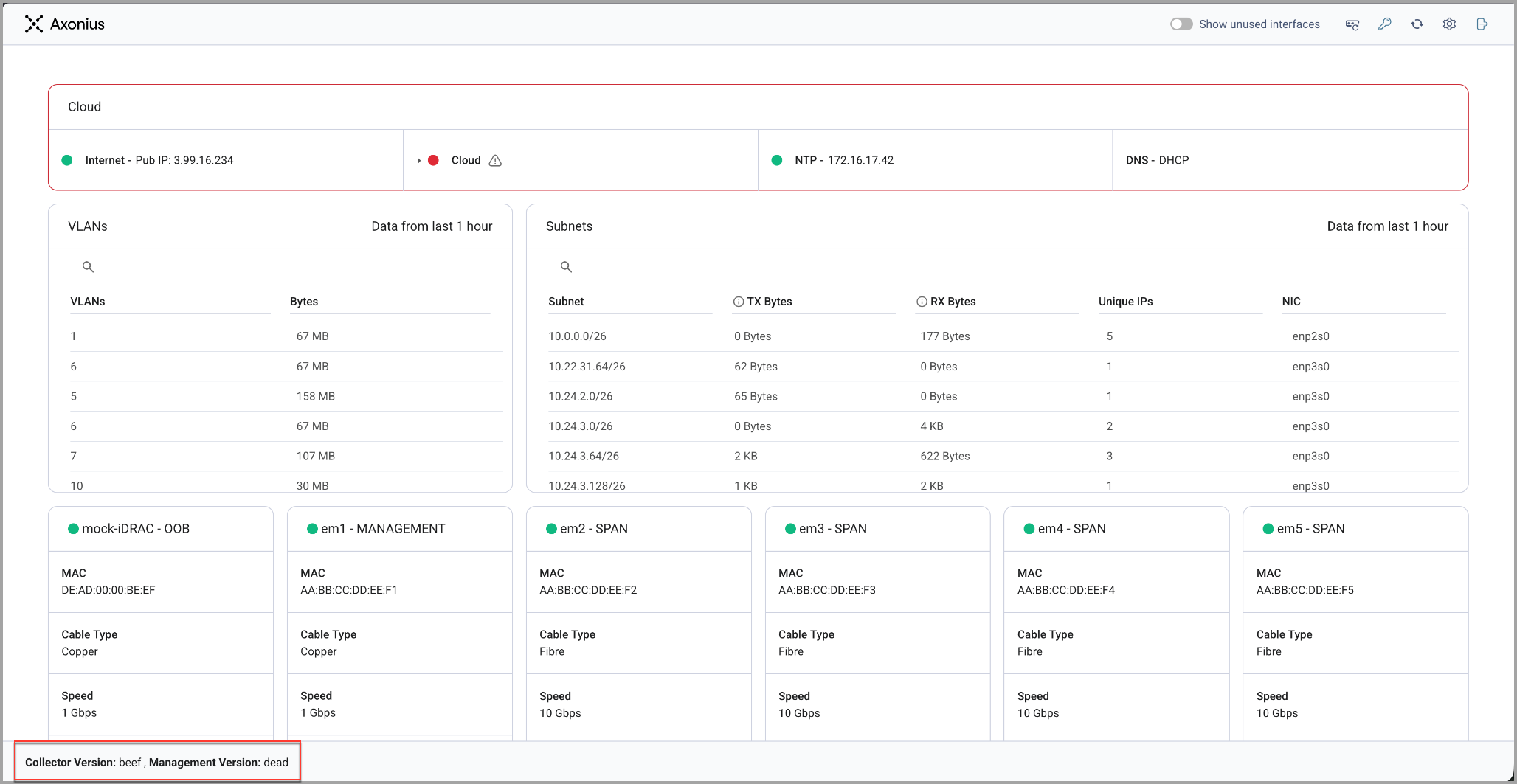
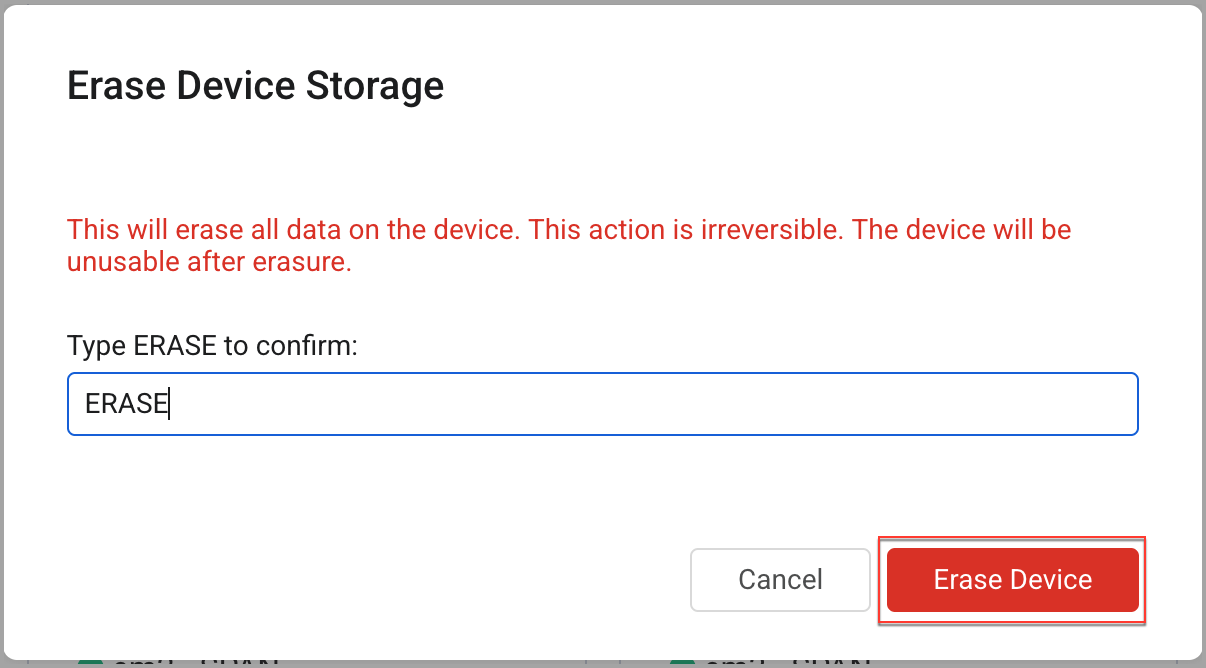
Step 1 — Open the Erase Device Storage dialog
Triple-click the version panel at the bottom of the screen (displays Collector Version / Management Version). This opens the Erase Device Storage dialog.
Step 2 — Confirm by typing ERASE
In the confirmation dialog, type ERASE (all caps) in the text field. The Erase Device button will turn red and become active.
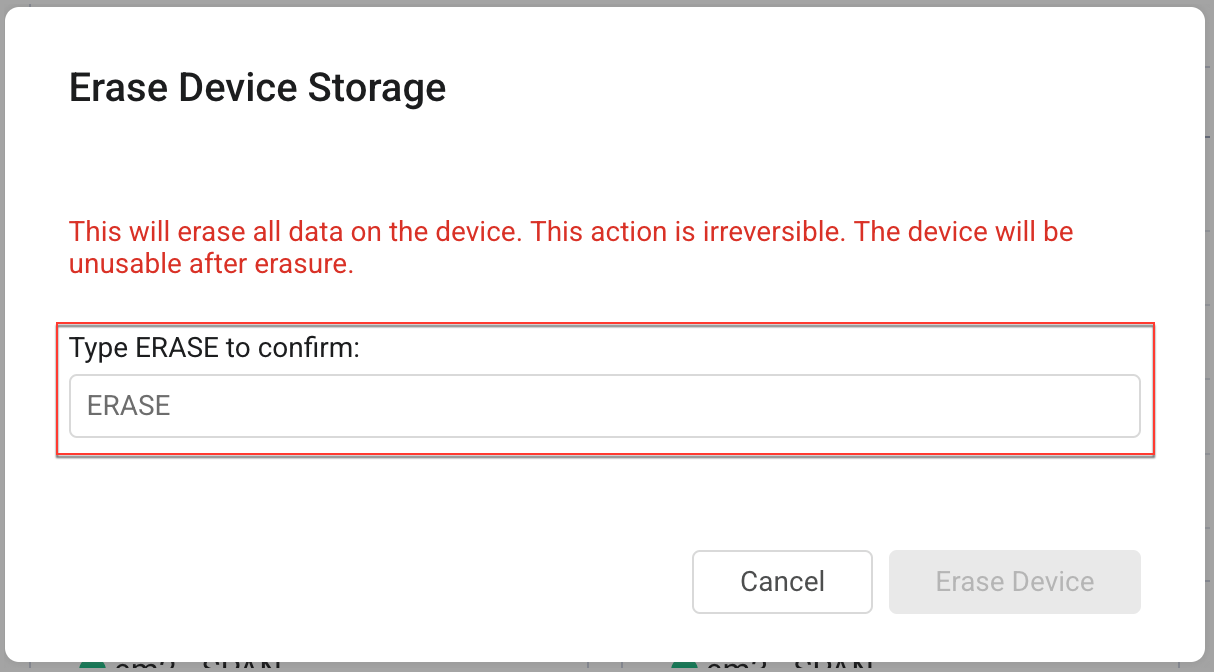
Step 3 — Initiate the wipe
Click the red Erase Device button. The wipe will begin immediately. This action cannot be undone.
After the Wipe
Once the wipe is complete, please coordinate with your Axonius account team to arrange the return shipment. Do not return the device until the wipe has been successfully completed.
If you encounter any issues during the wipe process, contact Axonius Support before proceeding.
Questions? Contact your Axonius Customer Success Representative or reach Axonius Support at [email protected].
Updated 3 months ago