
LinkShadow
LinkShadow is a network detection and response platform that provides network traffic analysis, behavioral analytics, threat detection, and anomaly identification across devices and users.
Use Cases the Adapter Solves
- Find network-connected devices: Identify devices observed in network activity, including their hostnames, operating systems, and threat scores.
- Review device risk: Investigate device anomalies, detected services, and endpoint-security information to prioritize risk review.
- Understand user risk: Review observed users, their account status, department, and risk indicators to support access and security investigations.
Asset Types Fetched
- Devices
- Users
Data Retrieved through the Adapter
Devices - fields such as: Hostname, Operating System, Threat Score, Anomalies
Users - fields such as: Username, Display Name, Department, High Risk
Before You Begin
Required Ports
- TCP port 443 (HTTPS)
Authentication Methods
The adapter uses an API username and API key. For MSSP deployments, it can also send a LinkShadow system name with each request.
APIs
Axonius uses the LinkShadow API. The following endpoints are called:
POST /api/entities/- Retrieves device entities.POST /api/entity/- Retrieves additional information for each device entity.POST /api/users/- Retrieves observed users.POST /api/user/- Retrieves additional information for each observed user.
Required Permissions
Confirm that the API account can retrieve device entities, device information, users, and user information with your LinkShadow administrator.
Supported From Version
Supported from Axonius version 9.0.8
Setting Up LinkShadow to Work with Axonius
Before creating the adapter connection, obtain an API username and API key for an account that can retrieve device and user data. For an MSSP deployment, also obtain the LinkShadow tenant system name.
Connecting the Adapter in Axonius
- Navigate to the Adapter Catalog, search for LinkShadow, and select the adapter.
- Click Add Connection.
- Provide the following parameters.
Required Parameters
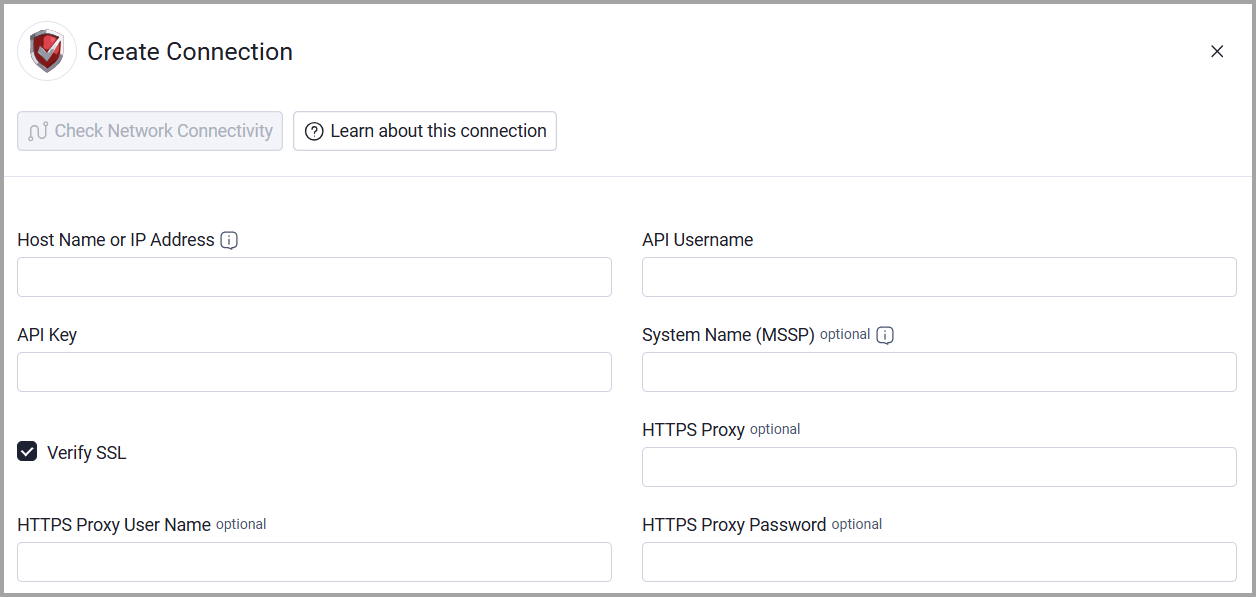
- Host Name or IP Address - The LinkShadow base URL, including the http:// or https:// prefix. Do not add an API endpoint to this value. Example:
https://linkshadow.example.com - API Username - The username for the LinkShadow API account.
- API Key - The API key for the LinkShadow API account.
Optional Parameters
- System Name (MSSP) - For MSSP deployments, the LinkShadow tenant system name.
- Verify SSL - Select whether to verify the SSL certificate of the server against the CA database inside of Axonius. For more details, see SSL Trust & CA Settings.
- HTTPS Proxy - Connect the adapter to a proxy instead of directly connecting it to the LinkShadow address.
- HTTPS Proxy User Name - The user name to use when connecting through the HTTPS Proxy.
- HTTPS Proxy Password - The password to use when connecting through the HTTPS Proxy.
To learn more about common adapter connection parameters and buttons, see Adding a New Adapter Connection.
Updated 20 days ago