
Connecting Zoom in Axonius
Required Parameters
All Asset Types
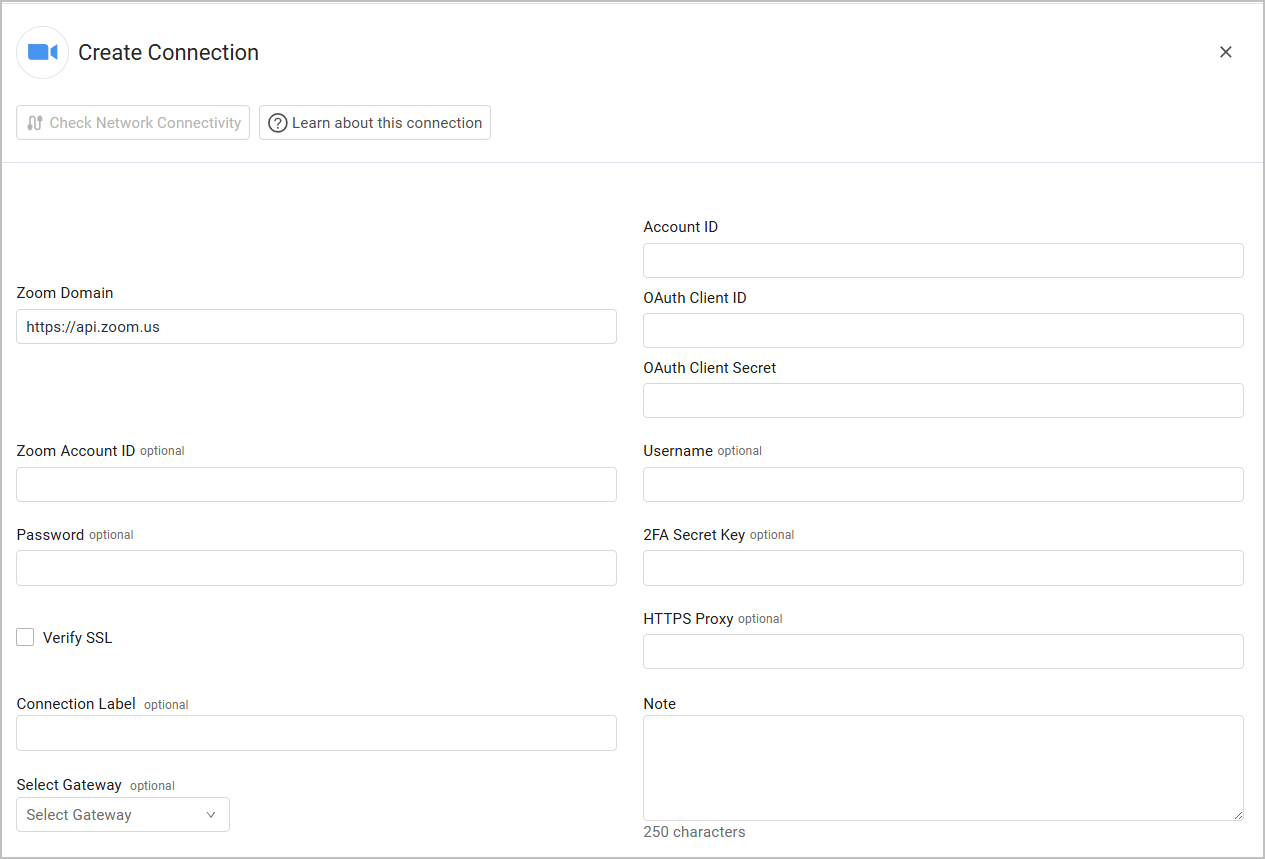
- Zoom Domain (default:
https://api.zoom.us) - The hostname or IP address of the Zoom API. - Account ID - Your Zoom account ID.
- OAuth Client ID and OAuth Client Secret - Zoom uses Server-to-Server OAuth authentication method. Enter the Account ID, OAuth Client ID, and OAUth Client Secret to be used to authenticate the request. For more details, see Create a Server-to-Server OAuth App
- Verify SSL - Select whether to verify the SSL certificate of the server against the CA database inside of Axonius. For more details, see SSL Trust & CA Settings.
Application Settings and Licenses
See Zoom Permissions for more information on when to provide these parameters.
- Zoom Account ID - Enter the Zoom Subdomain in the following format:
https//[account].zoom.us - Username and Password - The User Name and Password fields in of the user account you created.
- 2FA Secret - The secret generated in Zoom when you set up 2-factor authentication for the user account you created.
Optional Parameters
- HTTPS Proxy - Connect the adapter to a proxy instead of directly connecting it to the domain.
To learn more about common adapter connection parameters and buttons, see Adding a New Adapter Connection.
Updated 2 days ago
Did this page help you?