
Grammarly
Grammarly is an enterprise writing assistance platform that provides AI-powered grammar, style, and tone suggestions along with license management and usage analytics for organizations.
Use Cases the Adapter Solves
- Optimize license utilization: Track active and inactive Grammarly users to identify unused licenses and optimize subscription costs.
- Monitor user activity and engagement: Analyze user activity patterns to understand Grammarly adoption across your organization.
- Ensure compliance with subscription limits: Verify that the number of enrolled users stays within your licensed seat count to avoid subscription violations.
Asset Types Fetched
- SaaS Applications
- Licenses
- Users
Data Retrieved through the Adapter
Users - fields such as Email Address, Display Name, User Remote ID, Last Seen From Activities
Licenses - fields such as Remote ID, Quantity, End Date, Enrolled
Before You Begin
Required Ports
- TCP port 443 (HTTPS)
Authentication Methods
OAuth 2.0 Client Credentials
APIs
Axonius uses the Grammarly License Management API. The following endpoints are called:
POST /v4/api/oauth2/token- Obtains OAuth 2.0 access token using client credentials flowGET /ecosystem/api/v1/users- Retrieves paginated list of users with their details and activity informationGET /ecosystem/api/v1/institutions-summary- Retrieves institution subscription summary including license counts and user types
Required Permissions
The following OAuth 2.0 scope is required:
- users-api:read - Grants read-only access to the License Management API, allowing the adapter to retrieve user and institution details such as name, email, subscription status, and institution subscription summary.
Supported From Version
Supported from Axonius version 9.0.1
Connecting the Adapter in Axonius
Navigate to the Adapters page, search for Grammarly, and click on the adapter tile.
Click Add Connection.
To connect the adapter in Axonius, provide the following parameters:
Required Parameters
- API Domain - Grammarly API endpoint domain (default
https://api.grammarly.com). Example:https://api.grammarly.com - Auth Domain - OAuth 2.0 token endpoint domain (default
https://auth.grammarly.com). Example:https://auth.grammarly.com - Client ID - OAuth 2.0 Client ID from Grammarly Enterprise admin console.
- Client Secret - OAuth 2.0 Client Secret from Grammarly Enterprise admin console.
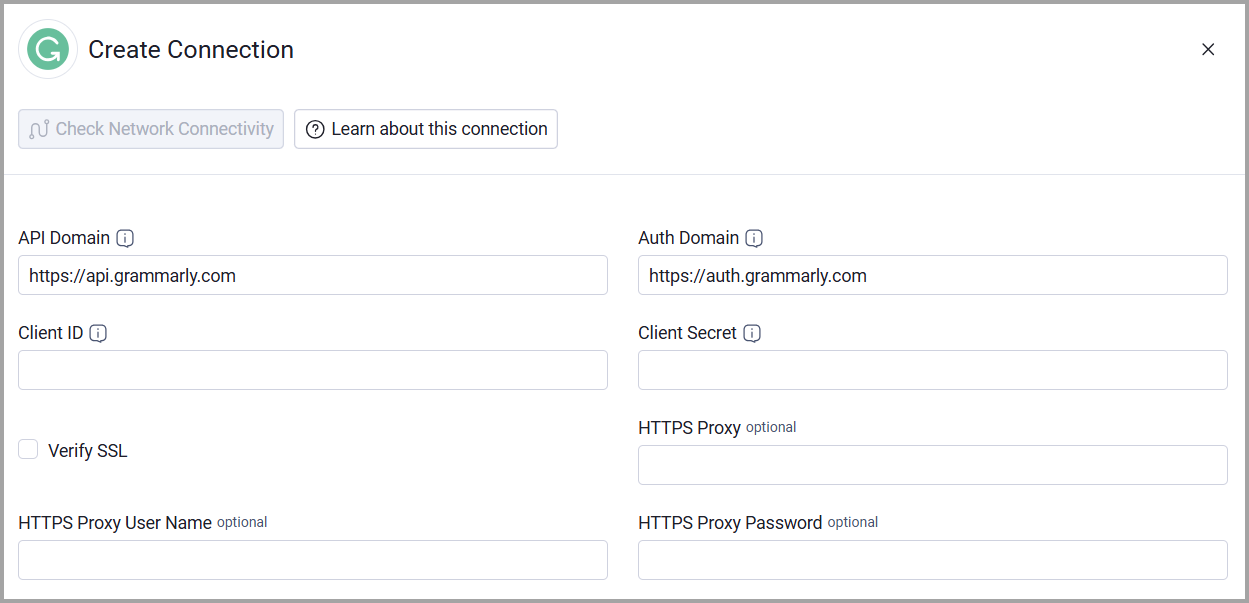
Optional Parameters
- Verify SSL - Select whether to verify the SSL certificate of the server against the CA database inside of Axonius. For more details, see SSL Trust & CA Settings.
- HTTPS Proxy - Connect the adapter to a proxy instead of directly connecting it to the domain.
- HTTPS Proxy User Name - The user name to use when connecting to the value supplied in API Domain via the value supplied in HTTPS Proxy.
- HTTPS Proxy Password - The password to use when connecting to the server using the HTTPS Proxy.
To learn more about common adapter connection parameters and buttons, see Adding a New Adapter Connection.
Updated 2 months ago