
New Navigation Experience
Version 9.0 presents a redesigned navigation experience organized around your goals and workflows.
Navigation Overview
The main navigation is divided into the following sections, each focused on a specific area of functionality: Dashboard, Inventory, Exposures, Action Center, Adapters, and Analysis. Each major navigation section includes its own tools submenu that provides contextual access to configuration pages and management tools relevant to that section. This contextual organization means you'll find the tools you need right where you're working, without navigating to a separate settings area. Pin your favorite dashboards and asset types for quick access within their navigation section. Existing bookmarks and saved links will continue to work.
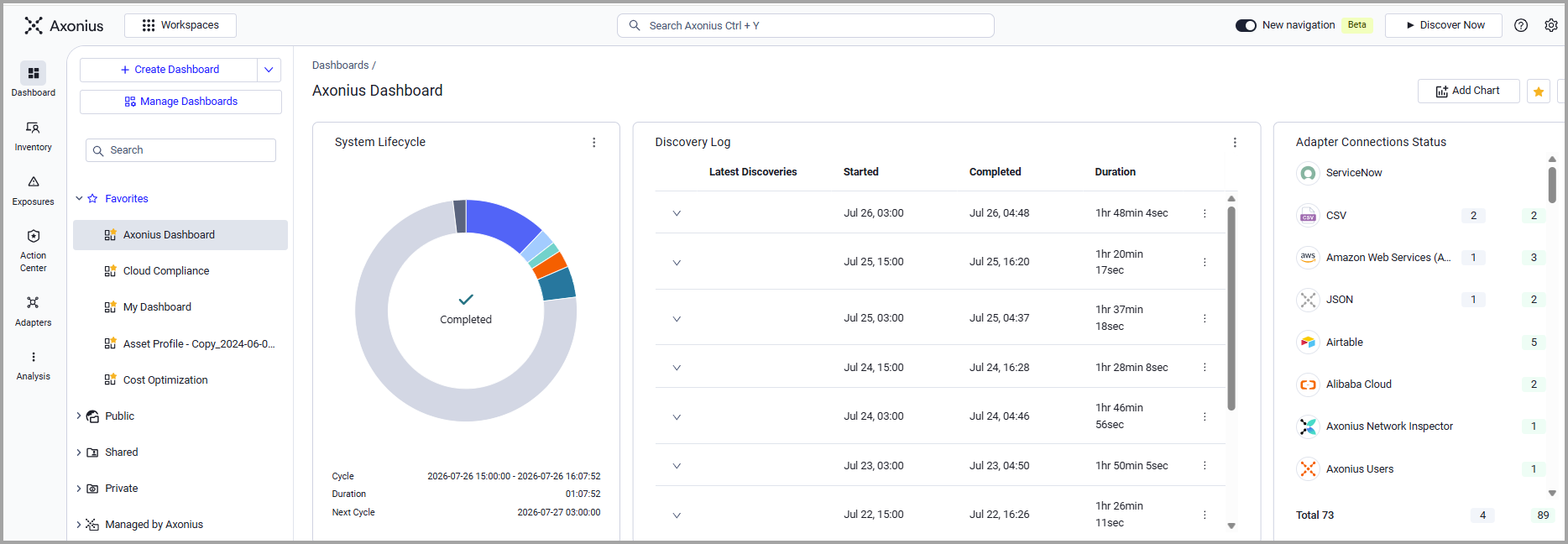
Axonius New Navigation
What changed:
Analysis: All the Analysis tools are now centralized into one dedicated section.
Inventory: All assets are accessed from the Inventory and settings-related asset tools were moved into the inventory.
Action Center: Action workflows are consolidated under the Action Center.
| Dashboard | Dashboards and dashboard management tools |
|---|---|
| Inventory | Asset discovery and management Inventory Tools menu with quick access to Tag Management, Custom Data Management, Device Inventory Classification, Business Data Enrichment, Exports |
| Exposures | Security and risk management with quick access to the whole suite of Exposures tools. |
| Action Center | Automation and remediation direct links to Enforcements, Workflows, Recommended Actions, Cases and Case sets. |
| Adapters | Manage adapters and integrations. Direct access to Adapter Fetch History and Adapter Fetch Events from the tools menu. |
| Analysis | All your analysis tools in one place, Queries, Reports, Monitoring, Analytics, Cloud Compliance, Graph |
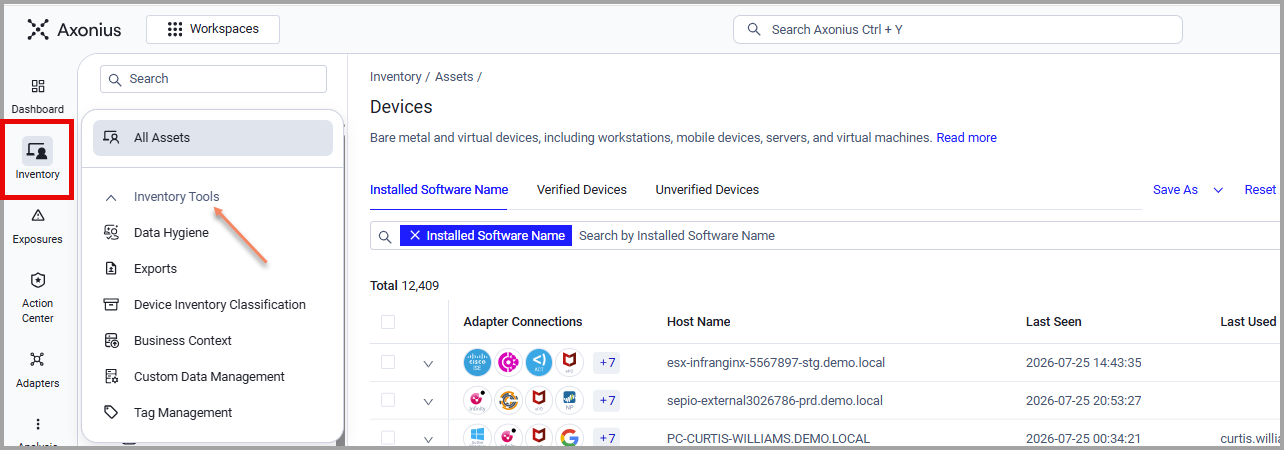
Inventory Menu
Migration Guide: Where Did Things Go?
| Old Location | New Location |
|---|---|
| Assets | Renamed Inventory |
| Enforcements | Action Center → Enforcement Center |
| Workflows | Action Center → Workflows |
| Cases, Case Sets | Action Center → Case Sets, Cases |
| Queries | Analysis → Queries |
| Reports | Analysis → Reports |
| Monitoring | Analysis → Monitoring |
| Data Analytics | Analysis → Analytics |
| Cloud Compliance | Analysis → Cloud Compliance |
| Graph | Analysis → Graph |
| Activity Logs (sidebar icon) | Settings → Activity Log |
| Nodes (sidebar icon) | Settings → Nodes |
| Settings → Data → Custom Data Management | Inventory Tools → Custom Data Management |
| Settings → Data → Tags Management | Inventory Tools → Tag Management |
Updated 3 months ago