
Halcyon
The Halcyon Anti-Ransomware and Cyber Resilience Platform offers layered ransomware protection.
Types of Assets Fetched
This adapter fetches the following types of assets:
- Devices
- Users
APIs
Axonius uses the Halcyon API. The following endpoints are called:
POST /identity/auth/login- Authenticates with the user name and password and returns an access token.GET /identity/tenants- Fetches the tenants the user can access. Devices and users are fetched for each tenant.GET /search/devices- Fetches the devices of each tenant.GET /search/devices/{device_id}- Fetches the details of each device.GET /v2/assets/{asset_id}/maintenance-token- Fetches the maintenance token of each device.GET /v2/assets/{asset_id}- Fetches additional asset details for each device. Enabled by Enrich Device Detail with Asset Details.GET /identity/tenants/{tenantId}/users- Fetches the users of each tenant.GET /identity/tenants/{tenantId}/users/USERID/role- Fetches the role of each user.
Parameters
Required Parameters
-
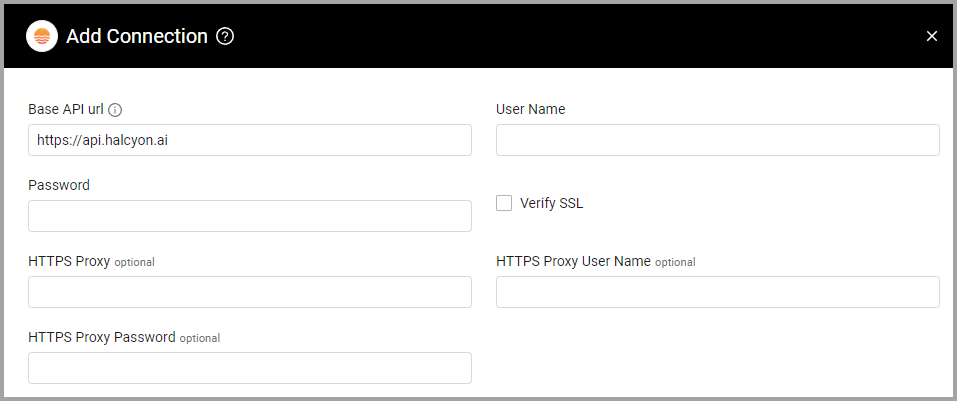
Base API url (default:
https://api.halcyon.ai) - Enter https://api.halcyon.ai/ to access the Halcyon server. -
User Name and Password - The credentials for a user account to log into the Halcyon application.
Optional Parameters
-
Verify SSL (default: disabled) - Select whether to verify the SSL certificate of the server against the CA database inside of Axonius. For more details, see SSL Trust & CA Settings.
-
HTTPS Proxy - Connect the adapter to a proxy instead of directly connecting it to the domain.
-
HTTPS Proxy User Name - The user name to use when connecting to the value supplied in Base API url via the value supplied in HTTPS Proxy.
-
HTTPS Proxy Password - The password to use when connecting to the server using the HTTPS Proxy.
To learn more about common adapter connection parameters and buttons, see Adding a New Adapter Connection.
Advanced Settings
Note:
- Advanced settings can apply to either all connections of this adapter, or to a specific connection. For more detailed information, see Advanced Configuration for Adapters.
- For more general information about advanced settings, see Adapter Advanced Settings.
- Enrich Device Detail with Asset Details (default: disabled) - Select this option to fetch additional details for each device, including its deployment group. When selected, the Deployment Group Name and Deployment Group ID fields are added to Device assets. This option makes an additional API call for each device.
Supported From Version
Supported from Axonius version 5.0.
Related Enforcement Actions
Updated 5 days ago