
DNSFilter
DNSFilter is a cloud-based web content filtering solution that protects users from accessing malicious or inappropriate websites.
Types of Assets Fetched
This adapter fetches the following types of assets:
- Devices
Parameters
Required Parameters
-
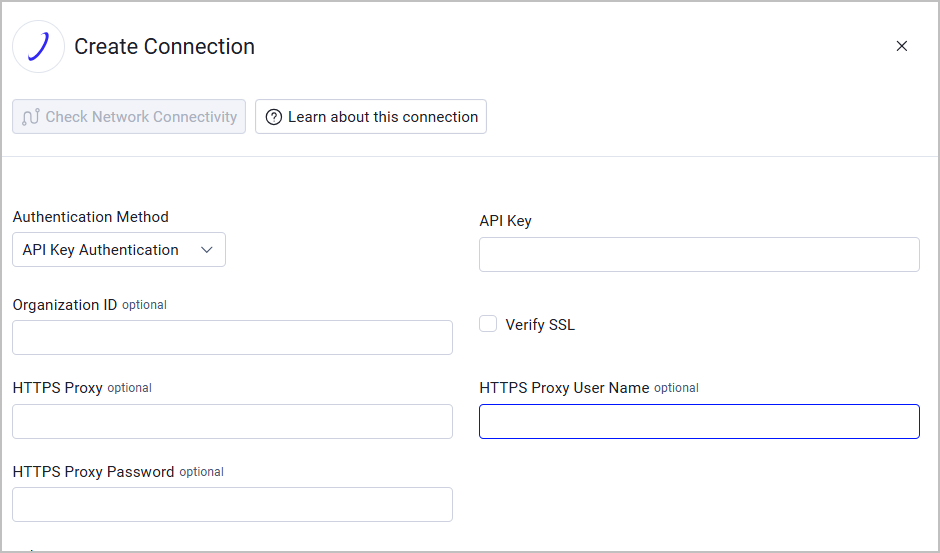
Authentication Method - Select the authentication method:
- Basic Authentication without MFA enabled provide:
- User Name and Password - The credentials for a user account that has permission to fetch assets. For information on authentication, see Obtaining a Token.
- Basic Authentication with MFA enabled, provide the following parameters:
- User Name and Password - The credentials for a user account that has permission to fetch assets. For information on authentication, see Obtaining a Token.
- 2FA Secret Key - Enter a secret key to use Multi-Factor Authentication.
- API Key Authentication - Provide an API Key.
- Basic Authentication without MFA enabled provide:
Optional Parameters
-
Organization ID - Enter an organization ID to have the adapter fetch only devices that belong to this organization. When left empty, the adapter fetches all devices accessible to the authenticated account.
-
Verify SSL - Select whether to verify the SSL certificate of the server against the CA database inside of Axonius. For more details, see SSL Trust & CA Settings.
-
HTTPS Proxy (optional) - Connect the adapter to a proxy instead of directly connecting it to the domain.
-
HTTPS Proxy User Name (optional) - The user name to use when connecting to the value supplied in Host Name or IP Address via the value supplied in HTTPS Proxy.
-
HTTPS Proxy Password (optional) - The password to use when connecting to the server using the HTTPS Proxy.
To learn more about common adapter connection parameters and buttons, see Adding a New Adapter Connection.
APIs
Axonius uses the DNSFilter API.
Supported From Version
Supported from Axonius version 6.1
Updated 5 days ago