
Oracle Identity Cloud Service (IDCS)
Oracle IDCS is an identity and access management service that provides user provisioning, SSO, and authentication across hybrid IT environments.
Asset Types Fetched
- Users, Roles, Groups, Permissions, Application Settings
Data Retrieved by the Adapter
When Fetch Application Settings is enabled, the following data is fetched:
| Data Source | API Endpoint | Axonius Asset Type |
|---|---|---|
| Application roles | GET admin/v1/AppRoles | Application Settings |
| Adaptive access settings | `GET admin/v1/AdaptiveAccessSettings/ | id |
| Authentication factor settings | GET admin/v1/AuthenticationFactorSettings/AuthenticationFactorSettings | Application Settings |
| Application role search | GET admin/v1/AppRoles/.search | Application Settings |
| Application settings | `GET admin/v1/Apps/ | id |
| SDK authentication settings | GET sso/v1/sdk/authenticate | Application Settings |
Before You Begin
Ports
- TCP port 443
Authentication Method
- Client ID/Client Secret
APIs
Axonius uses the following APIs:
Permissions
The following permissions are required:
-
Authentication - Requires OAuth 2.0 Client Credentials Grant with a confidential application.
-
App Type - You must create a confidential client application in Oracle IDCS. It must be enabled for Client Credentials grant type.
-
Roles Required - The client application must be assigned administrative roles that allow reading users, such as:
Identity Domain AdministratorUser Administrator- or custom roles with
GETpermission for the relevant APIs.
-
RBAC Applies - If the associated user or client app lacks the proper role, the response will be limited or denied (403).
-
API Endpoint Version - Use
/admin/v1/Users, not/v1/Users, to access admin-level attributes and filtering.
Supported From Version
Supported from Axonius version 7.0
Connecting the Adapter in Axonius
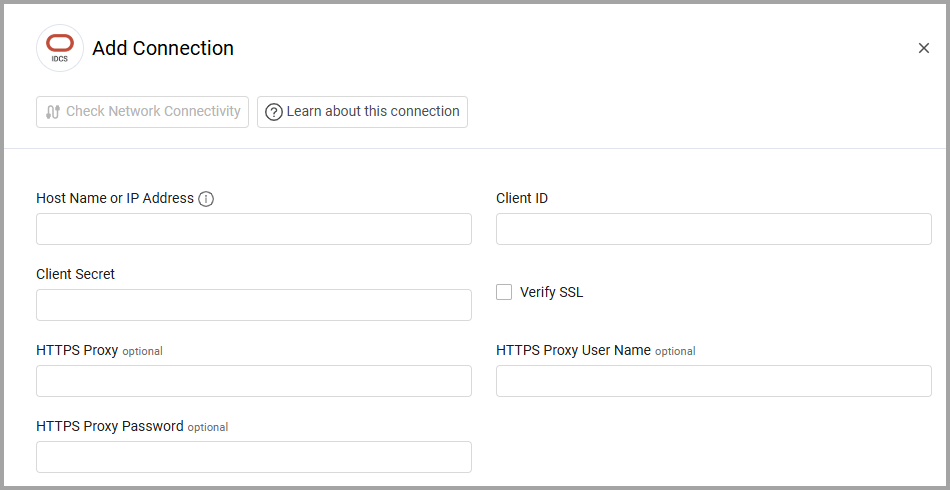
To connect the adapter in Axonius, provide the following parameters:
Required Parameters
- Host Name or IP Address - The hostname or IP address of the Oracle Identity Cloud Service (IDCS) server.
- Client ID and Client Secret - The credentials for a user account that has the Required Permissions to fetch assets. For more information, see Working with OAuth 2 to Access the REST API.
Optional Parameters
-
Verify SSL - Select whether to verify the SSL certificate of the server against the CA database inside of Axonius. For more details, see SSL Trust & CA Settings.
-
HTTPS Proxy - Connect the adapter to a proxy instead of directly connecting it to the domain.
-
HTTPS Proxy User Name - The user name to use when connecting to the value supplied in Host Name or IP Address via the value supplied in HTTPS Proxy.
-
HTTPS Proxy Password - The password to use when connecting to the server using the HTTPS Proxy.
To learn more about common adapter connection parameters and buttons, see Adding a New Adapter Connection.
Advanced Settings
Note
Advanced settings can either apply to all connections for this adapter, or to a specific connection. Refer to Advanced Configuration for Adapters.
To learn more about Adapter Configuration tab advanced settings, see Adapter Advanced Settings.
- Fetch Applications Settings - Enable this option to fetch Oracle IDCS application settings as Axonius Application Settings.
Related Enforcement Actions
Updated 14 days ago