
GitGuardian
GitGuardian is a security platform that offers secret detection and monitoring for code repositories.
Use Cases the Adapter Solves
- Secret Detection Inventory: Get visibility into all secrets detected across monitored repositories, including severity, status, and assignee information, to prioritize remediation efforts across your organization.
- Incident Remediation Tracking: Track the lifecycle of detected secrets (triggered, ignored, resolved) and correlate incidents with occurrence details such as file path, commit SHA, and author information to accelerate remediation.
Types of Assets Fetched
This adapter fetches the following types of assets:
- Alerts/Incidents
Data Retrieved through the Adapter
Alerts/Incidents - fields such as: Incident ID, Severity, Status, Assignee Email, Occurrences Count.
Before You Begin
Required Ports
Axonius must be able to communicate with the value supplied in Host Name or IP Address via the following ports:
- TCP port 443 (HTTPS)
Authentication Methods
Axonius connects to GitGuardian using an API key. For more information on creating an API key, see Authentication.
APIs
Axonius uses the GitGuardian API. The following endpoints are called:
GET /v1/incidents/secrets- Retrieve the list of secret incidentsGET /v1/occurrences/secrets- Retrieve detailed occurrence information (called when Occurrence Details is enabled)
Required Permissions
The value supplied in API Key must be associated with credentials that have read permissions in order to fetch assets.
Supported From Version
Supported from Axonius version 6.1.54.0
Connecting the Adapter in Axonius
- Navigate to the Adapter Catalog, search for GitGuardian, and select the adapter.
- Click Add Connection.
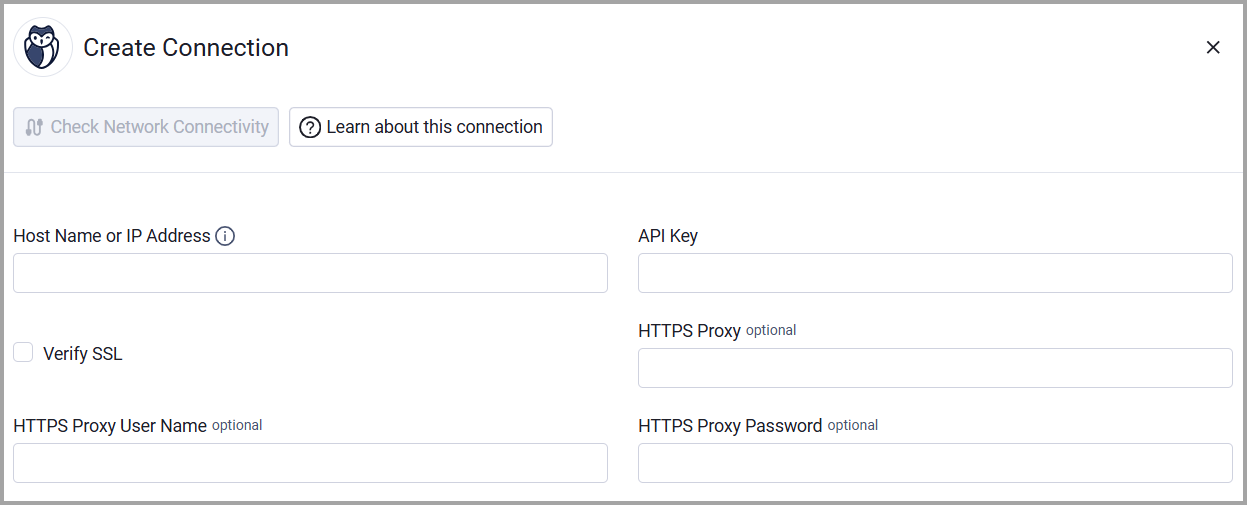
- Provide the following parameters.
Parameters
-
Host Name or IP Address (required) - The base domain for the API. Must include
http://orhttps://.- For SaaS: use the root domain (e.g.,
https://api.gitguardian.com). - For self-hosted instances: include the
/exposedpath prefix (e.g.,https://gitguardian.example.com/exposed).
Do not include a trailing slash or/v1endpoint path.
- For SaaS: use the root domain (e.g.,
-
API Key (required) - An API Key associated with a user account that has the Required Permissions to fetch assets.
-
Verify SSL - Select whether to verify the SSL certificate of the server against the CA database inside of Axonius. For more details, see SSL Trust & CA Settings.
-
HTTPS Proxy (optional) - Connect the adapter to a proxy instead of directly connecting it to the domain.
-
HTTPS Proxy User Name (optional) - The user name to use when connecting to the value supplied in Host Name or IP Address via the value supplied in HTTPS Proxy.
-
HTTPS Proxy Password (optional) - The password to use when connecting to the server using the HTTPS Proxy.
To learn more about common adapter connection parameters and buttons, see Adding a New Adapter Connection.
Advanced Settings
Note:
Advanced settings can either apply to all connections for this adapter, or to a specific connection. Refer to Advanced Configuration for Adapters.
To learn more about Adapter Configuration tab advanced settings, see Adapter Advanced Settings.
- Enrich Incidents Endpoint with Occurrence Details (optional, default: false) - Select this option to fetch detailed occurrence information for each incident, including file path, commit SHA, repository name, author information, and timestamps. Because this requires one additional API call per incident, it is disabled by default to reduce API call volume.
Updated 12 days ago