
ONESOURCE
ONESOURCE is a Thomson Reuters tax compliance platform that provides user and group administration, client management, and access control across direct and indirect tax workflows.
Use Cases the Adapter Solves
- Review account status: Find active, inactive, and disabled user accounts in ONESOURCE.
- Analyze group access: Review users' associated groups to support access reviews.
- Maintain group visibility: Bring ONESOURCE group names and descriptions into Axonius.
Asset Types Fetched
- Users
- Groups
Data Retrieved through the Adapter
Users - fields such as: Username, Email, Display Name, Last Login
Groups - fields such as: Group ID, Name, Description
Before You Begin
Required Ports
- TCP port 443 (HTTPS)
Authentication Methods
The adapter uses OAuth 2.0 client credentials authentication.
APIs
Axonius uses the ONESOURCE Administration API. The following endpoints are called:
POST /token- Retrieves an OAuth access token.GET /administration/organizations/groups- Retrieves groups.GET /administration/organizations/v2/users- Retrieves users.GET /administration/access-control/v1/groups/{id}/assigned-users- Retrieves users assigned to each group.
Required Permissions
The adapter requests the OAuth scope urn:tr:onesource:auth:api:apiadministration. Configure the OAuth client with access to this scope. Confirm the required roles and permissions with your ONESOURCE administrator when obtaining API access.
Supported From Version
Supported from Axonius version 9.0.8
Connecting the Adapter in Axonius
- Navigate to the Adapter Catalog, search for ONESOURCE, and select the adapter.
- Click Add Connection.
- Provide the following parameters.
Required Parameters
- Host Name or IP Address - The ONESOURCE Administration API host for your region, without a path suffix. Examples include
https://api.onesourcetax.com,https://api-uat.onesourcetax.com,https://api-apac.onesourcetax.com, andhttps://api-emea.onesourcetax.com. - Token URL - The OAuth 2.0 authorization-server base URL provided when API access is approved. Axonius requests the token from this URL's /token endpoint.
- Client ID - The OAuth client ID supplied for the approved ONESOURCE API access.
- Client Secret - The OAuth client secret supplied for the approved ONESOURCE API access.
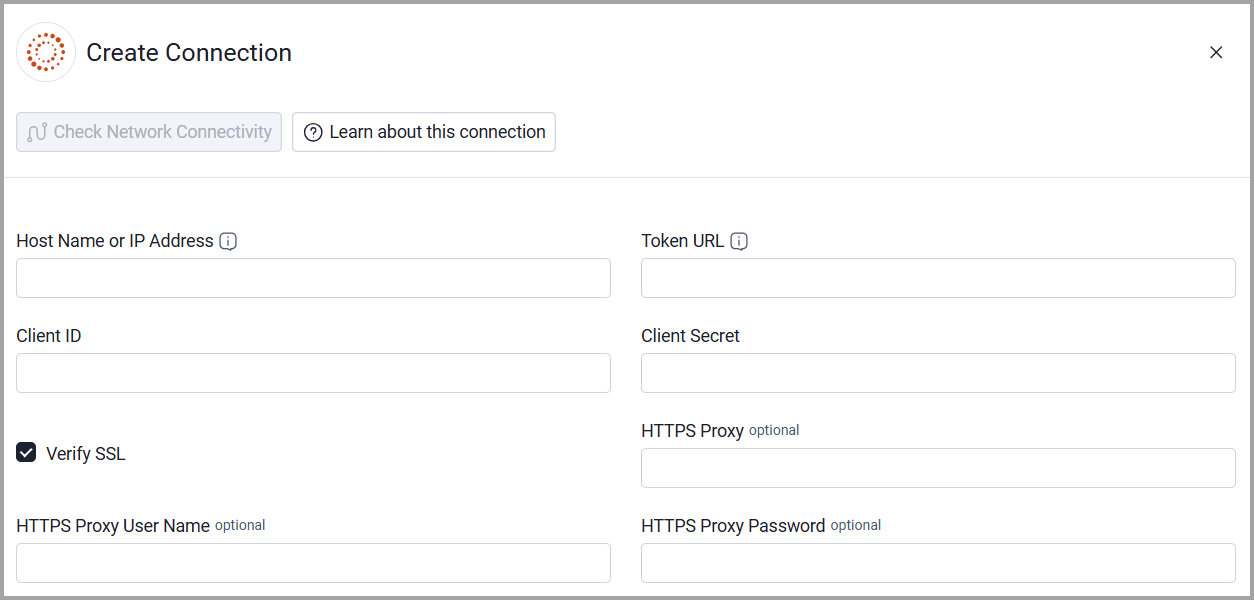
Optional Parameters
- Verify SSL - Select whether to verify the SSL certificate of the server against the CA database inside of Axonius. For more details, see SSL Trust & CA Settings.
- HTTPS Proxy - Connect the adapter to a proxy instead of directly connecting it to the host.
- HTTPS Proxy User Name - The user name to use when connecting through the HTTPS Proxy.
- HTTPS Proxy Password - The password to use when connecting through the HTTPS Proxy.
To learn more about common adapter connection parameters and buttons, see Adding a New Adapter Connection.
Updated 20 days ago