
Overview Dashboard
The Data Hygiene Overview Dashboard displays out-of-the-box widgets in three main sections.
Notes
- This dashboard is managed by Axonius - you cannot edit charts or create new ones.
- You can access this dashboard directly from the Dashboards Page, under the Managed by Axonius category.
- For all charts in the dashboard, click on a chart segment/slice/bar to view the list of assets represented by that part of the chart. See Chart Click-Through and the general Working with Charts category for more information.
General Health Metrics
This section shows the overall health of your device inventory:
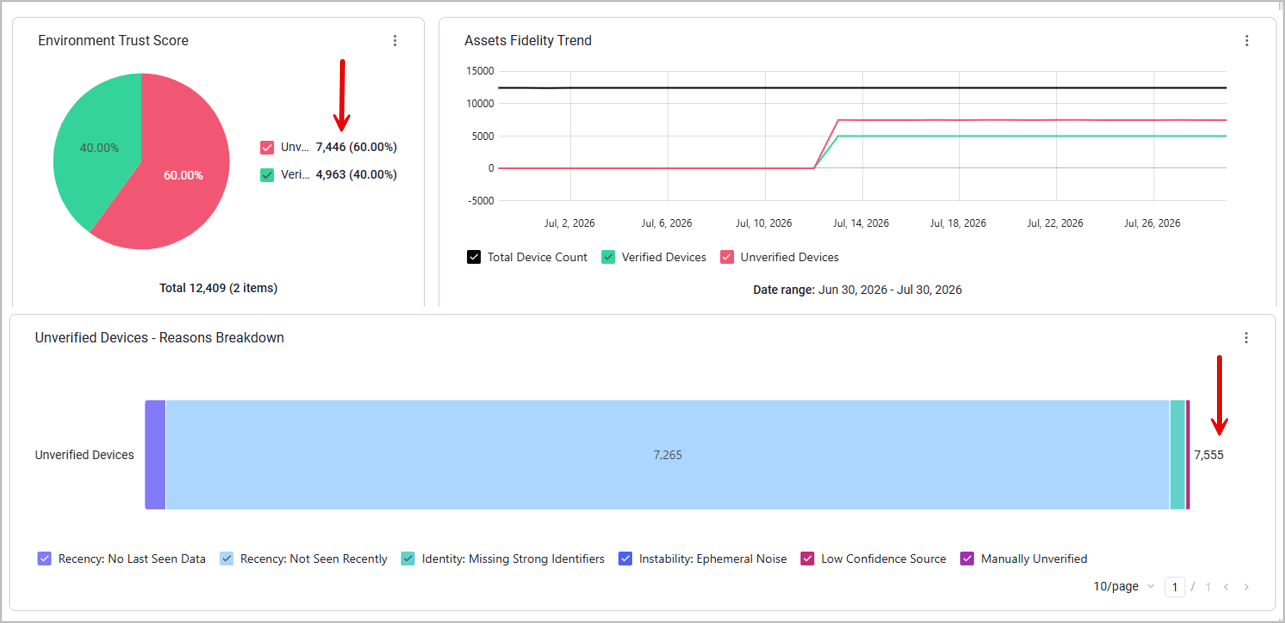
- Environment Trust Score - Verified vs. Unverified devices in total
- Verification Trends over time
- Verified devices breakdown by adapter name and category
- A breakdown of the reasons that devices were unverified, namely, the distribution of unverified devices across the different Verification Gates. Note that some devices might fail more than one gate, so the total number presented in this chart might exceed the general Unverified Devices count - as demonstrated below: while there are 7,446 unverified devices in total, the system counted a total of 7,555 unverified devices when considering ALL verification gate failures.
Data Breakdown - Unverified Devices
This section helps you identify all unverified devices by breaking them down to their verification failure reasons - which gate(s) each device failed to pass.
Each dashboard in this section represents a gate: Recency, Identity, Instability, and Fidelity (Low Confidence Source). If a gate is disabled, the dashboard representing it is not displayed.
Each Verification Gate comprises the following charts:
-
The total count of devices that failed to pass this gate.
-
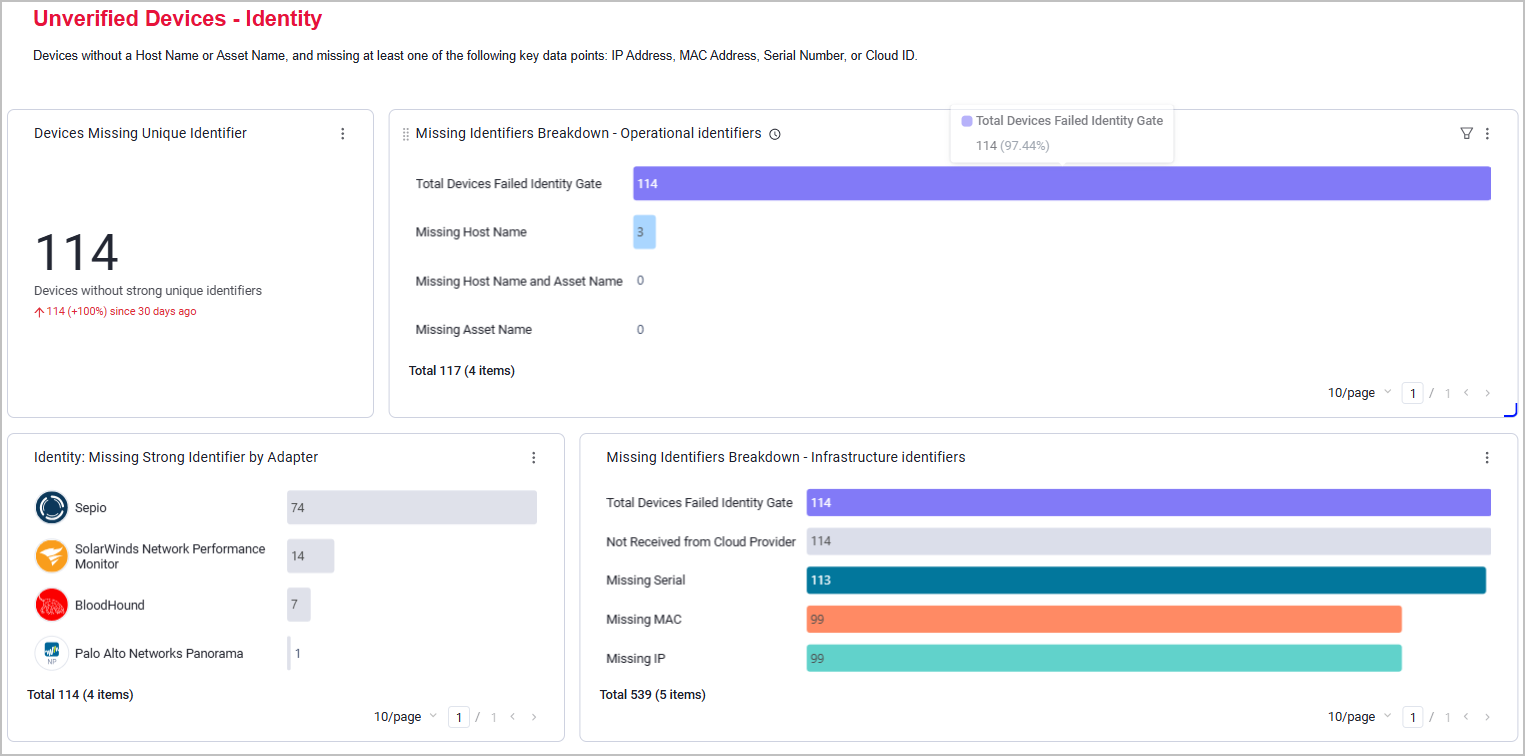
A breakdown of all unverified devices in this category by specific attributes. For example, the Identity section counts how many devices are missing each specific identifier. In the following example, there are 114 devices without strong unique identifiers in total; 3 devices are missing Host Name, but no devices are missing an Asset Name, or both Host Name and Asset Name; 99 devices are missing a MAC address; and so on.
-
The distribution of unverified devices in this category across specific adapters. This helps you recognize which adapters drive the most issues.
Data Breakdown - Verified Devices
This section breaks down all verified devices by different adapter properties. It contains:
-
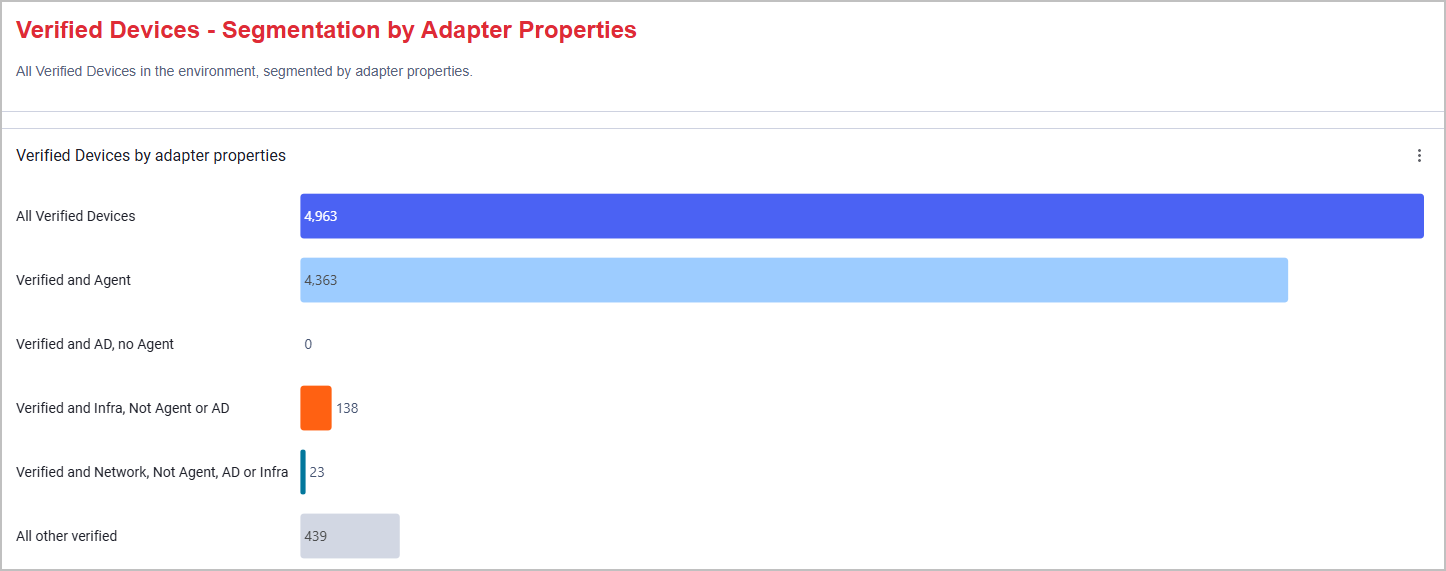
A general chart counting verified devices from each adapter category (or several categories crossed together). In the following example, there are 4,963 verified devices in total, and 138 of them were retrieved from adapters that are categorized as Infra - but are NOT categorized as Agent or AD.
-
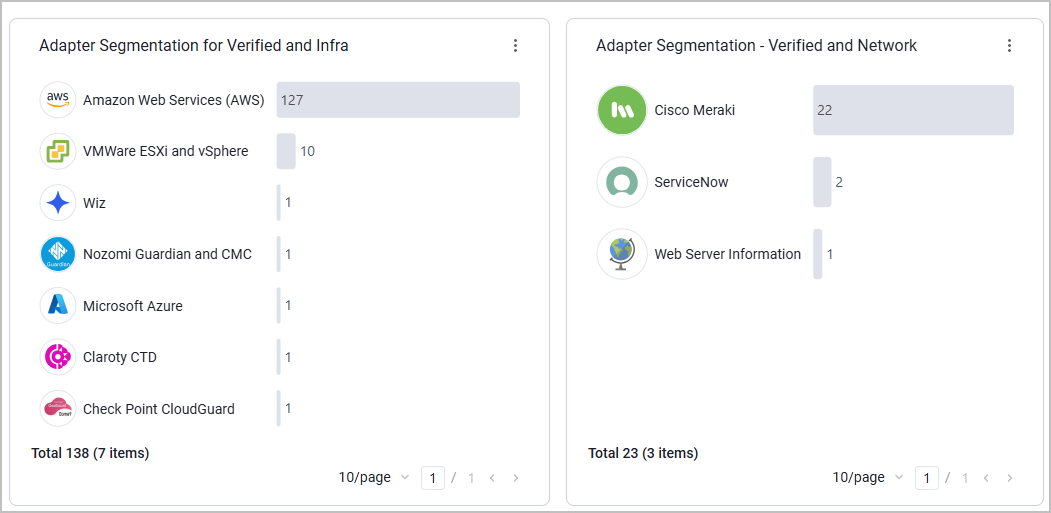
Charts counting verified devices from each adapter, segmented by adapter categories. In the following example, we can see that the AWS is the Cloud Infra adapter that retrieves the most verified devices, and Cisco Meraki is the Networking adapter that retrieves the most verified devices.
Updated 2 months ago