
Attack Path
Axonius displays data about potential Attack Paths for each Security Finding that exists on a device. An attack path is a modeled sequence of network elements (nodes) that a data packet might follow (Public-facing devices, load balancers, firewall rules, etc.) and publicly expose a device to external attacks. Axonius connects the relevant device routes to the appropriate Security Findings, providing critical visibility into the paths that network traffic may potentially traverse within your infrastructure and affect your security posture.
Note
- Attack paths on devices are represented in Axonius by the Network Routes asset type.
- Attack path data is available only for Device-related Security Findings.
Viewing Attack Paths
To view a Security Finding's attack path:
- From the Security Findings page, click on a Security Finding to open its Profile page.
- Select the Attack Path tab.
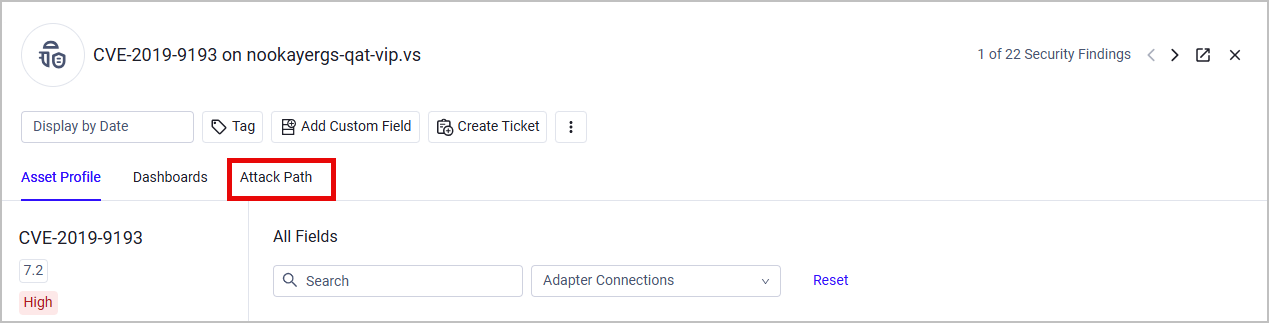
The Attack Path graph is built in the following way:
- Internet node - Path starting point
- The relevant nodes in which the network traffic traverses. A node can be one of the following asset types:
- Devices, Domains & URLs, Network/Firewall Rules, Load Balancers, Containers, Serverless Functions
- The relevant Security Finding - Path ending point
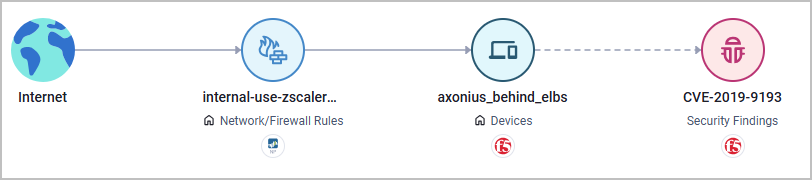
A Home icon represents an on-premises asset and a Cloud icon represent a cloud-based asset.
A Security Finding might have more than one attack path:
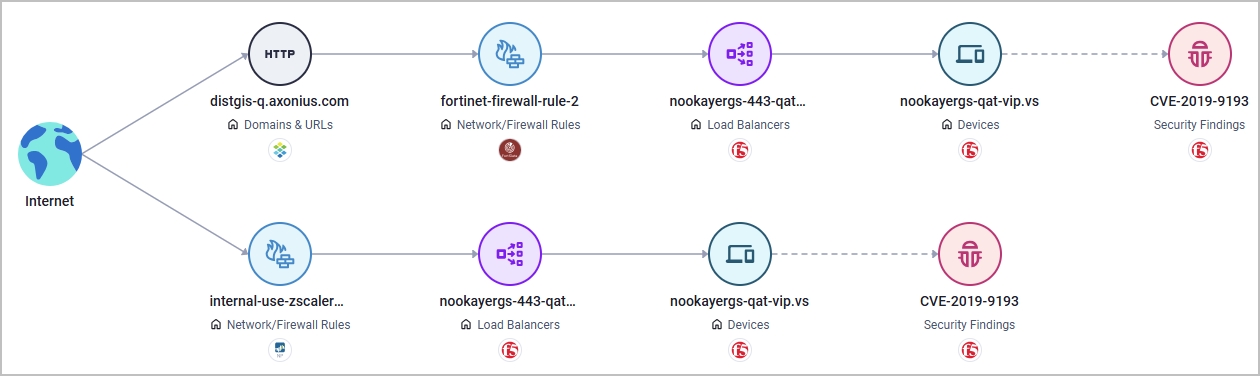
Exploring Attack Path Elements
The Attack Path graph contains clickable elements:
-
Click on a line in the path graph to see details about this particular route: its name, the asset type it's associated with, the vendors of the assets that are part of this route, and more. For information on the different Route fields, refer to the Network Routes Page.
-
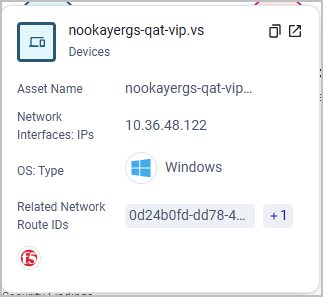
Click on a node in the path graph to see relevant information about this asset type. For example, if you click on a Device node, the following details are displayed. You can also open this asset's Profile page on a separate tab.
Updated 20 days ago