
F5 rSeries
F5 rSeries is an application delivery controller platform that provides traffic management, security services, and API-driven infrastructure control through F5OS for modern application environments.
Use Cases the Adapter Solves
- Verify Hardware Inventory & Ground Truth - Discover the details and hardware component status across your F5 rSeries infrastructure for accurate asset tracking.
- Monitor Platform Health & System Status - Track system health metrics, system status to maintain visibility into appliance operational state.
- Maintain Infrastructure Compliance - Verify F5 rSeries platform versions and configurations to ensure your application delivery infrastructure meets organizational standards.
Asset Types Fetched
- Devices
Data Retrieved through the Adapter
Devices - Fields such as: Device Name, Device Serial Number, OS Version
Before You Begin
Required Ports
- TCP port 8888 (HTTPS)
Authentication Methods
Basic HTTP authentication using system user credentials with access to the F5OS platform API.
APIs
Axonius uses the F5OS REST API. The following endpoints are called:
GET /restconf/data/openconfig-platform:components/component={component_name}- Retrieve platform hardware component detailsGET /restconf/data/openconfig-system:system- Retrieve system version and software information
Required Permissions
The user account must have administrative or read-only access to the F5OS platform. Verify the exact permission requirements with your F5 rSeries administrator, as the API documentation is not publicly available.
Supported From Version
Supported from Axonius version 8.0.19.6
Connecting the Adapter in Axonius
Navigate to the Adapters page, search for F5 rSeries, and click on the adapter tile.
Click Add Connection.
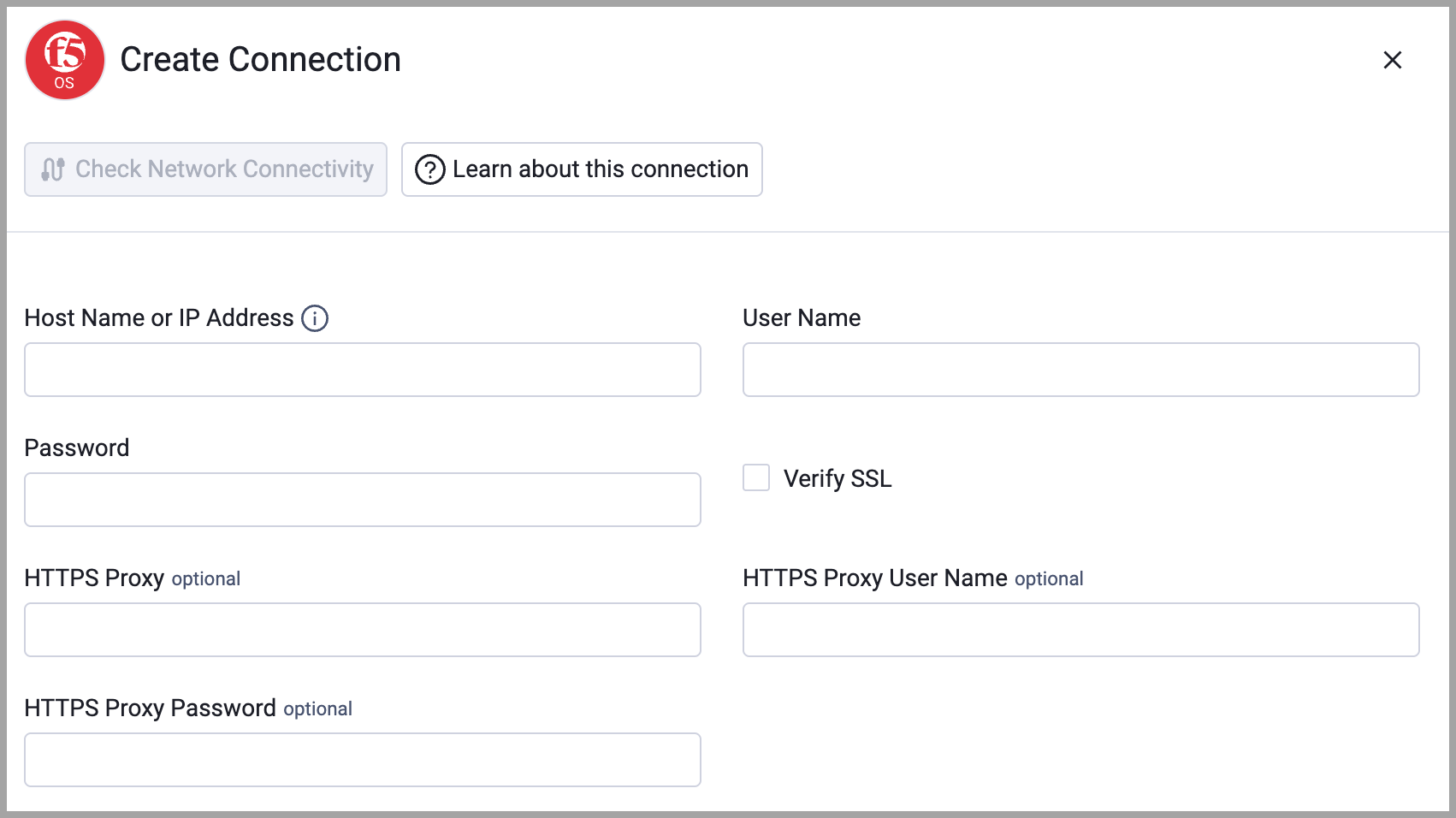
To connect the adapter in Axonius, provide the following parameters:
Required Parameters
- Host Name or IP Address - The hostname or IP address of the F5 rSeries F5OS platform. Example:
https://192.168.1.100:8888 - User Name - A valid F5 rSeries system account with API read access. Example:
admin - Password - The password for the specified user account.
- Verify SSL - Select whether to verify the SSL certificate of the server against the CA database inside of Axonius. For more details, see SSL Trust & CA Settings.
Optional Parameters
- HTTPS Proxy - Connect the adapter to a proxy instead of directly connecting it to the domain.
- HTTPS Proxy User Name - The user name to use when connecting through the proxy.
- HTTPS Proxy Password - The password to use when connecting through the proxy.
To learn more about common adapter connection parameters and buttons, see Adding a New Adapter Connection.
Updated about 2 hours ago