
GCP - Add or Remove Labels to/from Assets
The GCP - Add or Remove Labels to/from Assets action adds or removes labels from:
- Assets returned by the selected query or assets selected on the relevant asset page.
Note
To use this Enforcement Action, you must successfully configure a Google Cloud Platform (GCP) adapter connection.
See Creating Enforcement Sets to learn more about adding Enforcement Actions to Enforcement Sets.
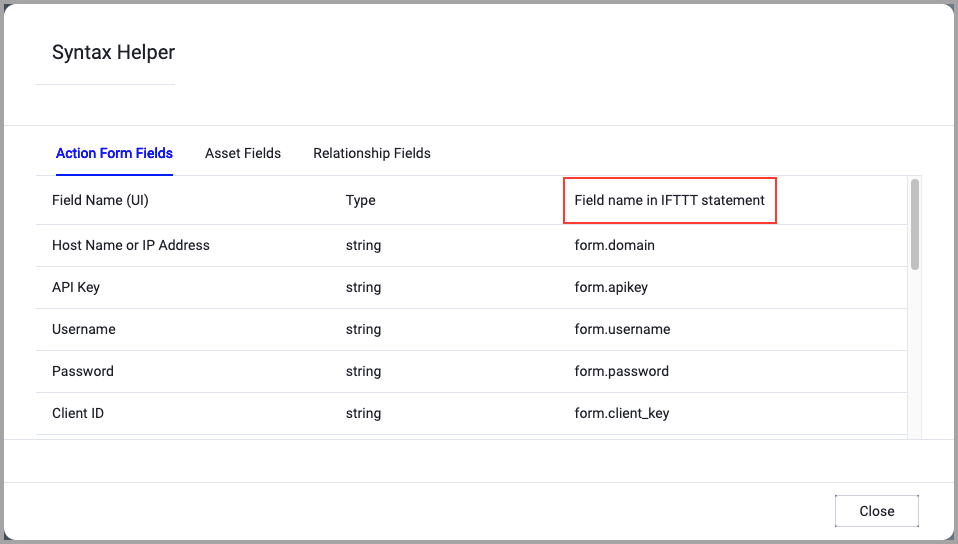
When accessing an enforcement action using the API, you must use the backend form of field names.
Use the Syntax Helper to find the correct name. In the enforcement action, enable Configure Dynamic Values and select Syntax Helper.
Note
- Not all asset types are supported for all Enforcement Actions.
- See Actions supported for Activity Logs, Adapters Fetch History, and Asset Investigation modules.
- See Actions supported for Aggregated Security Findings.
- See Actions supported for Software.
Required Fields
These fields must be configured to run the Enforcement Set.
- Action name - The name of this Enforcement Action. The system sets a default name. You can change the name.
- Configure Dynamic Values (optional) - Toggle on to enter a Dynamic Value statement. See Creating Enforcement Action Dynamic Value Statements to learn more about Dynamic Value statement syntax.
- Use stored credentials from the GCP Adapter - Enable this to use credentials from the adapter connection. By default, the first connection is selected.
-
When you select this option, the Select Adapter Connection drop-down becomes available. Select the adapter connection to use for this Enforcement Action.
-
Note
- You must enable Use stored credentials from the GCP Adapter and select an adapter connection to be able to save this Enforcement Set.
- To use this option, you must successfully configure a Google Cloud Platform (GCP) adapter connection.
-
Compute Node - The Axonius node to use when connecting to the specified host. For more details, see Working with Axonius Compute Nodes.
Additional Fields
These fields are optional.
- Label names and Label value - Enter label names separated by a comma in the Label names field and the value of each label separated by a comma in the Label value field. The first label name corresponds to the first label value, and so on.
- Choose action for labels - Select whether to Add label or Remove label.
APIs
Axonius uses the Method: instances.setTags | Compute Engine Documentation | Google Cloud API.
Required Permissions
The stored credentials in the selected adapter connection must have the following permission(s) to perform this Enforcement Action:
compute.v1.InstancesService.SetTags
For more details about other enforcement actions available, see Action Library.
Updated 11 months ago