
Microsoft Teams
Microsoft Teams is a workspace for real-time collaboration and communication, meetings, file and app sharing.
Asset Types Fetched
- Devices, Groups, Users, Application Resources (only for customers with Software Management or Identities)
Before You Begin
APIs
Axonius uses the Microsoft Graph REST API Beta.
Required Permissions
The following Application permissions are required for the Azure application:
- TeamworkDevice.Read.All
- TeamSettings.Read.All
- Team.ReadBasic.All
Supported From Version
Supported from Axonius version 6.1
Connecting the Adapter in Axonius
Required Parameters
- Authentication Method - Select between Client Credentials and Certificate Based.
- Parameters for Client Credentials:
-
Azure Client ID, Azure Client Secret, Azure Tenant ID, Cloud Environment - See details under Microsoft Entra ID.
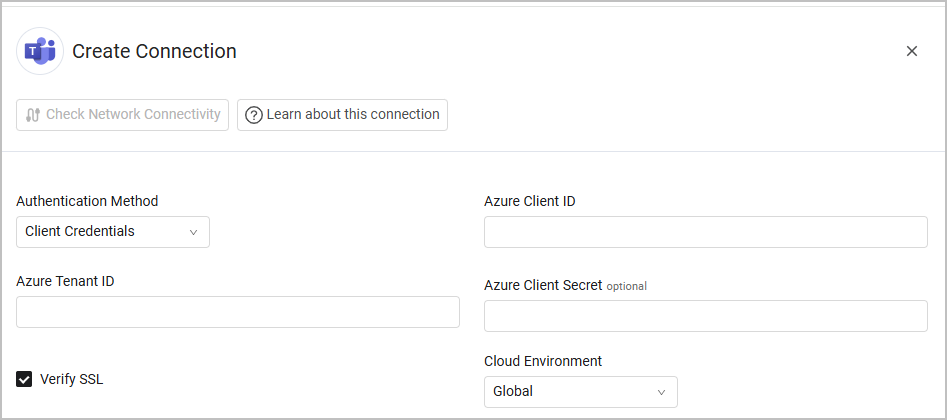
-
- Parameters for Certificate Based:
-
Azure Client ID and Azure Tenant ID, and Cloud Environment - See details under Microsoft Entra ID.
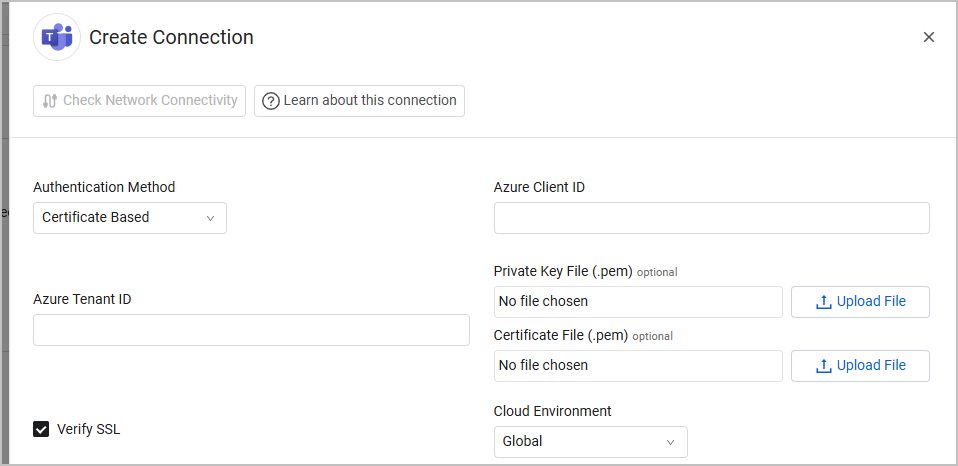
-
- Parameters for Client Credentials:
Optional Parameters
- When selecting Certificate Based as an authentication method:
- Private Key File (.pem) and Certificate File (.pem) - Axonius uses these files to send requests using Azure certificates, to allow secure Azure authentication for this adapter. Click Upload file next to Private Key File and Certificate File to upload these files in PEM format.
- Verify SSL - Select whether to verify the SSL certificate of the server against the CA database inside of Axonius. For more details, see SSL Trust & CA Settings.
- HTTPS Proxy (optional) - Connect the adapter to a proxy instead of directly connecting it to the domain.
- HTTPS Proxy User Name (optional) - The user name to use when connecting to the value supplied in Host Name or IP Address via the value supplied in HTTPS Proxy.
- HTTPS Proxy Password (optional) - The password to use when connecting to the server using the HTTPS Proxy.
To learn more about common adapter connection parameters and buttons, see Adding a New Adapter Connection.
Advanced Settings
Note
Advanced settings can either apply for all connections for this adapter, or you can set different advanced settings and/or different scheduling for a specific connection, refer to Advanced Configuration for Adapters.
Endpoints Config
- Enrich Teams Groups Members with Teams User Activity Report - Enable to fetch Teams User Activity Report, which enriches group members with information such as the number of meetings organized by each member. This setting can be useful to distinguish between users that require and don't require a Teams license, as such a license is generally required only for users who need to host meetings.
- To use this setting, you must:
- Have usage data of Microsoft Teams on Azure.
- Successfully configure the Microsoft Entra ID adapter.
- To use this setting, you must:
- Fetch ApplicationResources from Teams Groups Channels - Enable to fetch Teams channels as Application Resources asset type. This option is only available for customers who have either the Software Management or Identities modules.
Note
To learn more about Adapter Configuration tab advanced settings, see Adapter Advanced Settings.
Related Enforcement Actions
Updated 4 months ago