
LibreNMS
LibreNMS is a network monitoring solution that provides auto-discovery for network hardware and operating systems including Cisco, Linux, Juniper, Foundry, and more.
Types of Assets Fetched
This adapter fetches the following types of assets:
- Devices, Network Devices
Parameters
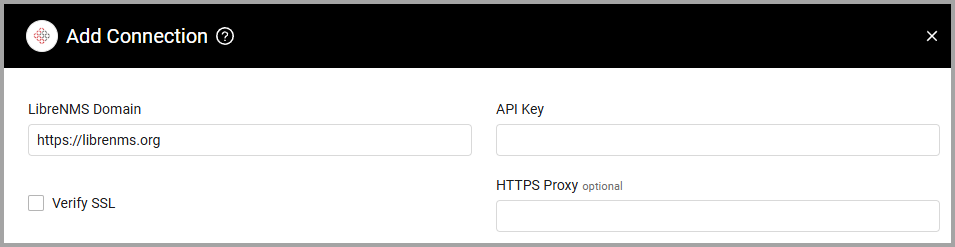
- LibreNMS Domain (required) - Keep as 'https://librenms.org'.
- API Key (required) - Use the authentication token you have generated for a user that has site viewer access to LibreNMS. For more details, see Using the API - LibreNMS Docs.
- Verify SSL - Select whether to verify the SSL certificate of the server against the CA database inside of Axonius. For more details, see SSL Trust & CA Settings.
- HTTPS Proxy (optional) - Connect the adapter to a proxy instead of directly connecting it to the domain.
To learn more about common adapter connection parameters and buttons, see Adding a New Adapter Connection.
Advanced Settings
- Prefer "hostname" field for device hostname - When enabled, uses the "hostname" field as the device hostname. When disabled (default), uses "sysName", falling back to "hostname". Enable this setting when your LibreNMS "hostname" field contains the actual device hostname you want to use for correlation, rather than the SNMP sysName field. This is useful when sysName might not match your DNS hostname or asset management naming conventions.
- Use "display" field as device name - When enabled, uses the "display" field as the device name, falling back to "hostname", then device ID. When disabled (default), device ID is used as the name. Enable this setting when you've configured custom display names in LibreNMS that are more user-friendly than the default device IDs. This provides better readability in the Axonius UI when viewing and querying devices.
Updated 4 months ago
Did this page help you?