
Guardicore
Guardicore is a data center and cloud security company that protects the organization’s core assets.
Types of Assets Fetched
This adapter fetches the following types of assets:
- Devices
- Users
Parameters
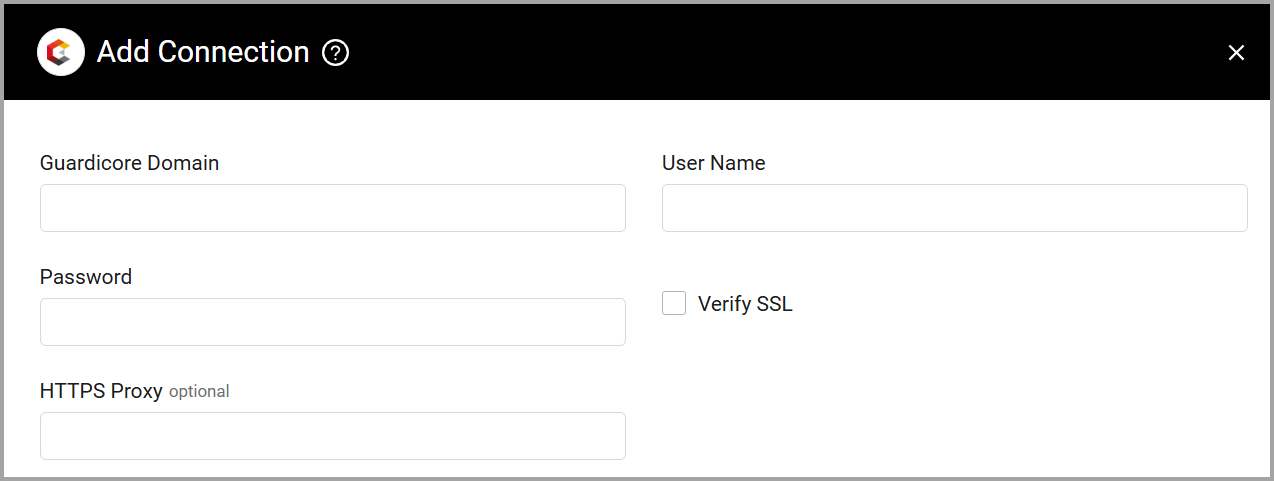
- Guardicore Domain - The hostname of the Guardicore server.
- User Name and Password (required) - The credentials for a user account that has permission to fetch assets.
- Verify SSL - Select whether to verify the SSL certificate of the server against the CA database inside of Axonius. For more details, see SSL Trust & CA Settings.
- HTTPS Proxy (optional) - Connect the adapter to a proxy instead of directly connecting it to the domain.
To learn more about common adapter connection parameters and buttons, see Adding a New Adapter Connection.
Advanced Settings
Note
Advanced settings can either apply to all connections for this adapter, or to a specific connection. Refer to Advanced Configuration for Adapters.
- Avoid Cloud duplications - Select this option to skip cloud duplications.
- Fetch agents status flags - Select this option to fetch agent status flags.
- Fetch agents information - Select this option to fetch full agent information for a device.
- Fetch incidents - Enable this option to fetch incidents.
- Fetch incidents from X days ago - Select the number of days back from which Axonius fetches incidents. (when you enable Fetch incidents the default value is 100)
- Module Status Enforcement - From the drop-down, select the
module_status_enforcementfilter to use for the agent fetch. Possible values: No Filter, Active, Not Deployed, Enforcement. - Fetch Agents as Devices - Select this option to create devices on agents.
- Fetch Users - By default Axonius fetches users. Clear this option to not fetch users.
- Fetch Label Groups - Select this option to fetch label groups from the Guardicore V4 API and enrich assets with this information. Label groups provide additional categorization and organization of assets within Guardicore.
Note
To learn more about Adapter Configuration tab advanced settings, see Adapter Advanced Settings.
Updated 4 months ago
Did this page help you?