
Adding Custom Device Fields to the Security Findings Table
Learn how to add custom device fields to the Security Findings table for better analysis and reporting.
The Security Findings page displays a limited set of fields, which might obscure essential data from the Devices page and lead to incomprehensive analysis and reporting of vulnerabilities. To address this issue, you can configure up to 10 fields that will be imported from the Devices table and parsed within the Security Findings table. The imported fields will also be accessible from the All Fields section of each Security Finding's Asset Profile page.
In this process, data consistency and integrity between the Devices and Security Findings modules are maintained, since the values of the imported fields update accordingly.
Notes
- Only Admin users can configure these settings.
- Only Preferred and Custom fields from the Devices module are available for import to the Security Findings module.
To import Device Fields to the Security Findings Table:
-
Go to System Settings (the
 button at the top right corner of the page).
 -
From the left side pane, navigate to Data
>Security Findings Data. -
Select fields to import from the dropdown menu. You can select up to 9 fields - in addition to the Preferred Host Name field, which is selected by default and can't be unselected. To unselect any other field, re-click it.
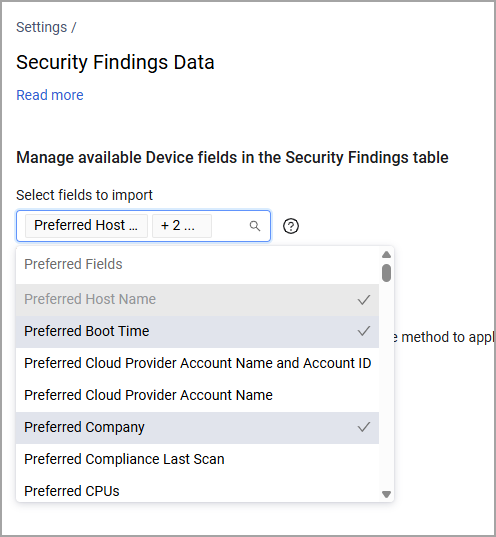
To select custom fields, scroll the dropdown down to the Custom Fields section.
-
Click Save. Note that the changes might take a while to apply: you might only find the imported fields in the Security Findings table after 20-40 minutes, or after the next Discovery Cycle.
-
From the Security Findings page, click Edit Table to add the imported fields to your view. The imported fields appear in the Security Findings table with the name "Asset Preferred [Field Name]", except for Preferred Host Name which is there by default. Custom fields appear with their original name.
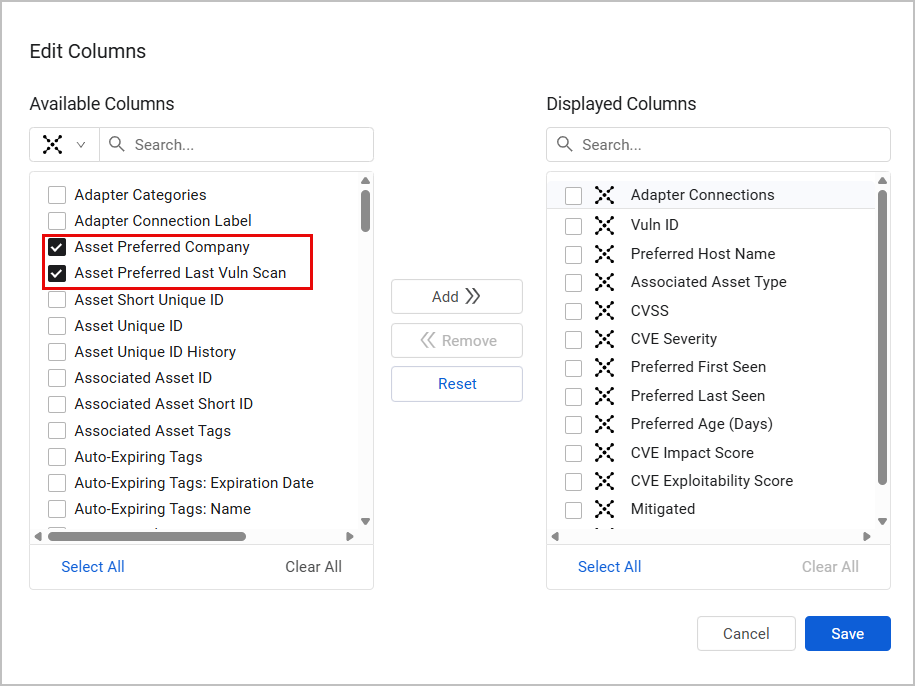
Preferred Fields
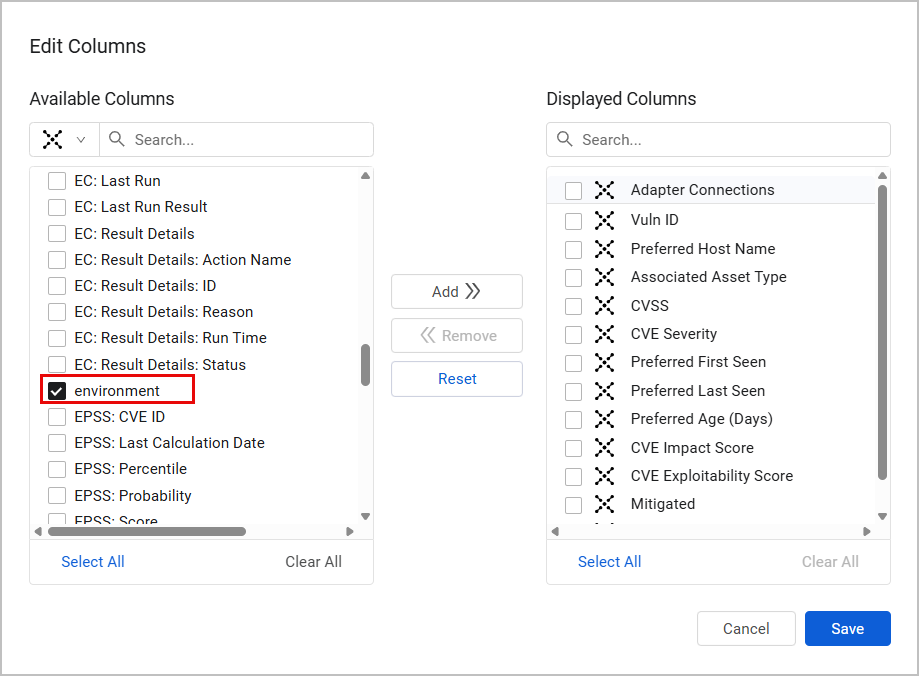
Custom Fields
- After saving your changes, the imported fields are added to the table.
Updated 7 months ago