
Automox - Run Worklet per Asset
Automox - Run Worklet per Asset runs an Automox worklet for each asset that matches the parameters of the saved query supplied as a trigger (or from the assets selected in the asset table).
This removes the need to have a domain admin account on all your systems for WMI ECS. It also allows you to leverage the recipes you already have in Automox.
See Creating Enforcement Sets to learn more about adding Enforcement Actions to Enforcement Sets.
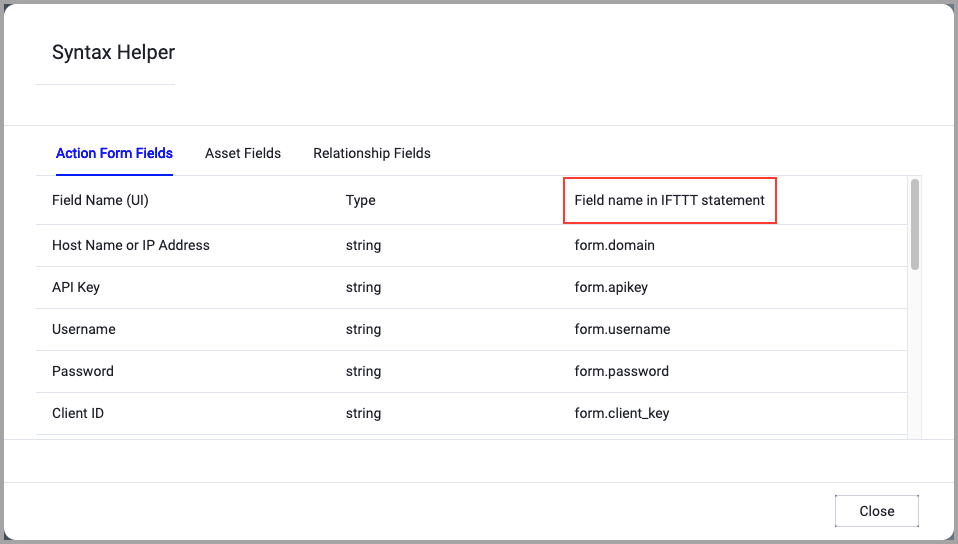
When accessing an enforcement action using the API, you must use the backend form of field names.
Use the Syntax Helper to find the correct name. In the enforcement action, enable Configure Dynamic Values and select Syntax Helper.
Note
- Not all asset types are supported for all Enforcement Actions.
- See Actions supported for Activity Logs, Adapters Fetch History, and Asset Investigation modules.
- See Actions supported for Aggregated Security Findings.
- See Actions supported for Software.
General Settings
- Action name - The name of this Enforcement Action. The system sets a default name. You can change the name.
- Configure Dynamic Values (optional) - Toggle on to enter a Dynamic Value statement. See Creating Enforcement Action Dynamic Value Statements to learn more about Dynamic Value statement syntax.
Required Fields
These fields must be configured to run the Enforcement Set.
- Worklet ID - the ID of the worklet
APIs
Refer to How we Worklet: for information on how to get the API key.
Required Permissions
The value supplied in User name must have permissions to run a worklet.
For more details about other enforcement actions available, see Action Library.
Updated 8 months ago