
Connecting GCP in Axonius
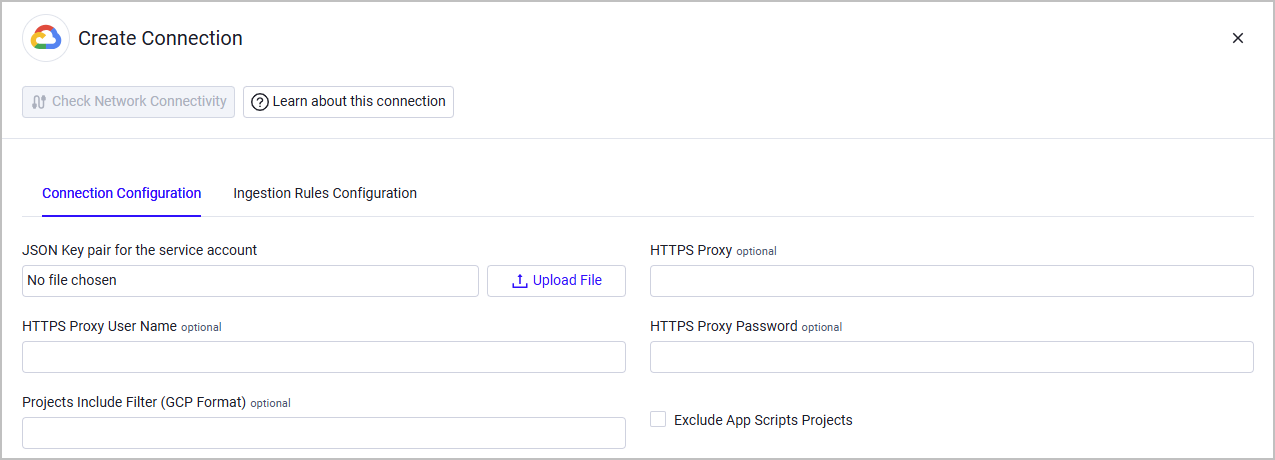
To connect the Adapter in Axonius, click Create Connection and provide the following parameters:
Required Parameters
- JSON Key pair for the service account - A JSON-document containing service-account credentials to GCP. For details, see Cloud Storage JSON API overview.
Optional Parameters
-
HTTPS Proxy - A proxy to use when connecting to the GCP APIs.
-
HTTPS Proxy User Name - The user name to use when connecting to the value supplied in Host Name or IP Address via the value supplied in HTTPS Proxy.
-
HTTPS Proxy Password - The password to use when connecting to the server using the HTTPS Proxy.
-
Projects Include Filter (GCP Format) - Filter by projects accessible by the active account, as per the Gcloud Topic Filters. For syntax, limits, and validation steps, see Projects Include Filter syntax and limitations.
-
Exclude App Scripts Projects - Select this option to exclude App Script projects from the projects data fetched by this adapter. App Script projects are identifiable by a
sys-prefix in the project ID (for example,sys-03523947054443978985983186). Enabling this option typically reduces the total project count by approximately 3%, but it does not eliminate the 32-condition limit described below.
To learn more about common adapter connection parameters and buttons, see Adding a New Adapter Connection.
Projects Include Filter Syntax and Limitations
Filter Syntax
The adapter automatically prepends lifecycleState:ACTIVE AND to whatever you enter in Projects Include Filter (GCP Format). Enter only the filter body.
The name: field matches the project display name, not the project ID.
| Goal | Syntax example |
|---|---|
| Single project | name:"My Project Name" |
| Multiple projects | (name:"Project A" OR name:"Project B" OR name:"Project C") |
| Exclude by prefix | NOT name:"sys-" |
Note: Space-separated names (for example,
name:A name:B) silently return empty results when multiple values are used. Always use an explicitORwith parentheses for multiple projects.
32-Condition Limit
The GCP Cloud Resource Manager API v1 enforces an undocumented limit of 32 OR conditions per filter. Filters with 33 or more conditions return a 400 INVALID_ARGUMENT error.
For environments with more than 32 projects, split the project list across multiple adapter connections, each with a batch of 32 names or fewer.
Wildcard and Prefix Matching Is Not Supported
The name: filter requires exact display name matches. Partial names and wildcards return empty results.
Validating a Filter Before Applying It in Axonius
Run the following command using the same service account to confirm that the filter returns the expected projects:
curl -s -G \
  -H "Authorization: Bearer $(gcloud auth print-access-token)" \
  --data-urlencode 'filter=lifecycleState:ACTIVE AND (name:"Project Display Name 1" OR name:"Project Display Name 2")' \
  https://cloudresourcemanager.googleapis.com/v1/projects | jq -r '.projects[].projectId'
If the output returns every active project, the filter is not restricting correctly. Verify that you are using display names, not project IDs.
Updated 27 days ago