
Tufin SecureTrack
Tufin SecureTrack is a firewall management solution that delivers security, compliance, and connectivity across physical networks and hybrid cloud.
Asset Types Fetched
- Devices, Networks, Network/Firewall Rules, Network Routes
APIs
Axonius uses the Tufin SecureTrack REST API. It uses the Devices API.
Parameters
-
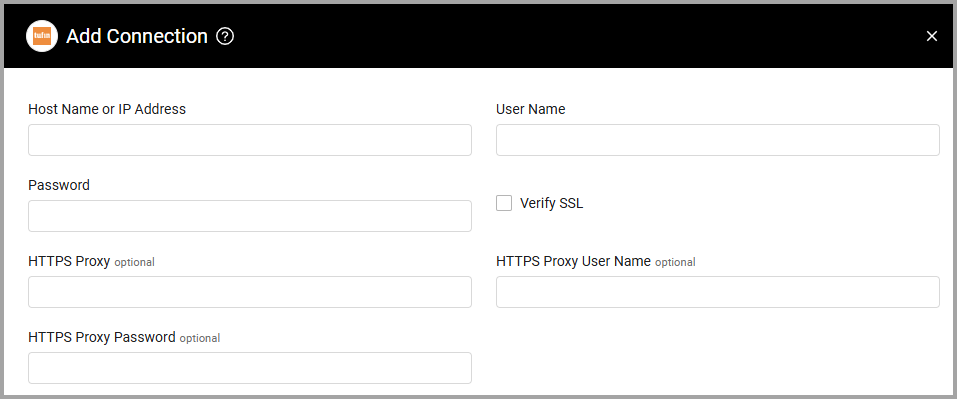
Host Name or IP Address (required) - The hostname or IP address of the Tufin SecureTrack server.
-
User Name and Password (required) - The credentials for a user account that has the permissions to fetch assets.
-
Verify SSL - Select whether to verify the SSL certificate of the server against the CA database inside of Axonius. For more details, see SSL Trust & CA Settings.
-
HTTPS Proxy (optional) - Connect the adapter to a proxy instead of directly connecting it to the domain.
-
HTTPS Proxy User Name (optional) - The user name to use when connecting to the value supplied in Host Name or IP Address via the value supplied in HTTPS Proxy.
-
HTTPS Proxy Password (optional) - The password to use when connecting to the server using the HTTPS Proxy.
To learn more about common adapter connection parameters and buttons, see Adding a New Adapter Connection.
Advanced Settings
Note
- Advanced settings can apply to either all connections of this adapter, or to a specific connection. For more detailed information, see Advanced Configuration for Adapters.
- For more general information about advanced settings, see Adapter Advanced Settings.
- Fetch Hosts as Devices (default: true) - The adapter fetches host-type network objects as Devices by default. To cancel this, uncheck this setting. Then, host-type network objects will be fetches as Networks.
NoteTo learn more about Adapter Configuration tab advanced settings, see Adapter Advanced Settings.
Supported From Version
Supported from Axonius version 4.5
Updated 2 months ago