
phpIPAM
phpIPAM is an open-source web IP address management application (IPAM).
Asset Types Fetched
This adapter fetches the following types of assets:
- Devices, Users, Networks
Before You Begin
APIs
Axonius uses the phpIPAM API.
Authentication Methods
Username and Password OR API Token
Required Permissions
The value supplied in User Name must have read access to devices.
To read users, the supplied User Name must have rwa permissions.
Setting Up phpIPAM to Work with Axonius
To gain access to the API:
-
Login to phpIPAM with a user that has admin permissions.
-
Go to Settings and enable the API module.
-
Go to Settings → API and click Create API key to create a new API App (application). The application should have Read permissions. Set all APP params as desired for your APP.
.png)
-
Use the App id in the Application ID field in the adapter connection configuration dialog.
Connecting the Adapter in Axonius
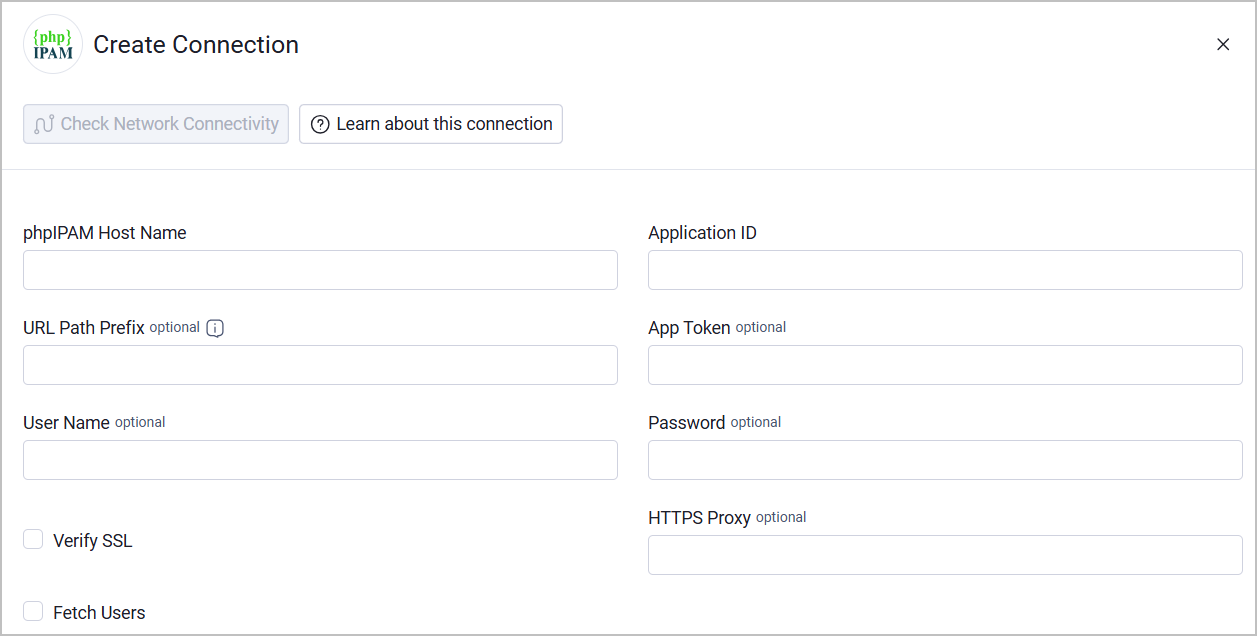
To connect the adapter in Axonius, provide the following parameters:
Required Parameters
-
phpIPAM Host Name - The hostname or IP address of the phpIPAM server.
-
Application ID - The App id that you received when creating the API App in phpIPAM.
-
User Name and Password - The credentials for a user account that has the Required Permissions to fetch assets. These parameters are optional when an App Token is provided (see below).
Optional Parameters
-
URL Path Prefix - The path between the host name and api. For example, for
https:///ipam/api//, enteripam. Leave empty when phpIPAM is served from the root of the host. -
App Token - A phpIPAM application token. When this parameter is provided, the adapter uses it instead of obtaining a token with a user name and password.
-
Verify SSL - Select whether to verify the SSL certificate of the server against the CA database inside of Axonius. For more details, see SSL Trust & CA Settings.
-
HTTPS Proxy (optional) - Connect the adapter to a proxy instead of directly connecting it to the domain.
-
Fetch Users - Select whether to fetch users' data from the phpIPAM server.
To learn more about common adapter connection parameters and buttons, see Adding a New Adapter Connection.
Advanced Settings
Note
Advanced settings can either apply for all connections for this adapter, or you can set different advanced settings and/or different scheduling for a specific connection, refer to Advanced Configuration for Adapters
- CIDR exclude list - Specify a comma-separated list of CIDRs to be excluded.
- CIDR include list - Specify a comma-separated list of CIDRs to be included.
- Fetch subnets addresses as devices - Select whether to fetch all the addresses under all the subnets in phpIPAM and create devices from these addresses
- API used - /api/my_app/subnets/
{id}/addresses/
- API used - /api/my_app/subnets/
- Enable Custom Parsing - Enable this option to define how to parse specific fields from the raw data fetched. You can choose to parse the data into an already existing field, or create a new one. See Adapter Custom Parsing for more information.
NOTE
To learn more about Adapter Configuration tab advanced settings, see Adapter Advanced Settings.
Updated 12 days ago