
Device Intelligence Hub
Use the Device Intelligence Hub to manage active network scanning adapters and device scan jobs for deep OT and IoT device visibility. The Device Intelligence Hub provides a centralized location for configuring protocol-aware scanners, scheduling scan jobs, and reviewing scan fetch history.
Accessing the Device Intelligence Hub
To open the Device Intelligence Hub, click the Adapters icon in the left navigation menu, and then select Device Intelligence Hub.
The Device Intelligence Hub opens with the Adapters tab selected.
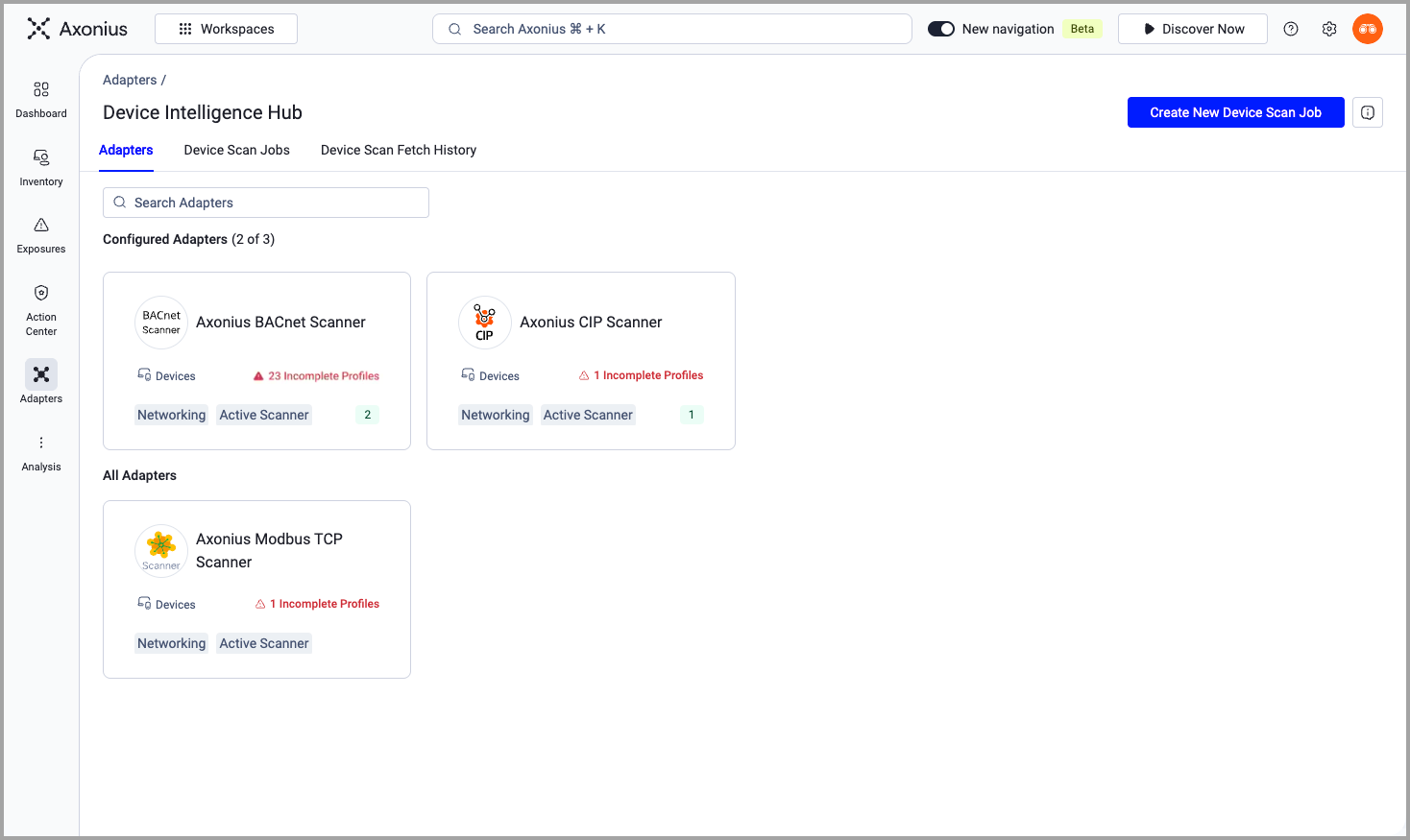
To create a device scan job, click Create New Device Scan Job in the top right corner. See Creating a Device Scan Job for more information.
The Device Intelligence Hub includes the following tabs:
- Adapters - All Cyber-Physical adapters are shown.
- Device Scan Jobs - A list of all configured device scan jobs. Job runs can be triggered by a schedule or an event.
- Device Scan Fetch History - Lists all completed device scan jobs.
Adapters Tab
The Adapters tab displays all configured and non-configured adapters that are tagged with Active Scanning. Each adapter scans devices with a specific protocol. Adapters are organized by whether they are configured. For the Configured Adapters section, the number of configured adapters is displayed next to the section title (for example, "Configured Adapters (3 of 3)").
Searching Adapters
To find a specific adapter, enter text in the Search Adapters field. The display filters to show only adapters matching the search text.
Adapter Cards
Each adapter card displays the following information:
-
Adapter Name - The name of the configured scanning adapter (for example, Axonius BACnet Scanner, Axonius CIP Scanner, Axonius Modbus TCP Scanner).
-
Asset Type - The asset type the adapter scans (for example, Devices).
-
Incomplete Profiles - If any scanned devices have incomplete profile data, a warning indicator displays the number of incomplete profiles.
-
Categories - Category tags for the adapter (for example, Networking, Active Scanner).
-
Scan Job Count - The number of scan jobs configured for this adapter.
Click an adapter card to open the scan job configuration. See Creating a Device Scan Job for details on configuring scan jobs.
See Managing Device Scan Jobs and Viewing Device Scan Fetch History for more about scan jobs and job history.
Updated about 1 month ago