
Axonius Release Notes 9.0
Release Date: June 15th 2026
These Release Notes contain new features and enhancements added in version 9.0.0
Cyber Assets New Features and Enhancements
The following new features and enhancements were added to Axonius Cyber Assets:
Business Context
Business Context introduces a centralized classification system that helps users define and apply multi-dimensional context to assets. With configurable, priority-driven rules, users can classify devices by business unit, lifecycle status, and ownership to reduce inventory ambiguity and create a clear source-of-truth for device state.
With Business Context, teams can quickly identify unmanaged assets in critical business units, filter out inactive or decommissioned devices from reports, and align Axonius inventory with external systems such as CMDBs. Real-time analytics help visualize classification coverage, identify gaps, and support more accurate dashboards, reconciliation workflows, and risk analysis.
Limitations
- Currently only available for SaaS Applications, Software, Devices and Users.
- After you change the configuration, it will only take effect in the next discovery cycle.
Exposures New Features and Enhancements
The following new features and enhancements were added to Exposures:
Security Findings Rules
Security Finding Rules introduce a mechanism to define and manage cyber threats and exposures that are not addressed by traditional vulnerability identifiers, such as CVEs, by organizing them in categories based on queries. This feature helps cut through a "flood of alerts" by focusing on the most critical risks, automating data gathering and threat discovery, and preventing misalignment between security and IT teams regarding specific threats.
- Exposures customers can create independent rules, adopt Axonius-predefined rules, and edit Axonius rules. Assets created by Security Finding Rules are available under a dedicated tab on the general Security Findings page - the Axonius Security Findings tab.
- Cyber Asset Management customers can only create independent rules. Assets created by Security Finding Rules are available under the Security Findings table on the assets page
Security Findings Page - Introducing Tabs
The Security Findings page now includes three tabs representing three different views. Users can navigate between these tabs to view the Security Findings most relevant to their needs and better distinguish between Axonius-generated findings and other findings.
- All (default) - All Security Findings from all sources.
- Axonius Security Findings - A view focused on Security Findings generated by Axonius. This view uses a predefined query to display results derived from enrichment, adapters, and other data sources, including Security Finding Rules.
- External Security Findings - A view filtered by a predefined query representing All Security Findings (CVEs, plugins, etc.) that are retrieved from all adapters.
Axonius Threat Intelligence
Axonius Threat Intelligence enriches vulnerability data with additional exploit and threat context, helping users understand which CVEs pose greater real-world risk. Instead of relying only on scanner severity or CVSS, users can see whether a vulnerability is known to be exploited, weaponized, trending, associated with threat actors, ransomware, botnets, or included in KEV sources. This gives security teams better context for prioritization and helps them focus on vulnerabilities that are more likely to be actively used by attackers.
Data from Axonius Threat Intelligence, including asset fields unique to this source, is available on the Aggregated Security Findings page and on the Vulnerability Repository page.
Axonius Vulnerability Score (AVS)
Axonius Vulnerability Score (AVS) is a risk score assigned to vulnerabilities that helps customers prioritize vulnerabilities based on considerations beyond raw severity, including real-world exploitability and expected impact. A vulnerability's AVS is calculated by combining multiple external data sources with Axonius research and enrichment outputs, using a unique, AI-powered pipeline. The Vulnerability Score Pipeline is a comprehensive data processing system that enhances raw CVE (Common Vulnerabilities and Exposures) data from the National Vulnerability Database (NVD) with intelligence from multiple external sources and AI-powered analysis. The pipeline transforms basic CVE records into enriched vulnerability assessments that include exploit intelligence, product identification, security context, and threat intelligence. Each factor used in the calculation is categorized as Risk-Increasing, Risk-Decreasing, or impactless.
Asset Criticality
Axonius offers a new Asset Criticality mechanism that makes asset importance visible and actionable, and helps users prioritize and focus security efforts on the assets that matter most. The Asset Criticality page provides a set of pre-defined rules, created by the Axonius Cyber-Security Research team, which:
- Reflect context-based asset categories - for example, IT-related devices, Finance privileged devices, etc.
- Set the Criticality Level of each category - Critical, High, Medium, or Low.
Asset Criticality also empowers users to define their own context-based asset categories using queries. Criticality categories can apply to all asset types, including Crown Jewel assets.
Out-of-the-Box Risk Score
Axonius now offers a predefined, out-of-the-box Risk Score that provides distinct, best-practice starting points through OOTB values. The OOTB Risk Score includes two predefined scoring models:
- Security Finding Risk Score
This score combines vulnerability-level context, including AVS, with asset-level context, such as Asset Criticality and whether the asset is internet-exposed. This helps users prioritize not only severe CVEs, but severe CVEs on important or exposed assets. - Asset Risk Score
This score uses the highest open Security Finding Risk Score on the asset as the primary signal, while also accounting for the broader volume of open Security Findings on that asset. Thus, the asset score reflects both the most severe current risk and the additional risk created when multiple findings exist on the same device.
Limitation
- Currently supported only for Devices.
Remediation Ownership
The new Remediation Ownership feature empowers security analysts to easily define and assign specific internal teams (such as IT, DevOps, or CloudOps) clear remediation tasks using Security Findings queries. This page ensures that every identified Security Finding has a designated individual or team responsible for its resolution, eliminating ownership Vacuums.
Recommended Actions
Axonius now automatically transforms complex security findings and scattered vulnerabilities into a prioritized, actionable to-do list of solutions, Recommended Actions. This capability bridges the gap between security analysis and IT execution, allowing teams to move instantly from discovery and prioritization to active mobilization. Driven by advanced, AI-powered research, Axonius analyzes defined groups of Security Findings to generate custom mitigation and remediation plans. Each detailed Action Plan outlines the precise steps needed to resolve the risk while accounting for your specific infrastructure:
- Clear Directives: Every plan provides explicit Execution Steps and Verification Steps so teams know exactly how to apply and validate a fix.
- Environment-Aware Workflows: Instructions automatically adjust for different operating systems. For example, a recommendation to upgrade package repositories will deliver distinct, dedicated procedures for Windows and Linux environments .
- Streamlined Access: This prioritized view is available under the new Recommended Actions tab within the Action Center.
Software Assets New Features and Enhancements
The following new features and enhancements were added to Software Assets:
Software Version Ranking
To help you identify software versions relative to your N-X version policy we have introduced the new Internal Software Version Rank field. This field displays the version ranking for each software version in your account and automatically ranks the versions that you have on your system, from the newest to oldest.
This field is available on the Software page, the Software Profile Software Versions page and on the Devices page for all customers who have Axonius Software.
New Fields for License Usage Tracking
The Software Management module now includes two new tracking fields to help you compare your licensed software seat counts against actual usage patterns, ensuring your organization optimizes its software spend.
Device Unique Users Count - Shows the number of unique users, based on the devices "last used users" field, across all devices where the software is installed, providing a per-user view instead of the per-installation view.
Inactive License Users Count - Shows the difference between your licensed user count, based on "License Quantity", and the actual number of unique users, based on "Device Unique Users Count" helping you identify unused licenses.
Axonius Platform New Features and Enhancements
New Navigation Experience
The Axonius platform features a completely redesigned, goal-oriented navigation experience structured directly around your daily workflows. The interface has been reorganized into clear, operational sections: Home (when working with a workspace), Dashboard, Inventory, Exposures, Action Center, Adapters, and Analysis.
Key updates include:
-
Contextual Tools: Each section now features a dedicated tools submenu, granting you fast access to relevant configuration pages without forcing you to navigate away to a separate settings menu.
-
Inventory: The former Assets section is now Inventory, which centralizes all asset access and lifecycle management tools (like Tag and Custom Data Management) in one spot.
-
Consolidation: All analysis tools are now grouped under Analysis, and all action workflows live together under the Action Center.
For more details New Navigation Experience.
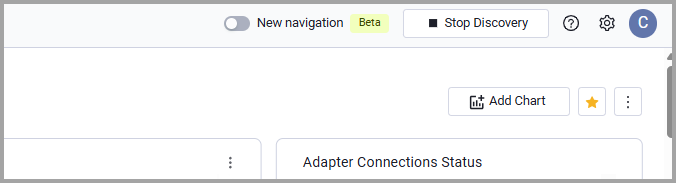
Ready to try it out? Enable the New navigation toggle at the top of your screen.
Assets Pages
The following features were added to all assets pages:
Query Wizard
Add Relationship Columns to Asset Table
When building a Relationship query in the Query Wizard, users can now add columns from the related asset table directly into the source asset table view. This enables them to display additional contextual information from related assets without leaving the current asset page. For example, while working on the Devices page, they may want to investigate device owners and also view the manager of each owner. Since the manager attribute exists on the Users asset type, they can create a Relationship query between Devices and Users, and then add the relevant User fields -including the manager field - as columns in the Devices table. This allows users to enrich the source asset table with related asset information and gain deeper visibility into asset relationships.
Limitations
- Sorting & Filtering: Column sorting, field value refinement, and include/exclude query actions are not supported for relationship columns.
- CSV Exports: Relationship columns are excluded from CSV exports (a warning notification will appear in the Export CSV modal).
- For Devices, you can't add columns from Security Findings or Aggregated Security Findings, because this data is already available through the Security Finding Instances complex field.
System Settings New Features and Enhancements
Users can now set the maximum timeout (up to 6 hours) allowed for the Network Routes enrichment process. A longer timeout is ideal for environments with a large number of network assets, as it gives Network Routes more time to complete its internet exposure analysis without timing out prematurely.
Adapter and Enforcement Action Updates
New Adapters
-
- Anthropic (Claude) is an AI assistant platform that provides enterprise administration capabilities for API key inventory, user and group management, and compliance activity monitoring. (Fetches: Secrets, Users, Roles, Groups )
-
- Axonius-provided CIP scanner, discovers EtherNet/IP devices on a network using the Common Industrial Protocol ListIdentity command (0x63) (Fetches: Devices)
-
- Grip Security is a SaaS Security Control Plane that provides continuous discovery, identity risk management, and access governance for SaaS and AI services. (Fetches: SaaS Applications, Users)
-
- Hexnode is a unified endpoint management platform that provides device enrollment, application management, security policy enforcement, and remote management across mobile and desktop endpoints.(Fetches: Devices, Users)
-
- Serval is an identity and access management platform that provides user lifecycle management and access control capabilities.(Fetches: Users)
-
- Yogosha is a penetration testing and bug bounty platform that manages security assessments, vulnerability tracking, and attack surface monitoring for digital assets. (Fetches: Aggregated Security Findings SaaS Applications Domains & URLs)
Updated Adapters
-
1Password - The 1Password adapter now includes configurable rate limiting to prevent API throttling errors. Two new connection settings allow users to configure request limits based on their 1Password account plan and control how long the adapter will wait when rate limits are encountered.
-
Adobe - Removed
report_suite_idfrom required connection fields, as the field is only required when the "Fetch Usage Data" advanced configuration option is enabled. -
- For Axonius SaaS Application customers only - When Use instance profile (attached role) is enabled and no other authentication methods are applied, the following fields are required: External Role ARN and Entry Point External ID. This security improvement applies to both the AWS adapter and AWS Secret Manager.
-
Apple Business Manager v2 - Apple Business Manager adapter was renamed to Apple Business Manager v2
-
Apple Device Management (Legacy) - Apple Device Management Adapter was renamed Apple Device Management (Legacy) This adapter was previously called Apple Business Manager.
-
Atlassian Jira Software - Added support for OAuth2 service account authentication, allowing secure programmatic connections without the need for user-based API tokens. Additionally, new SSO Username and SSO Password fields were added to support Single Sign-On (SSO) scenarios.
-
- The adapter now supports an advanced file identifier transformation feature. This optional setting allows deriving file identifiers from source metadata (file path, file name, blob key, etc.) using regular expression patterns, instead of using the static File Identifier field.
- Fixed SMBv2 and SMBv3 connectivity issues.
-
BigFix - The BigFix adapter now includes a new advanced setting to prevent timeout issues when fetching computers with extremely large response sizes. Users can configure a maximum response size limit in megabytes, and computers exceeding this limit will be automatically skipped during data collection. This feature is particularly useful for environments where some computers have unusually large amounts of data that cause fetch operations to time out.
-
CipherTrust Manager - Added support for ingesting cryptographic keys from the
/v1/vault/keys2/endpoint as Secret assets, enabling tracking and reporting on encryption keys managed by the CipherTrust key vault. -
Cisco Webex - Added support for fetching organization-level settings as Application Settings assets, providing visibility into Webex tenant configuration and security posture.
-
CSV - Applications - The CSV - Applications adapter has been updated to fix a bug where the Match with SaaS Applications Repository when parsing applications advanced setting was not being properly respected. Additionally, the setting's title has been clarified for better user understanding. Previously, even when this setting was disabled, the adapter would still attempt to match application names against the Axonius SaaS Applications Repository. With this fix, the setting now correctly controls whether vendor matching is performed
-
- This adapter now supports parsing Permissions and Roles.
- Added the option to enable custom aggregation configuration to support flattened datasets, where each row represents a combination of an asset and an assigned sub-entity - for example, Roles with assigned permissions.
-
- This adapter now includes a new advanced setting that allows you to surface managed service accounts stored in secrets as User entities in Axonius. When enabled, secrets that contain a Username extended field will be parsed and appear in the Users module alongside regular user accounts, providing visibility into service accounts managed by Delinea Secret Server.
- Added support for Cloud Secret Server instances by implementing the Discovery Network Items endpoint as an alternative Device data source.
- Enabled fetching devices using discovery items for cloud environments where the standard nodes endpoint is unavailable.
-
Delinea Server Suite - The Active Directory Domain field is now required when configuring new Delinea Server Suite adapter connections.
-
DNSFilter - The DNSFilter adapter authentication has been improved to support users who do not have Multi-Factor Authentication (MFA) enabled. A new authentication method "Basic Authentication" (without MFA) has been added, and the existing basic authentication method has been renamed to "Basic Authentication with MFA" to clarify which method requires MFA credentials.
-
Elastic Defend - The Elastic Defend adapter now includes a new advanced setting that allows you to filter agents by their health status.
-
Elastic Fleet - Added the option to fetch inactive agents.
-
eMASS - Added three new optional enrichment endpoints that provide workflow history data for systems. These endpoints fetch summary and detailed information about workflows, including initiation dates, completion status, approval stages, and processing timelines. The new endpoints are disabled by default and can be enabled through advanced settings to enrich compute services with workflow history data.
-
- This adapter now supports fetching IPS (Intrusion Prevention System) sensor threat profiles and enriching firewall policies with mitigated CVE information. This enhancement allows users to gain visibility into which CVEs (Common Vulnerabilities and Exposures) are protected by IPS sensors associated with firewall policies.
- This adapter now includes a new advanced setting that allows users to control how monitor devices without a hostname are named in Axonius. By default, devices without a hostname are assigned a name based on their MAC address (and optionally OS name). With this new setting, users can choose to keep the Asset Name empty for monitor devices that lack a hostname, instead of falling back to the MAC address.
-
Forward Networks - The Forward Networks adapter now supports fetching STIG (Security Technical Implementation Guide) compliance check data for network devices. This new optional feature allows customers to retrieve detailed compliance information including check results, severity levels, remediation guidance, and finding details directly from Forward Networks into Axonius.
-
GitHub - Added support for parsing GitHub organizations as Account assets (previously only exposed as fields on User entities).
-
Guardicore - The Guardicore adapter's incident fetching functionality has been redesigned to give users more control. The previous two separate advanced settings for incident timing (
incident_from_days_agoandincident_to_days_ago) have been replaced with a single, nested Fetch incidents setting that includes both an enable/disable toggle and a simplified time range configuration. -
- Added support for fetching frontend configuration data, including ACLs, binds, and backend mappings.
- Added support for fetching SSL certificate metadata from the HAProxy storage API.
-
- This adapter now fetches Software
- The Island adapter now includes an option to parse installed browser extensions as installed software entries. This enhancement allows organizations to track and query browser extensions using the same workflows and queries they use for traditional installed software, providing better visibility into browser-based security controls across their environment.
- Imperva Data Activity Monitoring (DAM) - Added support for token-based authentication (Auth-Token header) as an alternative to username/password authentication, supporting static long-lived authentication tokens.
- JFrog Artifactory - The JFrog Artifactory adapter now supports parsing repository data as Application Resources in addition to the existing Devices entity type.
- Jira Service Management (Service Desk) Fetch Tickets - The legacy Advanced Fields to Show in Basic Fields setting was superseded by the new Custom Parsing configuration. All existing configuration is retained.
- LibreNMS - Added configuration options to prefer hostname field for device hostname and to use display field as device name, improving asset name correlation and visibility.
- Mend.io- The Mend.io adapter has been enhanced to fetch CVE (Common Vulnerabilities and Exposures) data from the Mend.io platform. This update adds three new data collection endpoints that retrieve SAST (Static Application Security Testing) findings and container/image security vulnerabilities for each project..
- Microsoft Azure - Added support for fetching Network Watcher Topology data as Network Service assets, providing visibility into Azure network topologies and their configuration details.
- NetBox - This adapter was enhanced to fetch IPAM Aggregates as a new data source for Networks, and improved parsing for Network assets. A new optional advanced setting Fetch IPAM Aggregates was added, which when enabled retrieves network aggregates and automatically enriches IPAM IP Addresses and IPAM Prefixes with their parent aggregate information.
- NetBrain - The NetBrain adapter now supports OAuth 2.0 authentication using Client ID and Client Secret, in addition to the existing username/password authentication method.
- Nozomi Guardian and CMC - Added an asset-type filter for vulnerability ingestion, thus creating an allow list of asset types that should receive vulnerability data.
- Okta - Expanded user log event scope beyond
user.authentication.ssoto include complete sign-on chain events (user.authentication.verify,user.session.start,policy.evaluate_sign_on) and optional DSSO events (system.dsso.auth), while adding support for parsingoutcome.resultandoutcome.reasonfields on user log entries. - Palo Alto Networks Cortex XSOAR - This adapter now includes two new advanced settings that allow you to filter incidents by severity and status. These optional settings enable you to control which incidents are fetched from Cortex XSOAR, reducing data volume and focusing on the incidents most relevant to your security operations. By default, all severities and all statuses are selected, ensuring existing configurations continue to work without any changes.
- Qualys Cloud Platform - Added two new advanced configuration options:
- Fetch Fixed Detections Whose Detection Status Changed Since Some Maximum X Days (0-30 day range) - Filters detections by status change date (or last detection date if never changed)
- Include Assets With Child Tags Of The Tags In The Qualys Tags Include List Connection Parameter- Extends tag-based filtering to include devices with child tags of the specified parent tags in the Qualys Tags include list, improving detection management flexibility and tag hierarchy support.
- Red Hat OpenShift Container - This adapter now fetches Compute Images assets, providing visibility into container image inventory alongside existing container support.
- SecurityScorecard - This adapter now parses DNS findings as URL assets by default.
- ServiceNow
- Added the
tables_to_sort_by_sysidparameter to the adapter's advanced configuration JSON file. It accepts a list of table names for which the adapter appendsORDERBYsys_idquery parameter to their API requests, addressing older ServiceNow environments that do not properly handle default sorting behaviors and require explicit sys_id-based ordering. This ensures consistent data retrieval and prevents missing or duplicated records during paginated fetches, with no impact on existing connections that do not require this workaround. - The legacy Advanced Fields to Show in Basic Fields setting was superseded by the newer Custom Parsing configuration. All existing configuration is retained.
- Added the
- Sophos Central
- Added support for fetching alert data from the Sophos Common API.
- Added the option to configure alert categories to ingest (DLP, malware, policy, etc.).
- SQL Server - This adapter now fetches Domains & URLs assets.
- SteelCloud
-
This adapter now supports Aggregated Security Findings and SaaS Applications.
-
This adapter has been enhanced to support STIG (Security Technical Implementation Guide) compliance data, including vulnerability tracking and detailed policy control results. This update adds new optional advanced settings for scan file filtering.
-
For SMB Connections added the option to recursively retrieve files from all subdirectories under the configured path.
-
- Tenable Vulnerability Management - Extended browser extension fetching capability to include Microsoft Edge browser extensions using Tenable Plugin ID 176212.
- Tenable.sc (SecurityCenter) - Added an option to fetch Network SSID information from Plugin 25197 (Windows Wireless SSID via WMI), enabling wireless network visibility for device assets.
- ThreatLocker - The ThreatLocker adapter now supports enriching device data using the ThreatLocker Reports API. Two new optional advanced settings have been added that allow you to enable enrichment from the "All Computers" report and the "Approval Requests" report. When enabled, these settings provide additional security-relevant device information such as isolation status, lockout status, and approval request metrics for SLA tracking.
- Vicarius - Added the option to fetch installed software data per device.
- watchTowr - The watchTowr adapter now includes an optional advanced setting that allows users to filter domain assets by their verification status.
- Windows Server Failover Clustering (WSFC) - The Windows Server Failover Clustering (WSFC) adapter now supports domain-wide cluster discovery. A new advanced setting Discover all clusters in domain has been added, allowing the adapter to automatically enumerate all Windows Server Failover Clusters within the configured domain. When enabled, each discovered cluster is returned as a separate asset with its member nodes and Organizational Unit (OU) information.
- Wiz
- Added the option to enrich assets with host configuration findings from Wiz's host configuration assessment reports. This feature allows Axonius to ingest security findings from Wiz's host configuration rule assessments as vulnerability software entries, providing visibility into configuration compliance issues on virtual machines and virtual machine images. Users can optionally enable this feature and filter findings by severity and status.
- Added support for parsing Route Tables as Network Service assets, providing visibility into VPC routing configurations and network connectivity details.
- The Wiz adapter has been updated to remove legacy connection-related code and settings. This change simplifies the adapter's configuration and removes deprecated functionality that is no longer supported. All existing Wiz adapter connections will continue to work without any changes needed.
- Zafran - The Zafran adapter's default fetching behavior for vulnerabilities (findings) has been updated to retrieve data from the last 7 days instead of the previous 1-day default.
New Enforcement Actions
The following Enforcement Actions were added:
- Jira Software - Create Ticket Per Asset - Creates an individual Jira Software issue for each asset returned.
Updated Enforcement Actions
The following Enforcement Actions were updated:
- These enforcement actions have updated Required Permissions: