
Axonius Release Notes 8.0.6
Release Date: December 14th 2025
These Release Notes contain new features and enhancements added in version 8.0.6.
Software Assets New Features and Enhancements
The following new features and enhancements were added to Software Assets:
New Approval Status
In the software registry approval status, the following additional approval status were added: For Review, Under Investigation, Risk Accepted.
Axonius Platform New Features and Enhancements
Axonius Platform New Features and Enhancements
Dashboard
The following new features and enhancements were added to the Dashboards:
Dashboard Management Enhancements
Sharing Dashboards with Specific Data Scopes
Dashboards with access permissions of 'Shared' can now be made available to specific data scopes. In the Who Has Access section, select Shared and then in Select Data Scopes, select the where the dashboard will be available.
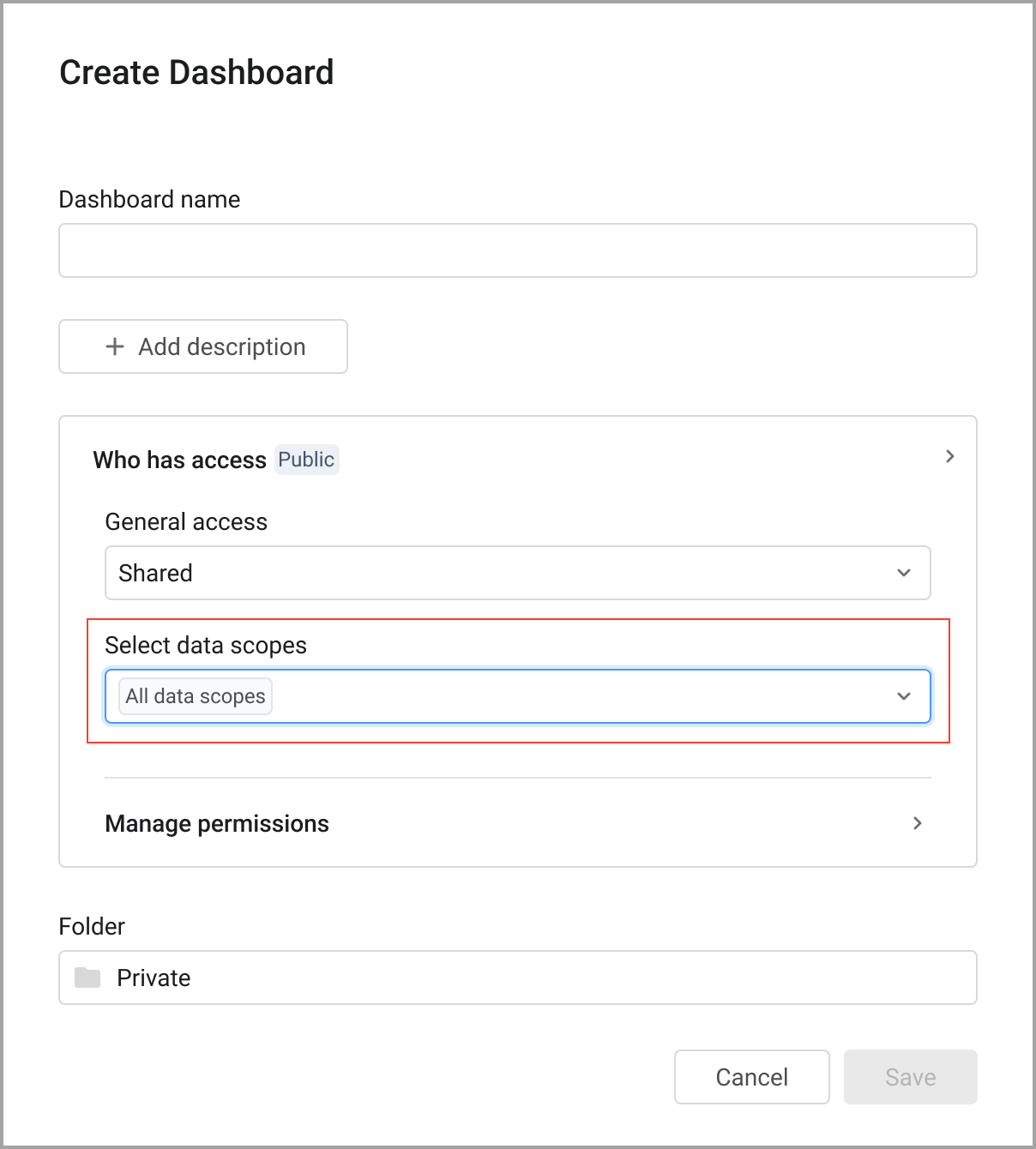
Chart Enhancements
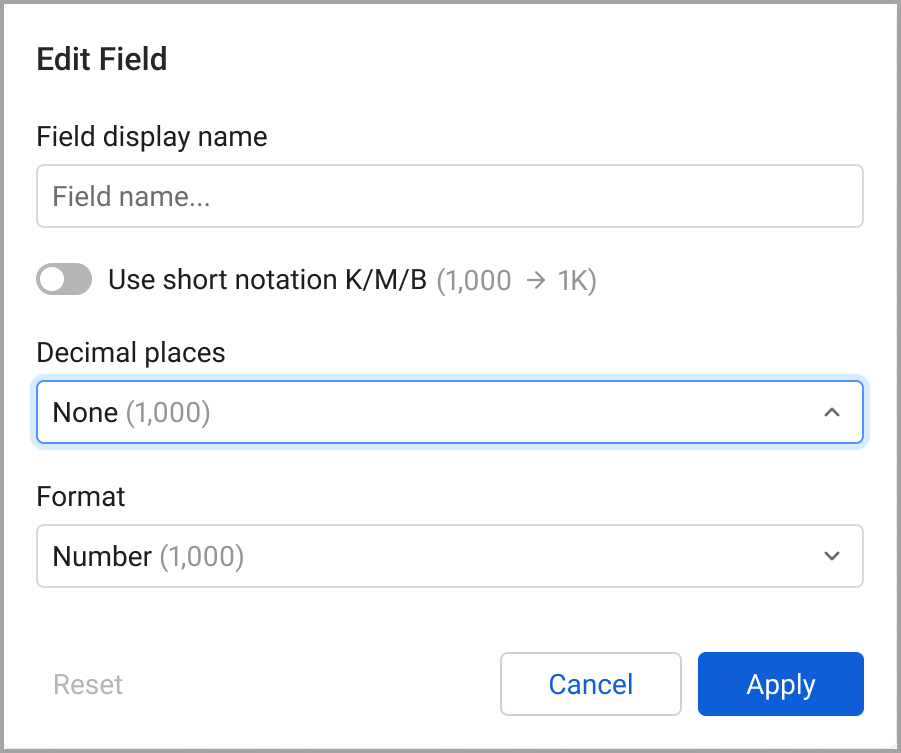
Formatting Numeric and Date Fields in Pivot Table Charts
The ability has been added to select formatting options for numeric fields in the Pivot chart. Users can set abbreviations such as K for 1,000, as well as set decimal precision. Currency symbols and codes are also available. For some fields, a value range can be set.
Query Wizard
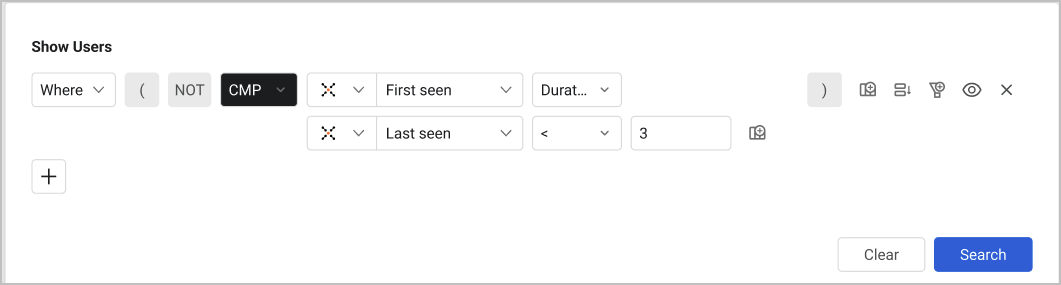
New Query Wizard Operator: Time-Duration Comparison
A new Duration operator was added to Field Comparison queries, enabling a comparison of the time difference between two date/timestamp fields. Customers can now filter results based on durations expressed in days or minutes. This makes it easy to identify short-lived (“ephemeral”) devices.
Enforcements
The following new features and enhancements were added to the Enforcements:
Dynamic Value Statement Updates
The following updates were made to the Dynamic Value Statement functionality:
New Fields in the Dynamic Value Statement Wizard
The following functions were added to the Dynamic Value Statement Wizard:
Regex:
regex_extract(text, pattern)regex_replace(text, pattern, replacement)- Filtering: regular and complex objects
filter(array, expression)filter_by_key(complex_array, match_field, value, return_field)- filter by value with operator- complex object
- filter by key with operator (return complex object)
- Math Operators: (with array support)
add(x, y)subtract(x, y)multiply(x, y)divide(x, y)- Array support for each of them [4,3,5] → 4X3X5, 4+3+5
- String Utilities:
upper(text),lower(text),trim(text),concat(...)to_titlecase(text)(new function): Capitalize each word, skip special/numeric characters [Done]By key- key equals- map
- Count
count(array)
System Settings
The following updates were made to various System settings:
Configure Multiple DNS Addresses for a Gateway
You can now configure multiple DNS addresses for redundancy and resolution of different domains in a single gateway.
Adapter and Enforcement Action Updates
New Adapters
The following new adapters were added:
- Red Sift ASM
- Red Sift ASM is a solution that provides continuous discovery, inventory, and management of external-facing and cloud assets for attack surface visibility. The adapter fetches data of Vulnerability Instances, Vulnerabilities, SaaS Applications, Domains & URLs, Network Services, and Certificates.
- RoboShadow
- RoboShadow is a cybersecurity platform that offers internal and external vulnerability assessment and remediation capabilities for endpoints, networks and applications. The adapter fetches data of Devices, Vulnerabilities, Users, and SaaS Applications.
Adapter Updates
Adapter Custom Parsing
Added the ability to use JMESPath (JSON Matching Expression paths) expression inside the advanced configuration "Custom parsing".
The following adapters were updated:
-
Alibaba Cloud - It is now possible to configure multiple region IDs for the Alibaba Cloud adapter in the adapter connection.
-
Amazon Web Services (AWS) - Added an option to fetch AWS Systems Manager (SSM) Inventory data, specifically the SSM Agent version, for all EC2 instances - including terminated ones.
-
CrowdStrike Falcon - This adapter now fetches Accounts/Tenants.
-
CSV , Custom Files and JSON - Added to these adapters a new authentication option for SharePoint: Certificate PFX.
-
Datto RMM (Autotask Endpoint Management) - Added the option to enrich devices with audit endpoint.
-
Delinea Secret Server (Thycotic) - Added Options to Fetch list items and to filter them by list ID, Category and Active lists.
-
Elastic Fleet - Authentication using username and password was added to this adapter.
-
Ermetic - It is now possible to fetch additional asset types.
-
Imperva WAF Cloud - Added an option to fetch incidents from insights and display them as the Incident / Alert asset type.
-
Microsoft Entra ID (Azure AD) and Microsoft Intune - Added an option to not fetch Users.
-
MobileIron EMM - Added the capability to define CE names to fetch certificates from.
-
Rapid7 Nexpose and InsightVM - Added an option to consider the values provided under Tag keys include list as an exclude list.
-
RingCentral - Added an option to enrich Users with phone numbers from directory entries.
-
Qualys Cloud Platform - Added an option to not fetch posture data (Policy Title, Control References, and Rationale).
-
Orca Cloud Visibility Platform - From version 8.0.6.1, ORCA alerts in the Vulnerability category are no longer parsed as Incidents and are instead parsed as Vulnerability Instances.
-
- Added an option to enrich Devices’ Recent Kernel Events data with Deep Visibility events.
- Added an option to enrich Devices’ Recent Loaded Modules data with Deep Visibility Module Loads events.
- Added an option to enrich Devices with Deep Visibility Suspicious Processes events.
-
ServiceNow - The Custom Parsing capability of this adapter now supports Groups and Business Applications.
-
Tenable Vulnerability Management - The Fetch cloud resources advanced setting was removed from this adapter, as the underlying endpoint was deprecated by Tenable.
New Enforcement Actions
The following Enforcement Actions were added:
- AWS - Assign Group to Users - Adds or removes a user to/from an AWS group.
- Bastazo - Send Assets - Creates assets in Bastazo.
- Jamf Pro - Delete Device - Deletes a device in Jamf Pro.
- Microsoft Intune - Delete Managed Device - Deletes a managed device in Microsoft Intune.
- Microsoft Intune - Delete Autopilot Device - Deletes an autopilot device in Microsoft Intune.
- Omnissa Workspace ONE (Airwatch) - Delete Devices - Deletes devices.
- Netskope - Create New SCIM Group - Creates a new SCIM group in Netskope.
- Netskope - Update Existing SCIM Group - Updates a SCIM group in Netskope.
- Netskope - Assign SCIM Group to SCIM User - Assigns a SCIM group to a SCI user in Netskope.
- Netskope - Remove SCIM Group from an SCIM User - Removes a SCIM group from a SCIM user in Netskope.
- Netskope - Update Existing SCIM User - Updates a SCIM user in Netskope.
- Netskope - Create New SCIM User - Creates a new SCIM user in Netskope.
Updated Enforcement Actions
The following Enforcement Actions were updated:
- ServiceNow - Update Tickets - Added the Update tickets using CSV attachment field. When enabled, the CSV attachment on an existing ticket will be updated with a new CSV file. The old file is overwritten.